Chapter 3 ● Wi-Fi Configuration
1041264-0001 Revision A
21
Figure 16: Administration main page
3. New options will appear in the left panel, select Password Settings.
Figure 17: Password Settings page
4. Type in your old password, followed by your new password, typed twice for
verification.
5. Click Save Settings.
6. Once finished applying changes, you will be logged out, and your new
password must be used to log in.
Changing your Wi-Fi networks’ names and security settings
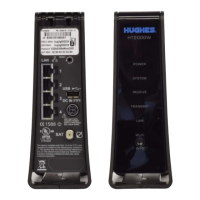
Out of the box, your HT2000W is setup to work with the Wi-Fi settings listed on the
rear label. Should you wish to change these, you can easily do so.
1. Login to your HT2000W Wi-Fi configuration page.


 To Next Page
 Loading...