EN 4
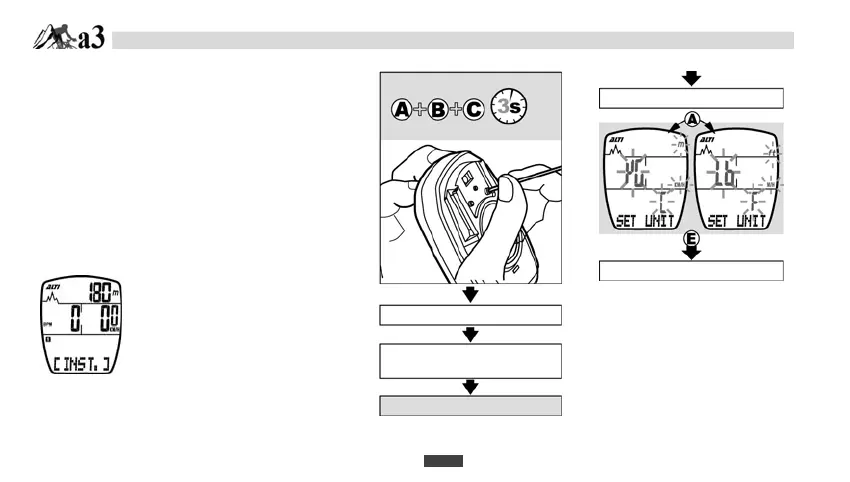
INITIATE THE MAIN UNIT
ENTER DATA SETTING MODE
1. Hold the A button, B button and C button
simultaneously for 3 seconds to initiate the computer
and clear all data.
2. The LCD segments will be tested automatically after
the unit is initiated.
3. Press any Button to stop LCD test in order to set UNIT.
4. Press A button to choose”KG” or “Lb”.(pound)
5. Press E buton to begin USER DATA SETTING.
QUIT DATA SETTING MODE
It will automatically quit the data
setting mode after 20 seconds
without press any btton, or press
C button.
ALL CLEAR:
Auto-running display
Press any button to enter
Data setting mode
Data settin
mode
UNIT SELECTION
A-1. USER DATA SETTING
DAT
SETTING MODE


 To Next Page