EN 5
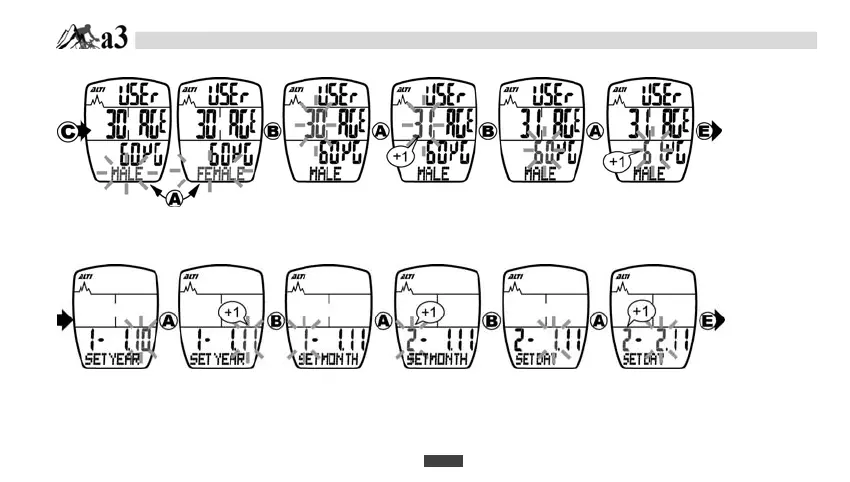
A-1. USER DATA SETTING
A-2. CALENDAR DATA SETTING
1. Press A button to change “MALE” or “FEMALE”.
2. Press B button to change the setting digit.
3. Press A button to increase the age by 1.
4. Press B button to change the setting digit.
5. Press A button to increase the weight by 1.
-2.
CALENDAR
DATA
SETTING
1. Press E button to begin CALENDAR DATA SETTING..
2. Press A button to increase the YEAR by 1.
3. Press B button to set MONTH.
4. Press A button to increase the MONTH by 1.
5. Press B button to set DAY.
6. Press A button to increase the DAY by 1.
-3.
CLOCK
SETTING
DATA SETTING MODE


 To Next Page