EN 7
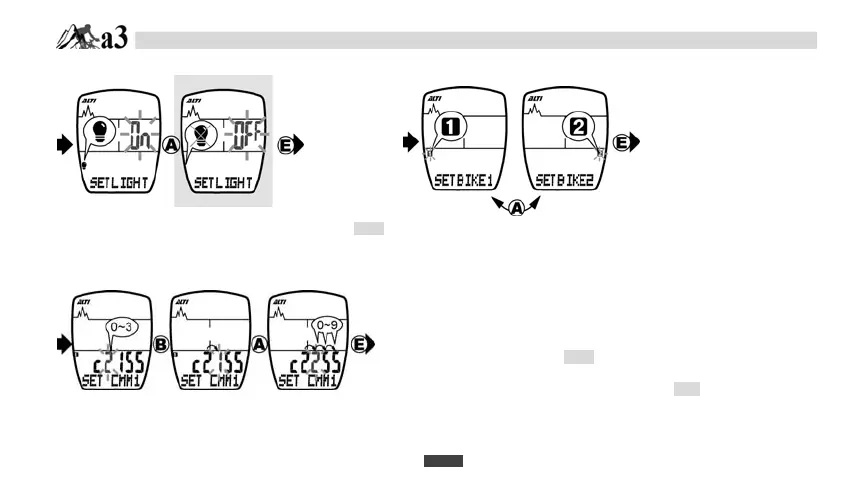
A-5. EL ON/OFF SETTING A-6. BIKE1/BIKE2
A-7. CIRCUMFERENCE DATA SETTING
1. Press E button to change EL ON/OFF SETTING.
2. Press A button to ON or OFF the EL. (also see page EN21).
1. Press A button to set Bike1 or Bike2..
2. Press E button to set circumference.
-6.
BIKE1/
BIKE2
SETTING
1. Press E button to begin CIRCUMFERENCE SETTING.
2. It shows the default value “c2155” (2155 mm). Measure
your wheel circumference and refer to the Wheel Size
Chart. (page. EN25)
3. Adjust the CIRCUMFERENCE value as instruction in
DATA SETTING processes (page EN 2).
-8.
ODO DATA
SETTING
DATA SETTING MODE
-7.
CIRCUMFERENCE
DATA SETTING


 To Next Page