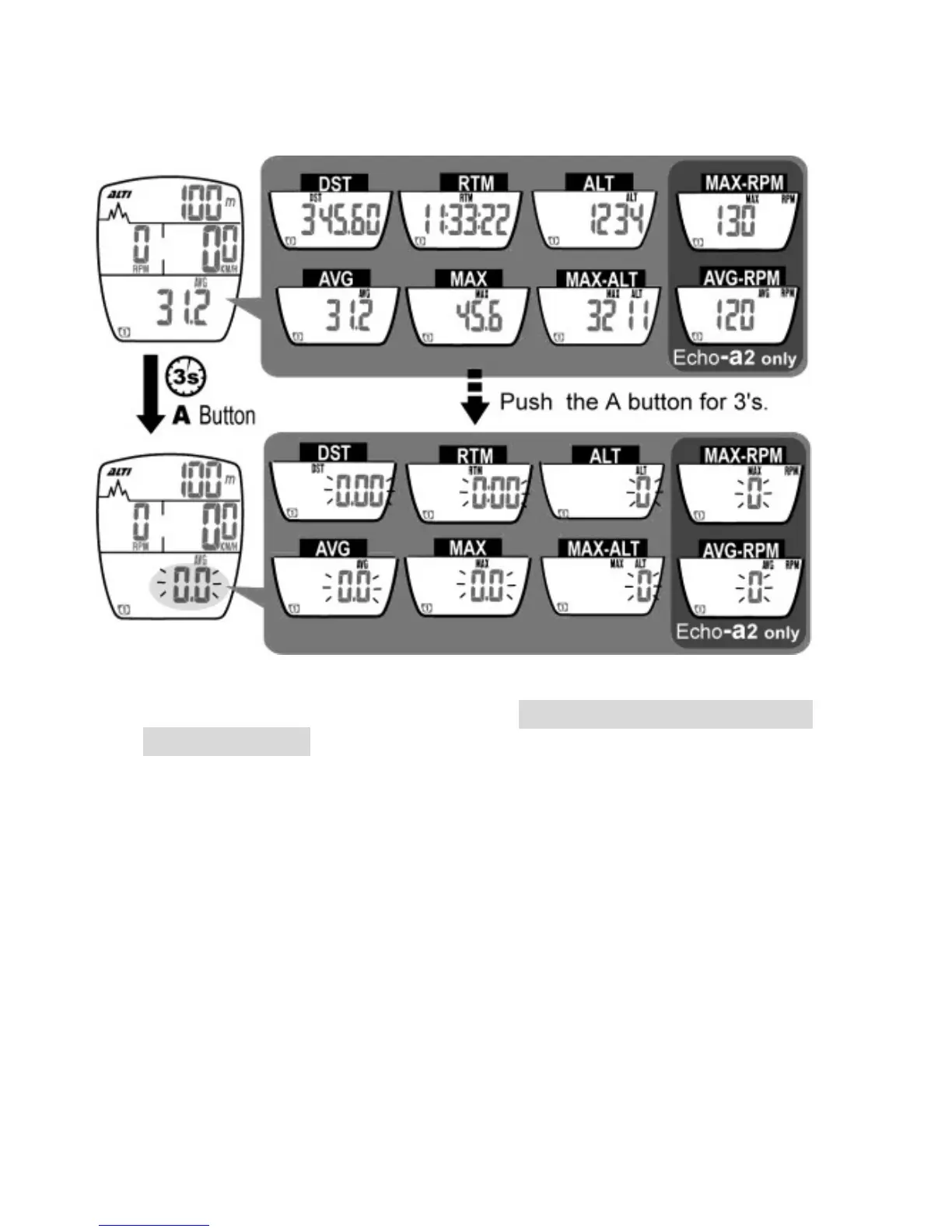
11. Data Reset
1. Press and hold the A button for 3 seconds to reset data of DST,
RTM, MAX, AVG, ALT,MAX-ALT, MAX-RPM, AVG-RPM (for
Echo-a2 only)
2. The following data are stored in memory and cannot be reset:
Unit, Cmm1 (Circumference 1), Cmm2, ODO 1, ODO 2, T.RT1,
T.RT2, T.AL1, T.AL2.
3. Reset data for Bike 1 and data for Bike 2 respectively.


 To Next Page