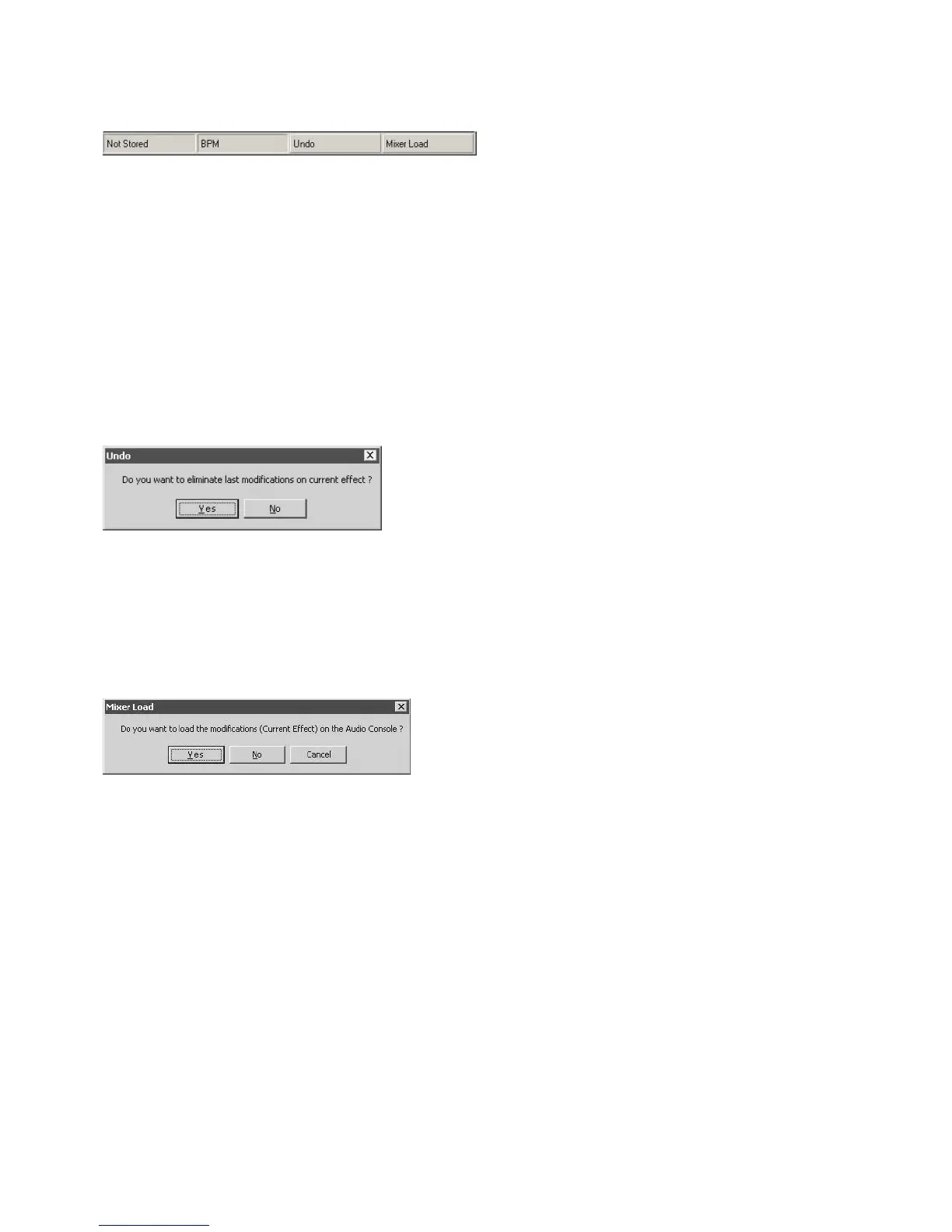
7.2.3 Status Bar
The status bar displays the current “system status”.
Stored / Unstored Status
This cell gives the storing status of the current effect parametering. “Not Stored” means the present effect set-up
displayed on the edi:lab window is not stored in the NUO5 mixer: if you leave the edi:lab application, the NUO5
will not keep this parameter set-up. “Stored” means the present effect set-up displayed on the edi:lab window as
already been loaded on the mixer: if you leave the edi:lab application, the NUO5 will keep this parameter set-up.
BPM Status
This cell gives the Beat Per Minute sequence value recognized by the system. The value by default is 120BPM.
Undo button
This button reloads the last effect configuration “Stored” by the system.
Yes eliminate the last modifications made on the current effect, and reloads the latest “Stored” configuration.
No aborts the “Undo” procedure.
Mixer Load button
This button loads the current effect set-up on the NUO5 mixer.
Yes loads the current effect configuration on the NUO5 mixer (except mixer controls TIME and PARAMETER).
The loaded effect configuration is now the mixer default set-up and will replace the original factory settings. To
come back to original factory effect settings, use the “Restore” scroll menu.
No/Cancel aborts the “Undo” procedure.


 To Next Page