25
7.2.4 Effect Design:
Overview
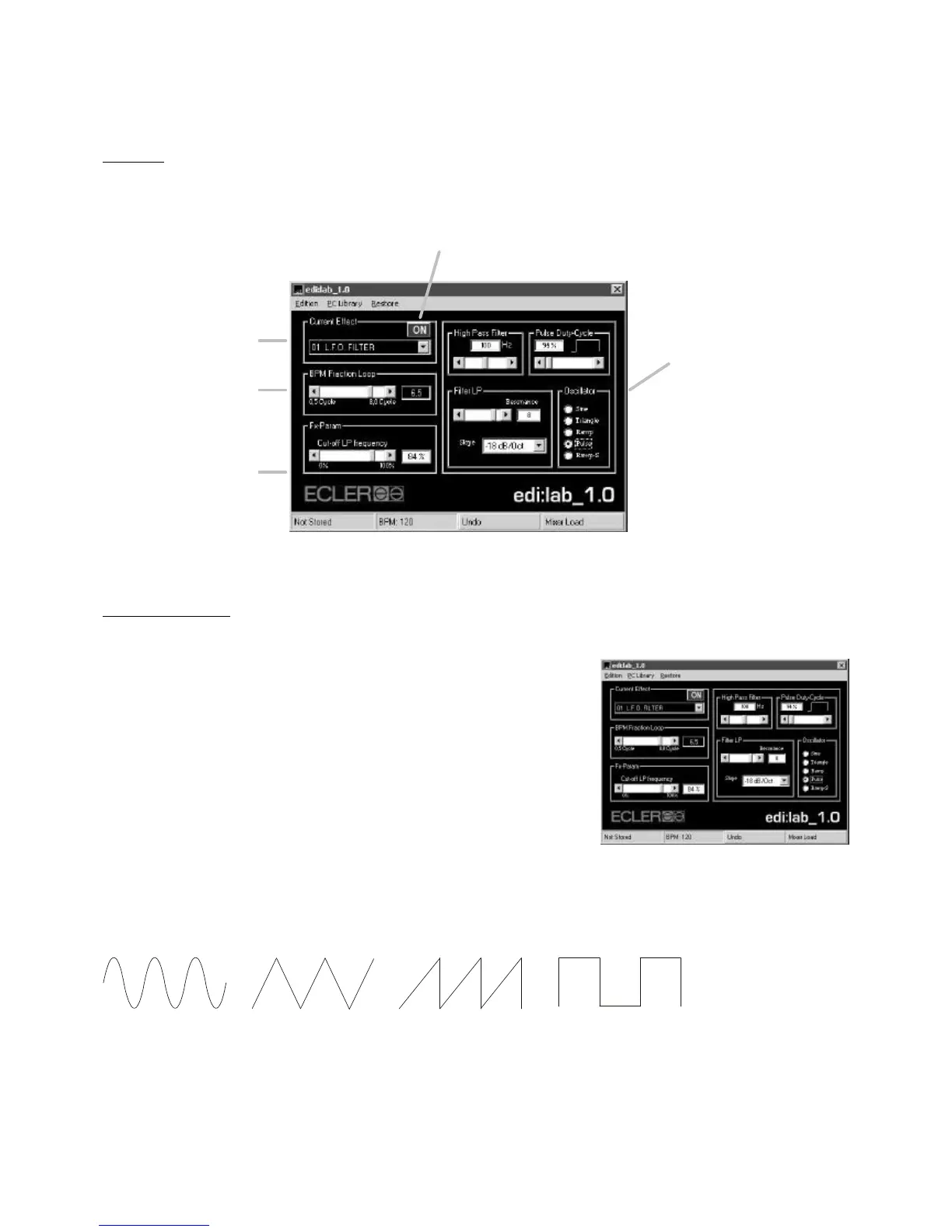
Effect parametering
L.F.O. FILTER (01)
High Pass Filter:
You can finely adjust an input High Pass filter in order to avoid possible
“Bass” rumble effect when L.F.O. is played on large P.A. systems.
Oscillator:
The L.F. Oscillation can follow a different oscillator forms. Check the
different oscillators below.
Pulse Duty Cycle:
Adjusts the cycle sequence of the “pulse” oscillator.
Filter LP:
The oscillated Low Pass filter (L.F.O.) Slope (how “sharp” the filter) and Resonance (cut-off gain) can be finely
adjusted with the edi:lab software.
Sinewave oscillator Triangle oscillator Ramp oscillator Pulse oscillator
ON/OFF Button
Remotely controls the mixer
EFFECT encoder “push fu


 To Next Page