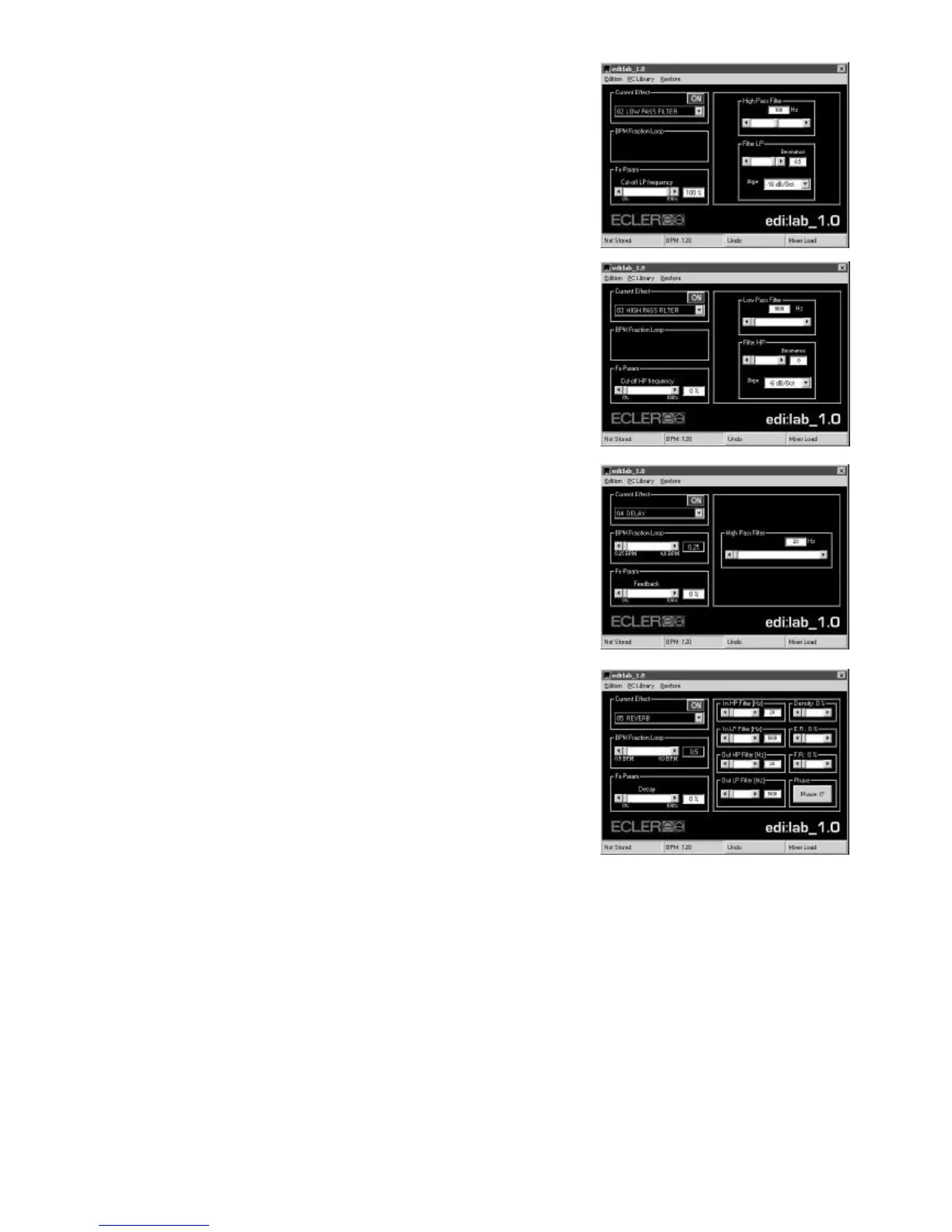
LOW PASS FILTER (02)
High Pass Filter:
You can finely adjust an input High Pass filter in order to avoid possible
“Bass” rumble effect on large P.A. systems.
Filter LP:
The manual Low Pass filter Slope (how “sharp” the filter) and Resonance
(cut-off gain) can be finely adjusted with the edi:lab software.
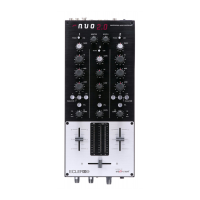
HIGH PASS FILTER (03)
Low Pass Filter:
You can finely adjust an input Low Pass filter and then limit the High Pass
movement.
Filter HP:
The manual High Pass filter Slope (how “sharp” the filter) and Resonance
(cut-off gain) can be finely adjusted with the edi:lab software.
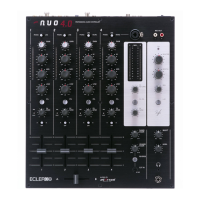
DELAY (04)
High Pass Filter:
You can finely adjust an input High Pass filter in order to avoid possible
“Bass Rumble” effect on large P.A. systems.
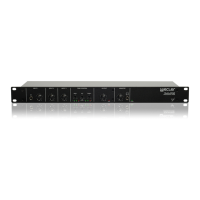
REVERB (05)
In HP Filter:
You can finely adjust an input High Pass filter and notch some low
frequencies out of the Reverb process. This low-frequency damping
(closing the filter) allows to simulate bass absorbing materials (like wooden
panels) in real rooms.
In LP Filter:
You can finely adjust an input Low Pass filter and notch some high
frequencies out of the Reverb process. This high-frequency damping
(closing the filter) allows to simulate high frequency absorbing materials in real rooms.
Out HP Filter:
You can finely adjust an output High Pass filter and eliminate some reverbed low frequencies. This low-frequency
damping (closing the filter) allows to simulate bass absorbing materials (like wooden panels) in real rooms.
Out LP Filter:
You can finely adjust an output Low Pass filter and eliminate some reverbed high frequencies. This high-frequency
damping (closing the filter) allows to simulate high frequency absorbing materials in real rooms.
Density:
Simulates the density of the reverberation room (objects, people etc …).


 To Next Page