16 EC-11User’s Manual
03-32-00418-05 DALSA Corp.
2.8 Multi-Camera Operation
Multisync is used to connect two or more cameras to the frame grabber and receive all of
the camera’s output synchronously. The camera switches to multisync mode when both
EXSYNC and EXRCLK are applied. You may need to compensate for cable lengths and
nominal delays.
Multi-Camera Sync
If your frame grabber is capable of receiving 16 or more bits, you can connect two or more
cameras to the frame grabber and receive all of the cameras’ output synchronously to
image a wider web. However, since most frame grabbers accept only one set of clocking
signals, you must synchronize the outputs by configuring your system to meet these
requirements:
1. All cameras must receive identical, synchronous EXRCLK and EXSYNC signals (max.
external EXRCLK = 40 MHz. EXRCLK:Pixel Clock ratio is 1:1). Compensate for
different cable lengths and nominal delays.
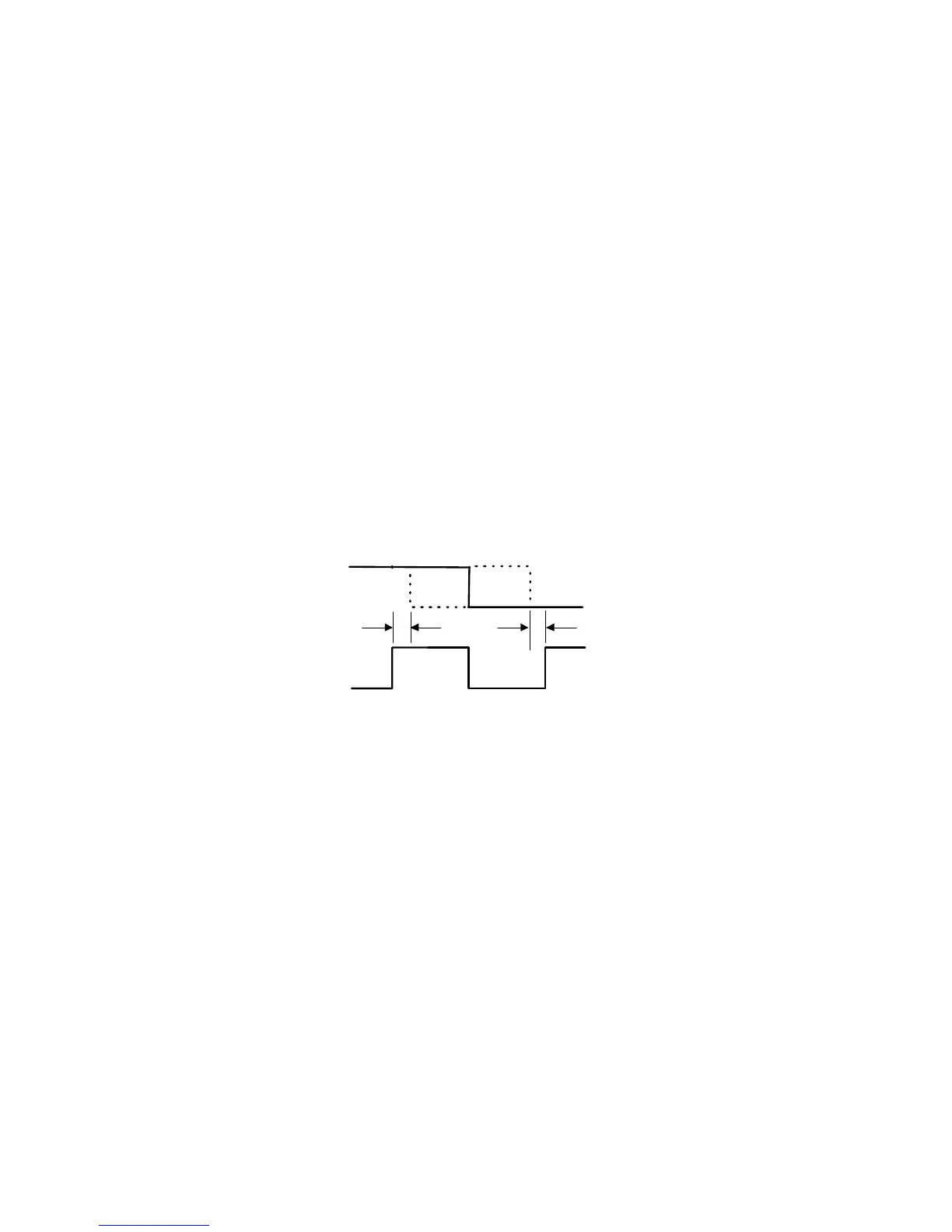
2. The timing relationship between the rising edge of EXSYNC and the rising edge of
MCLK must meet the requirements in the diagram below:
3. Data and control cabling must be separate for each camera. Although each camera will
get the same EXRCLK and EXSYNC signals, the control signals must come from
separate differential pairs of a LVDS line driver.
Because the cameras’ output will be synchronized, use the data clocking signals (LVAL,
STROBE) from just one of the cameras to clock all the others.
EXSYNC
EXRCLK
T
T
min 2ns
min 6ns
hold
T
hold
setup
T
setup



 To Next Page