17
SETTING FILTER CYCLE START TIME
Press the LIGHT button to jump to the next parameter, Filter Duration (Fd).
SETTING FILTER CYCLE DURATION
Press the LIGHT button to jump to the next parameter, Filter Frequency (FF).
SETTING FILTER CYCLE FREQUENCY
Press the LIGHT button to jump to the next parameter, Economy Mode (EP).
SETTING THE ECONOMY MODE
Press the LIGHT button to jump to the next parameter, Economy Start Time (ES).
SETTING ECONOMY START TIME
Press the LIGHT button to jump to the next parameter, Economy Duration (Ed).
SETTING ECONOMY DURATION
Press the LIGHT button to jump to the next parameter, Temperature Units.
SETTING TEMPERATURE UNITS
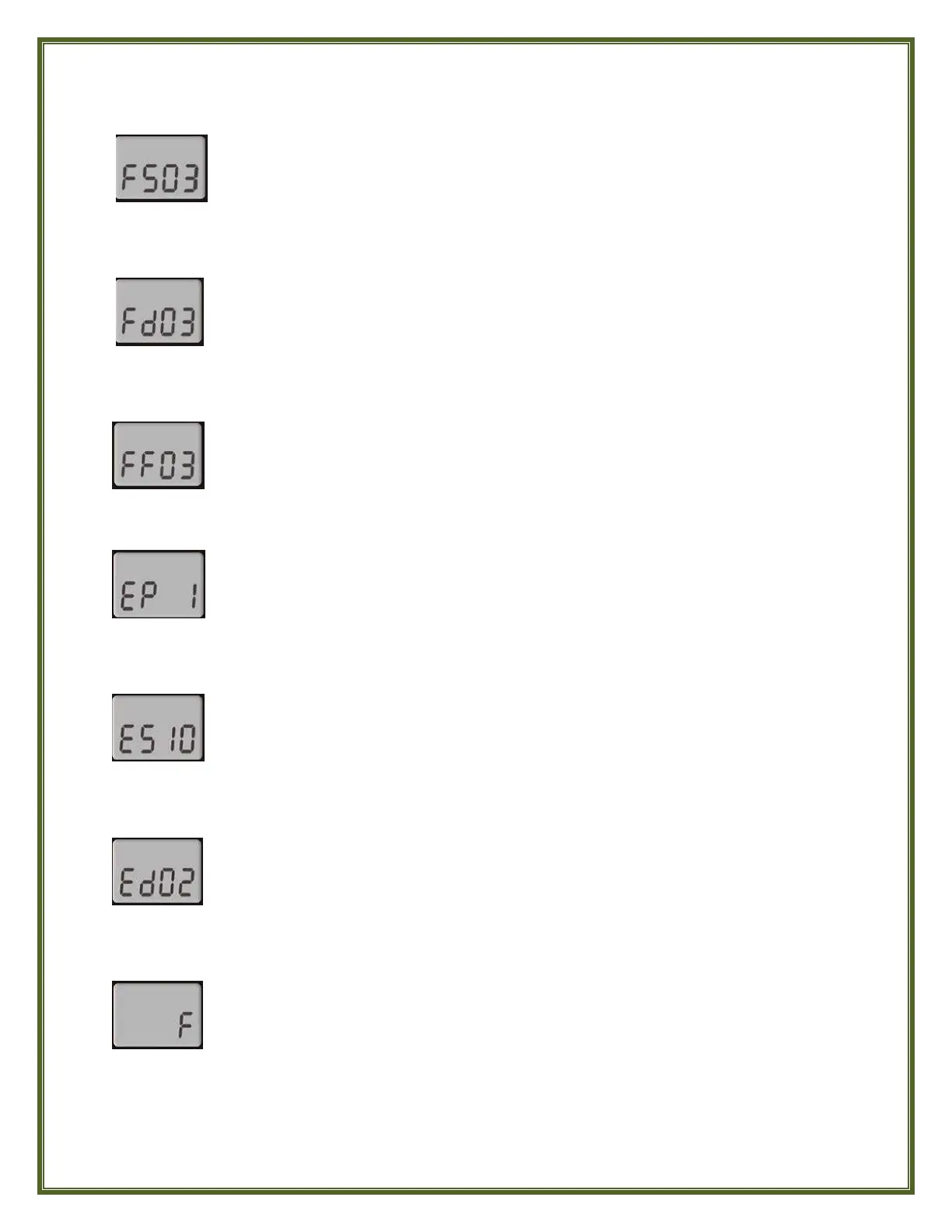
The display will show FSXX, “XX” representing the starting hour of the Filter Cycle.
Observe whether AM or PM is displayed above the Hour digits and use the WARM
or COOL button to adjust the Hour to the desired start time.
The display will show FdXX, “XX” representing the duration in hours of the Filter Cycle.
Use the WARM or COOL button to adjust the duration. (24 = 24 Hours or Continuous
Filtration; 0 = 0 Hours or No Filtration. It is NOT recommended to set this to 0).
The display will show FFXX, “XX” representing the number of Filter Cycles desired
per 24-hour period. Use the WARM or COOL button to adjust the Frequency.
The display will show EP X, “X” representing the state of the Economy Program.
(0 = Disabled, 1 = Enabled). Use the WARM or COOL button to Enable or Disable
Economy Mode.
The display will show ES XX,“XX” representing the hour at which the Economy Mode
will become active. Observe whether AM or PM is displayed above the Hour digits and
use the WARM or COOL button to adjust the Hour to the desired Economy Start time.
The display will show EdXX, “XX” representing the Duration in hours of the Economy
Mode. Use the WARM or COOL button to adjust the duration. (24 = 24 Hours or
Continuous Economy)
Water temperature can be displayed in either Fahrenheit (°F) or Celsius (°C). The display
will show F or C. Use the WARM or COOL button to change the setting as desired.
SAVING YOUR PROGRAM SETTINGS AND EXITING THE PROGRAM MENU
After setting the Temperature Units, press the LIGHT button one final time to save all parameter
settings and exit the Program Menu. The display will return to its normal toggling of the current time
and current water temperature.



 To Next Page