12
12.5 BATTERY SOC INDICATOR
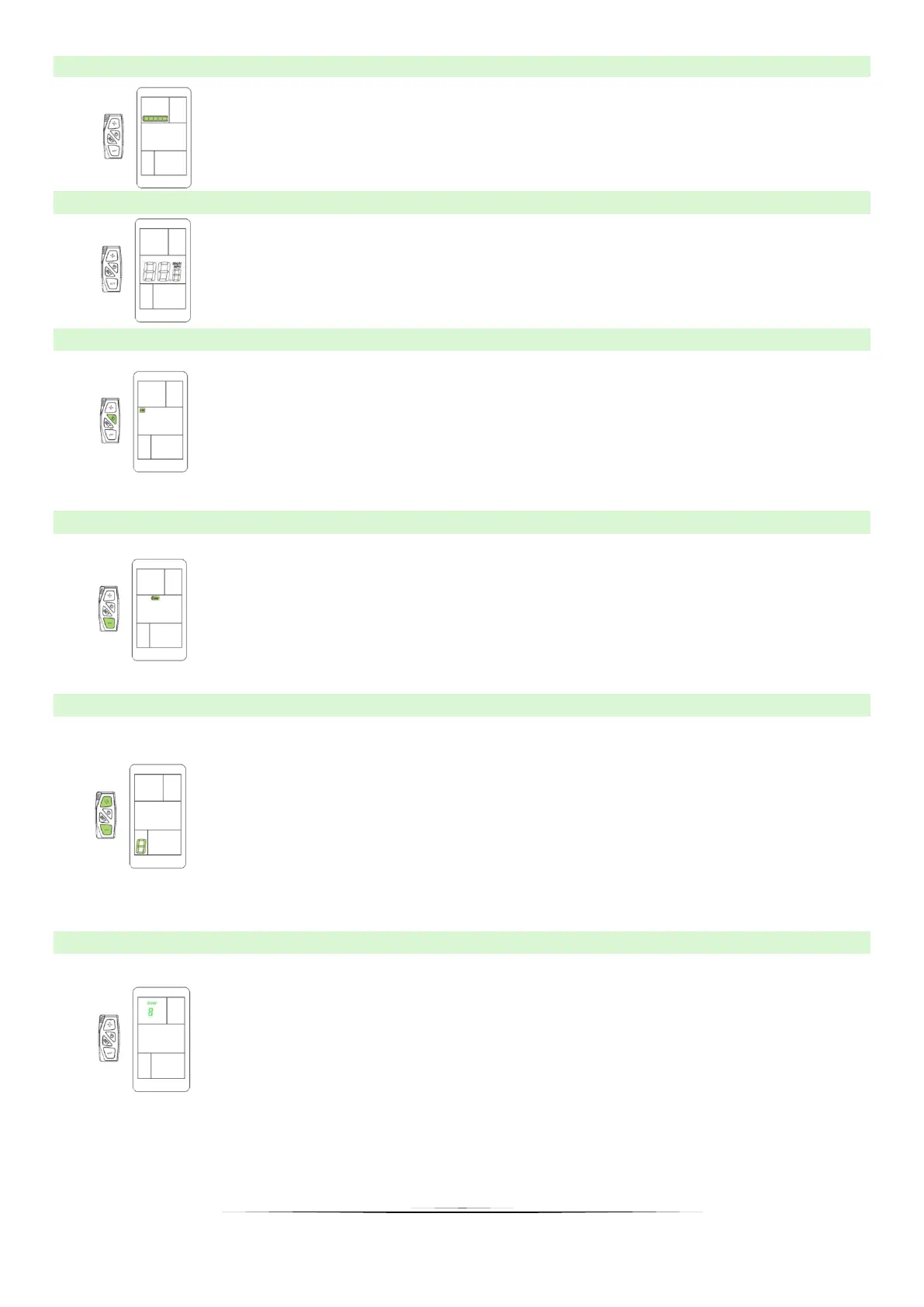
The battery level is indicated by five segments based in the battery
symbol in the upper left corner of the display. Each segment
corresponds to 20% battery charge.
12.6 SPEED INDICATION
The speed indicator shows the current speed while cycling. User
can change the unit to MPH, then the display will show the speed
in MPH.
12.7 BACKLIGHT INDICATOR
With the display on, click the on/off button to turn on the backlight
and the front light (optionally). Click the button again to turn off
the backlight. When the light is on, the display will show the icon as
in the picture beside.
12.8 WALK ASSIST
Hold the "MINUS" button to start the motor, which will run at 6km/h
without pedaling. The display will show the icon as in the picture
beside. When the user releases the button, the motor will
automatically shut down.
12.9 ASSIST LEVEL SELECTION
The level of electric assistance can be adjusted using the display.
Adjustments can always be made while driving. The support
system has 6 levels, depending on them the speed to which the
bike will accelerate. The default assistance level after turning the
display on is "1". To change the assistance level, use the PLUS
button to increase the assistance level or MINUS to decrease the
assistance level, respectively.
12.10 ERROR CODE INDICATION
If an error appears on the display, contact your dealer
immediately to resolve the problem. Each code has a different
type of error, more detailed information can be found in the table
below.
※ The display cannot return to normal until the problem is resolved. The e-bike will not work
until the problem is resolved.


 To Next Page