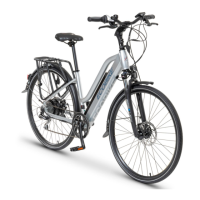
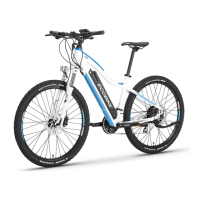
Need help?
Do you have a question about the Ecobike Basic and is the answer not in the manual?
Essential safety advice for riding, maintenance, and child transport.
Guidance for parents on child safety and bicycle usage instructions.
Proper application of the bike and risks of misuse.
Description of city bikes, their comfort, and suitability for paths.
Operating conditions for rear hub motors and safety mechanisms.
Recommendations for storing the e-bike to prevent damage.
Crucial checks before riding for optimal safety and performance.
Checking rims for damage and ensuring proper wheel centering.
Ensuring smooth wheel rotation and eliminating play in the hub.
Setting correct saddle height and fore/aft position for comfort.
Tightening handlebar and steering bearings for secure riding.
Verifying tire pressure, condition, and correct mounting direction.
Importance of spoke tension for wheel and braking system integrity.
Adjusting brake pads and cable tension for effective braking.
Maintaining and adjusting the crankset for proper power transfer.
Correctly installing pedals, noting thread direction (L/R).
Checking chain tension, wear, cleaning, and lubrication.
Proper adjustment of front and rear derailleurs for smooth gear changes.
Adhering to maximum load capacities for racks and trolleys.
Ensuring proper lighting for road safety compliance.
Steps for unpacking the bicycle and checking for missing parts.
Instructions for attaching the front wheel to the fork.
Correctly positioning and tightening the handlebar assembly.
Inserting and tightening the seatpost clamp for secure saddle placement.
Correctly tightening pedals using clockwise motion for both sides.
Recommended intervals for lubricating bearings and moving parts.
Properties of ECOBIKE batteries, including capacity and temperature range.
Critical safety rules for handling, charging, and storing the battery.
Safe and correct usage instructions for the battery charger.
Steps for safely installing and removing the battery using the key.
Detailed steps for charging the battery, including indicator lights.
Maintenance tips for the electric motor, avoiding water damage.
Overview of the LED display and its basic indicators.
How to use buttons to control power, lights, and riding modes.
Switching between driving modes (LOW, MEDIUM, HIGH) for speed control.
Identifying common fault indicators and error messages on the display.
Identifying the components of the LCD display and remote control.
Turning the display on and off, and understanding sleep mode.
Understanding the visual indicator for the motor's power output.
Adjusting acceleration via ECO, NORMAL, or POWER modes.
Interpreting the battery level using five segments on the display.
Displaying current speed and changing between MPH and km/h.
Activating the display backlight and front light.
Using the motor for assistance while walking at 6km/h.
Modifying the electric assistance level using '+' and '-' buttons.
Understanding and diagnosing error codes shown on the display.
Comprehensive descriptions for specific error codes.
Navigating through ODO, TRIP 1, TRIP 2, and TIME data.
Understanding the Battery Management System's precise voltage readings.
How to enter and navigate the user settings menu.
Procedure for resetting the TRIP 1 distance counter.
Adjusting motor power modes (POWER, NORMAL, ECO).
Setting wheel diameter for accurate speed and mileage display.
Selecting preferred units for speed and distance measurement.
 General
| Category | Electric Bicycle |
|---|---|
| Gears | 7-speed |
| Brakes | Mechanical Disc Brakes |
| Tire Size | 26 x 1.95 inches |
| Frame | Aluminum |
| Fork | Steel |
| Wheel Size | 26 inches |
| Motor | 250W |
| Battery | 36V 10Ah |
| Frame Material | Aluminum |

 To Next Page