2
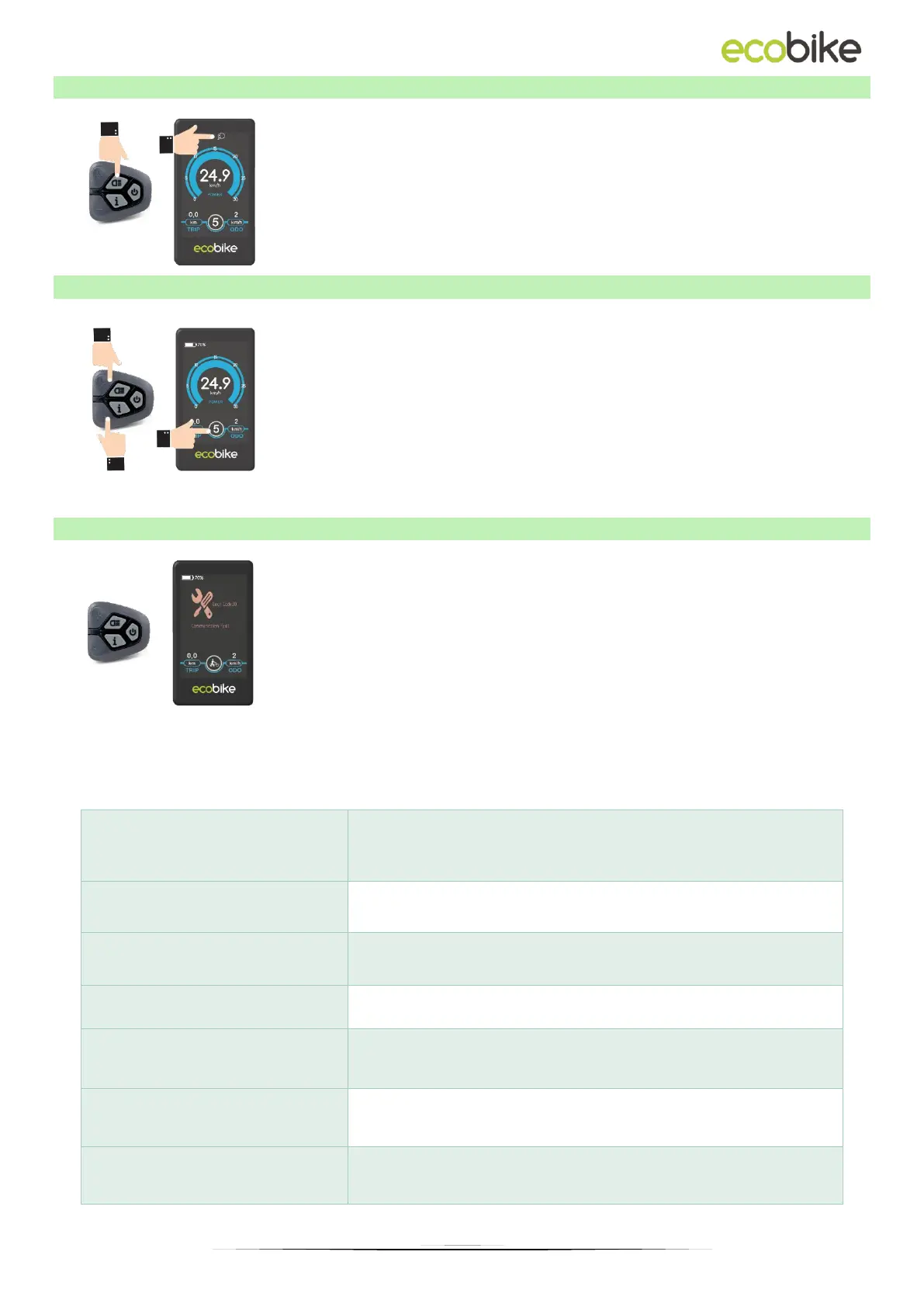
1.6. BACKLIGHT AND LIGHT INDICATION
With the turned on display, click on / off at once the lights
button to turn on the display backlight and the front and
rear lights. Click the button again to turn off the backlight
and lights. When the light is on, you can see the icon on the
screen as in the picture beside.
1.7. MOTOR ASSISTANCE LEVEL SELECTION
The level of electric assistance can be adjusted using the
display. Adjustments can always be made while driving. The
electric system has 6 levels, depending on them the speed
to which the bike will accelerate. The default assistance
level after turning the display on is "1". To change the
assistance level, use the "PLUS" buttons to increase the
assistance level or "MINUS" to decrease the assistance level,
respectively.
If an error code appears on the display, contact your dealer
immediately to resolve the problem. Each code is matched
to a different type of error, more detailed information can
be found in the table below.
The display cannot return to normal until the problem is resolved. The e-bike will not work
until the problem is resolved.
Current flow fault / Communication fault



 To Next Page