4
2.4. WHEEL SIZE SETTING
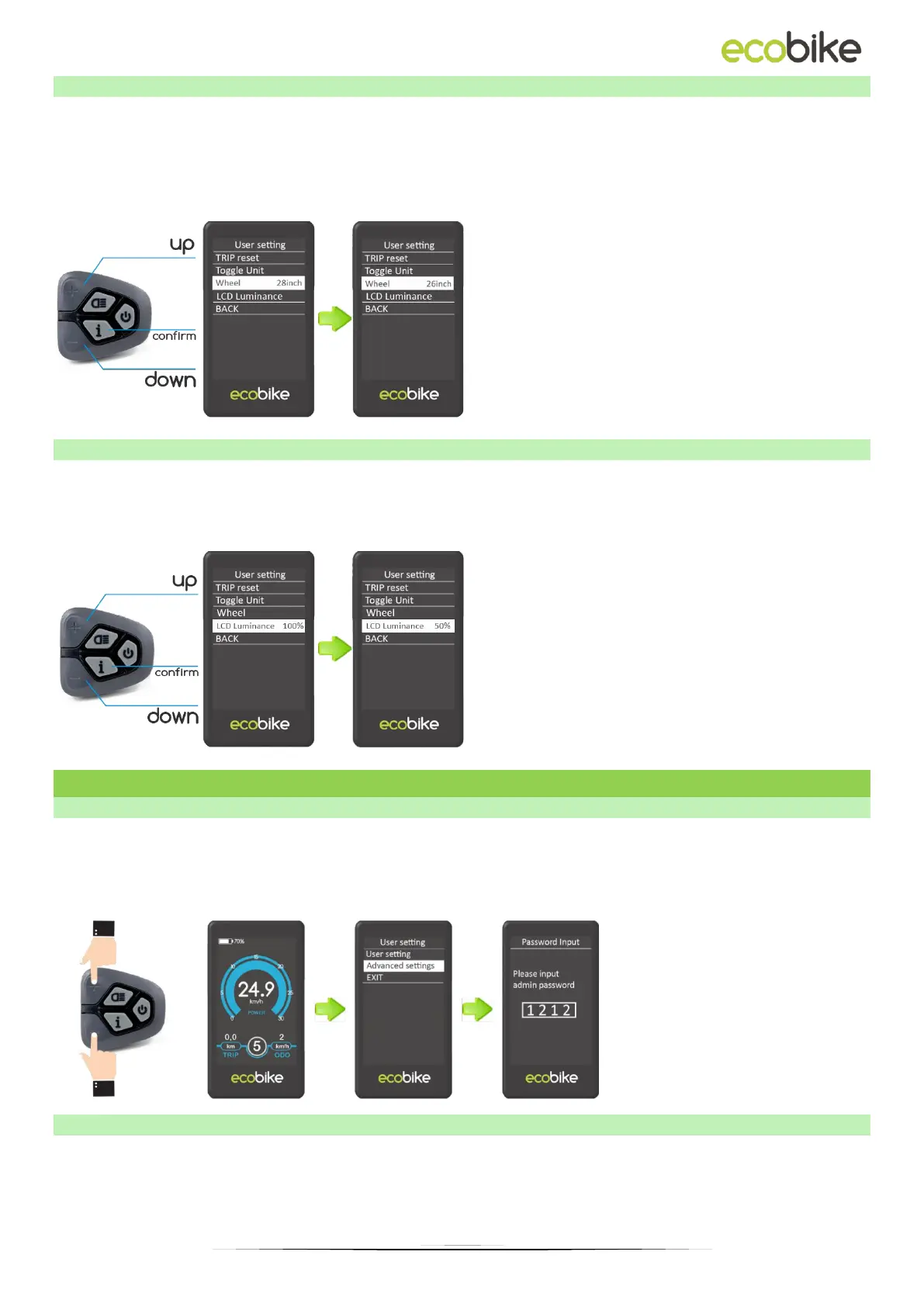
Wheel indicates the wheel diameter setting. To change the basic settings, press the "+" or
"-" button to increase or decrease until the desired value is displayed. To save the
changed setting, press the "i" button. The default value is 28 inches (28 inches). Changing
the wheel size will result in incorrect driving data being displayed, including speed,
distance travelled and total distance.
2.5. LCD LUMINANCE
LCD luminance indicates the brightness of the display backlight. To change the brightness
of the backlight, press the "+" or "-" button to select the desired value. To save the
changed setting, press the "i" button - The default value is 100%.
3. ADVANCED SETTINGS
3.1. ADVANCED SETTINGS MENU
To enter the advanced settings of the display press and hold the "PLUS" and "MINUS"
buttons for 3 seconds. Then select "Advanced Settings" and press the "i" button. Then enter
the correct password to enter the advanced settings interface. The default password is
1212.
3.2. ELECTRIC ASSISTANCE LEVEL RANGE
Assist Levels indicates the settings for the range of assist modes. There are 8 modes to
choose from: 0-2, 1-2, 0-4, 1-4, 0-6, 1-6, 0-8, 1-8. The default value is 0–6. To change the
range of assist level modes, press the "+" or "-" button to select the desired range of
modes, and then press the "i" button to confirm.



 To Next Page