ECT Install and User Guide
Feb 2023
17 of 61
ECOER INC.
Manufacturer reserves the right to change specifications or designs without notice.
5
1
2
3
4
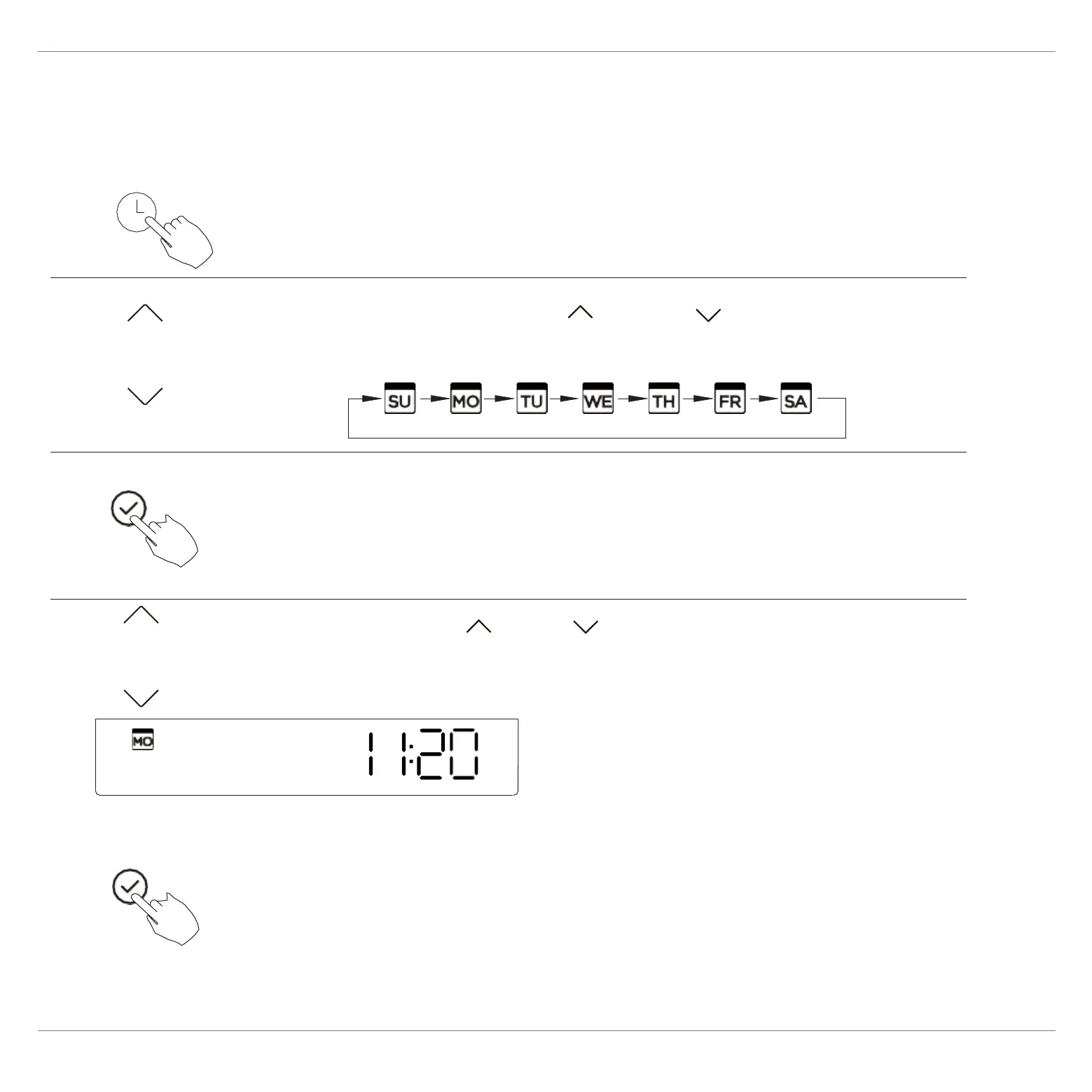
ex.Monday 11:20
8. Preparatory operation
Set the current day and time
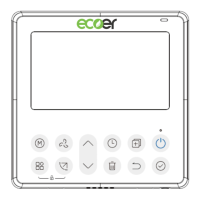
Press the Timer button for 2 seconds or
more. The timer display will flash.
Press the button “ ” or “ ” to set the
date. The selected date will flash.
The date setting is finished and the time setting is
prepared after pressing Timer button or CONFIRM
button or there is no pressing button in 10 seconds.
Press the button “ ” or “ ” to set the current time.
The setting is done after pressing CONFIRM button or
there is no pressing button in 10 seconds.
Press repeatedly to adjust the current time in 1-minute
increments. Press and hold to
adjust the current time
continuous.


 To Next Page