ECT Install and User Guide
Feb 2023
31 of 61
ECOER INC.
Manufacturer reserves the right to change specifications or designs without notice.
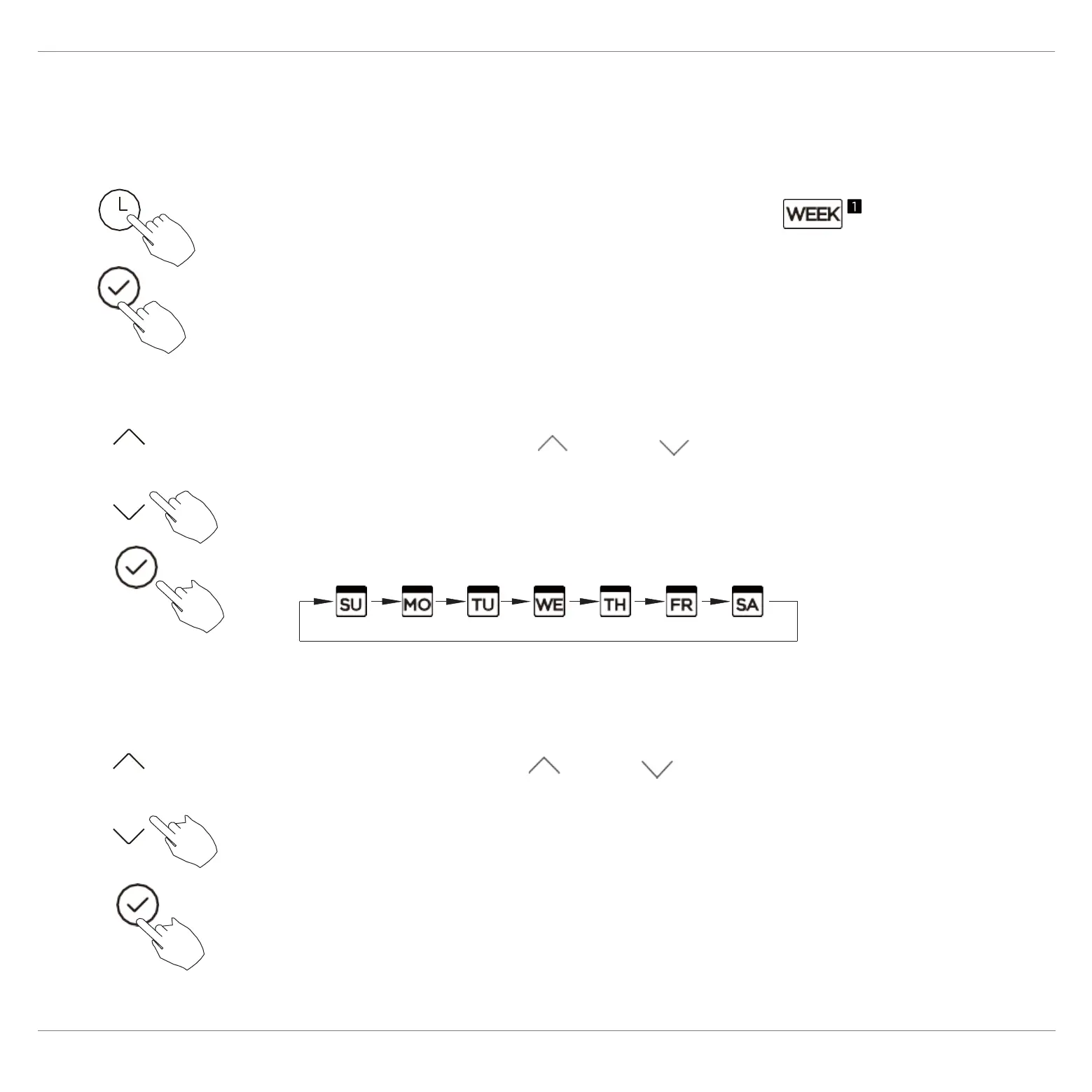
11. Weekly Timer 1
1 Weekly timer setting
Press the Timer button to select the and
then press the Confirm button to confirm.
2 Day of the week setting
Press the button “ ” or “ ” to select the day of
the week and then press the Confirm button to
confirm the setting.
3 ON timer setting of timer setting 1
Press the button “ ” or “ ” to set the time of
On timer and then press the Confirm button to
confirm the setting.


 To Next Page