ECT Install and User Guide
Feb 2023
33 of 61
ECOER INC.
Manufacturer reserves the right to change specifications or designs without notice.
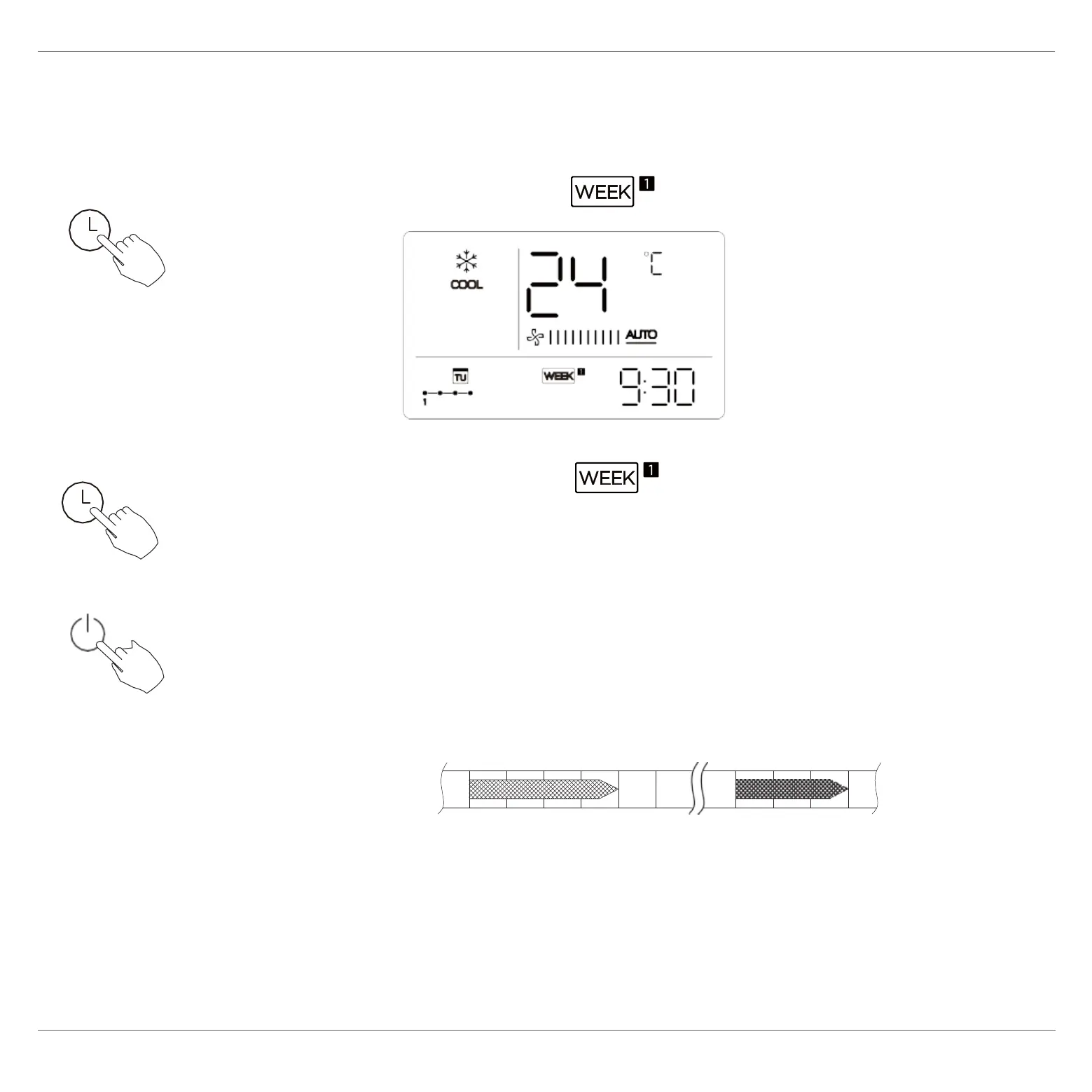
WEEKLY timer operation
To activate WEEKLY TIMER operation
Press the Timer button while is displayed on the LCD.
ex.
To deactivate WEEKLY TIMER operation
Press the Timer button while is disappear from the
LCD.
To turn off the air conditioner during the weekly timer
1. If press the Power button once and quickly , the air
c
onditioner will turn off temporarily. And the air
conditioner will turn on automatically until the time of
On timer.
ex. If press the POWER button once and quickly at 10:00, the air
conditioner will turn on at 14:00.
2. When press the Power button for 2 seconds , the air conditioner will
tur
n off completely, at the same time cancel the timing function.
ON OFF ON OFF
8:00 10:00 12:00 14:00 17:00


 To Next Page