9/12
ESI Quick Start-up Guide
www.ecoer.com
01.2021Manufacturer reserves the right to change specifications or designs without notice.
No. Spot check content via BS3
Default
Refer to default display instructions
01-
Outdoor unit type and capacity
02-
Liquid line sub-cooling
03-
Compressor suction superheat
04-
Compressor speed
05-
Electronic expansion valve opening
06-
Step of fan
07-
Low pressure (LP sensor)
08-
High pressure (HP sensor)
09-
Outdoor ambient temp. (TA)
10-
Compressor suction temp. (TS)
11-
Compressor discharge temp. (TD)
12-
Defrost sensor temp. (TH)
13-
Liquid line temp. (TL)
14-
Inverter module temp. (TF)
15-
Target evaporating temp. (Tes)
16-
Current evaporating temp. (Te)
17-
Target condensing temp. (Tcs)
18-
Current condensing temp. (Tc)
19-
Compressor DC current
20-
Undercharged refrigerant signal
21-
Main software version
22-
Inverter software version
23-
Current fault
24-
The last fault
25-
Fault before the last fault
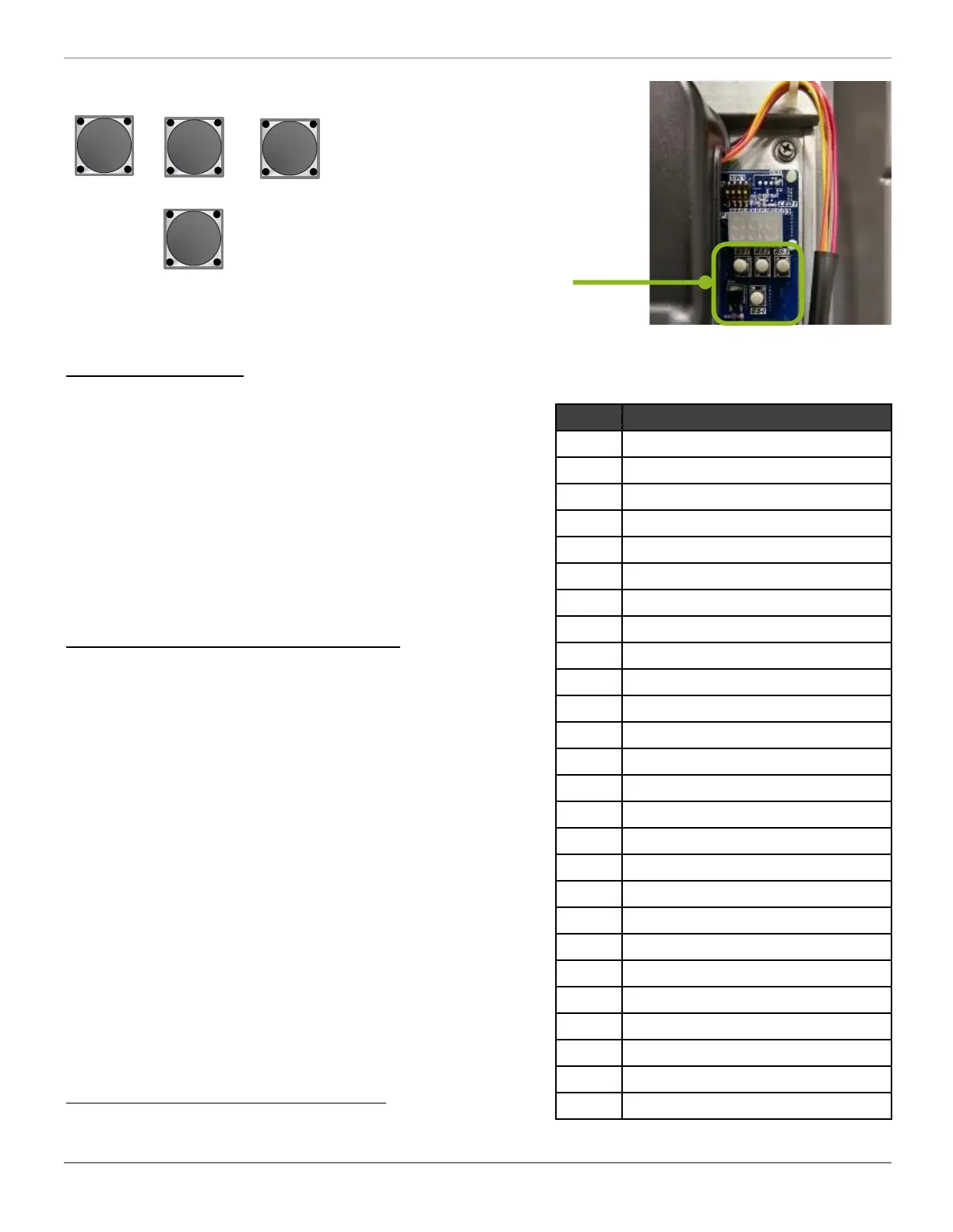
BS1 Button - “Menu” or “Back” button
Shortly press “BS1” to query settings
n00: Mode choice (Energy Saving, Dry, High Capacity)
n01: Prohibited heat pump running temperature
n02: Turn ON/OFF W output
n03: W output settings
n04: Defrost Mode (Heavy/light snow, standard)
n05: Silent Mode (level 1 or 2, night silent level 1 or 2)
n06: Night Silent Start Hour
n07: Night Silent End Hour
n08: Manual Defrost
Press and hold “BS1” for 5 seconds to set above
functions (n01 to n08). Refer to install or service
manual for details. You can change these settings
besides n08 via Ecoer Smart Service Pro App.
BS2 Button - “UP” button
BS3 Button - “Spot check” and “Confirm” button
1. After first pressing on the “BS3” button, it will
display the sequence, and after 1 second it
will display the value of the parameter.
2. After 20 seconds on same parameter, display
will revert back to normal status.
Key parameters can be remotely monitored via
Ecoer Smart Service Pro App.
BS4 Button
Press and hold “BS4” for 5 seconds to enter AUTO
charge mode by coefficient number in cooling or
pump down in heating.
Buttons
BS1
BS2 BS3
BS4


 To Next Page
 Loading...