EasyManua.ls Logo

EcoFlow RIVER 2 Max - User Manual

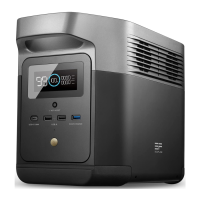
EcoFlow RIVER 2 Max
36 pages
Print Icon
To Next Page IconTo Next Page
Loading...
EcoFlow RIVER 2 Max
Quick Start Guide
Portable Power Station

Questions and Answers

  • J
    Jennifer BaldwinSep 8, 2025
    What does it mean if my EcoFlow Portable Generator has failure of communication between main control board and AC, and how to fix it?
    • R
      Robert ThompsonSep 8, 2025
      If your EcoFlow Portable Generator experiences a failure of communication between the main control board and AC, normal operation will resume automatically after being restarted.
  • R
    Robert MillerSep 9, 2025
    What to do if the EcoFlow Portable Generator AC output experiences low-temperature protection?
    • B
      bryan25Sep 10, 2025
      If your EcoFlow Portable Generator's AC output is experiencing low-temperature protection, normal operation will resume automatically after the ambient temperature is restored.
  • D
    dchambersSep 12, 2025
    What to do if EcoFlow Portable Generator battery charging experiences high temperature protection?
    • C
      carol56Sep 12, 2025
      If your EcoFlow Portable Generator battery is experiencing high temperature protection during charging, normal operation will resume automatically after the battery cools down.
  • J
    Jeremiah LopezSep 13, 2025
    What does it mean when my EcoFlow Portable Generator has battery discharge high temperature protection and how to solve it?
    • E
      Elizabeth CherrySep 13, 2025
      If your EcoFlow Portable Generator's battery experiences high temperature protection during discharge, normal operation will resume automatically after the battery cools down.
  • A
    Allison RodriguezSep 15, 2025
    How to resolve EcoFlow Portable Generator battery charging low temperature protection?
    • A
      Adam McgeeSep 16, 2025
      If your EcoFlow Portable Generator indicates battery charging low temperature protection, normal operation will resume automatically after the battery temperature is restored to above 3°C (37.4°F).
  • E
    ewellsSep 18, 2025
    What does it mean when my EcoFlow Portable Generator has battery discharge low temperature protection and how to solve it?
    • A
      Angelica GarciaSep 18, 2025
      If your EcoFlow Portable Generator's battery experiences low temperature protection during discharge, normal operation will resume automatically when the battery warms up.

Summary

DISCLAIMER

Disclaimer Details

Read all safety tips, warning messages, terms of use, and disclaimers carefully.

ECOFLOW APP

App Download and Setup

Control, monitor and customize your portable power station from afar with the EcoFlow App.

Privacy Policy

Policy Acknowledgment

Consent to EcoFlow Term of Use and Privacy Policy via the EcoFlow App or website.

GETTING STARTED

Product Power On

Turn on the power by briefly pressing the main power switch.

Product Power Off

Turn off the product by pressing and holding the main power switch.

USB Output Port Usage

Use USB-A or USB-C ports after ensuring the main power is on.

12 V Car Output Port Usage

Use the 12V DC output port by briefly pressing the DC output switch.

AC Output Socket Usage

Use AC output sockets by briefly pressing the AC output switch.

APP Control Connectivity

Connect to the app via Bluetooth or Wi-Fi for remote control and features.

PRODUCT INTRODUCTIONS

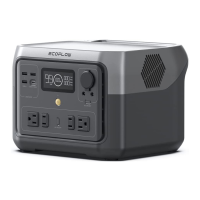
Front Panel Port Identification

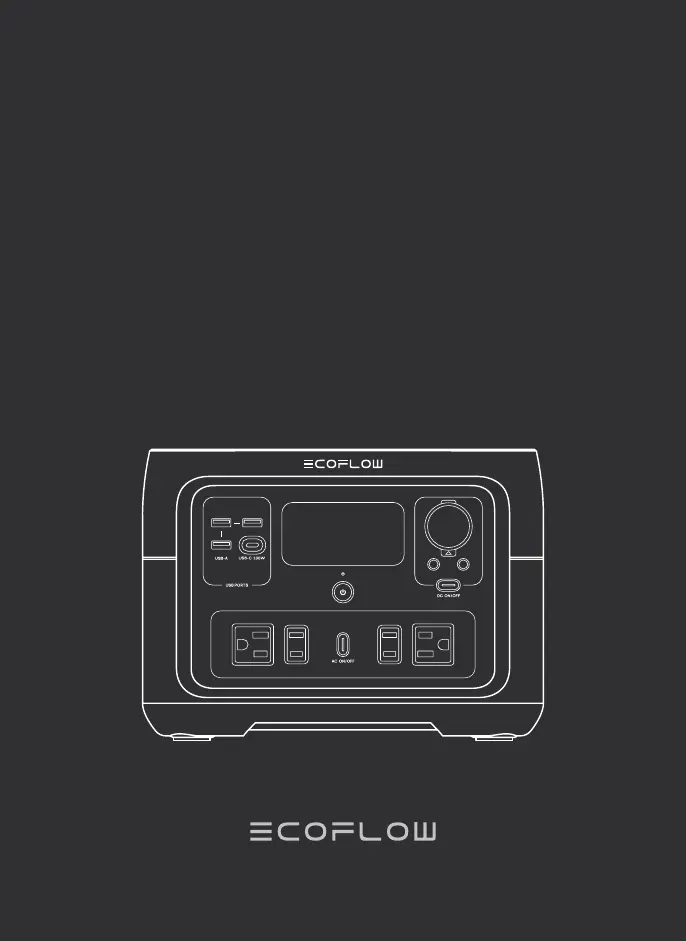
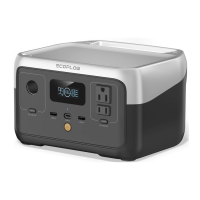
Identifies AC output switch, main power switch, power indicator, USB-A and USB-C ports.

Rear;Side Panel Port Identification

Identifies LCD, car charger outlet, DC5521 ports, AC socket, and charging input ports.

LCD Display Indicators Explained

Explains indicators for battery percentage, charging time, overload, Wi-Fi, Bluetooth, and warnings.

HOW TO CHARGE

USB-C Charging Method

Charge using USB-C with a full charge time of 6 hours at 100W max.

AC Charging Method

Charge using AC with 100% in 1 hour at 660W max.

Solar Charging Method

Charge using solar panels with a full charge time of 3-6 hours at 220W max.

Car Charging Method

Charge using a car with a full charge time of 6 hours at 100W max.

TROUBLESHOOTING

Error Icons and Recovery Steps

Details error icons for temperature protection, overload, fan blocking, and communication errors with recovery steps.

Persistent Alert Handling

If an alert persists after restart, stop using the product and contact customer service.

IMPORTANT SAFETY INSTRUCTIONS

General Safety Precautions (1-6)

Includes instructions on avoiding heat, liquid, static fields, disassembly, and short circuits.

Component and Environment Safety (7-11)

Advises on using official parts, following temperature limits, ensuring ventilation, and avoiding impact.

IMPORTANT SAFETY INSTRUCTIONS (Continued)

Liquid Immersion and Fire Safety (12)

Guidance on handling water immersion, fire extinguisher use, and product disposal.

Cleaning and Usage Precautions (13-23)

Covers cleaning, microwave prohibition, child supervision, handling plugs, damaged parts, placement, and medical equipment use.

GROUNDING INSTRUCTIONS

Grounding Requirements and Plug

Product must be grounded via a properly installed and grounded outlet for safety.

Grounding Connection Safety Check

Improper grounding can cause electric shock; consult an electrician if unsure.

FREQUENTLY ASKED QUESTIONS (FAQ)

Battery Type Used

The product uses high-quality lithium-ion batteries.

AC Output Power Capacity

Powers most consumer electronics up to 500W rated, 1000W peak power.

Estimating Charging Time

Charging time for devices is shown on the product's LCD Screen.

How to Identify Charging

Charging is indicated by remaining time on LCD and rotating charging icon.

Airplane Travel Policy

The product cannot be brought on a plane.

SPECIFICATIONS

General Product Information

Details capacity (512Wh), net weight (13.4lbs), dimensions (10.6x10.2x7.7in), and model (EFR610).

Output and Input Port Details

Lists specifications for AC input, DC input, USB-C, USB-A, DC output, and AC output ports.

Battery Cell and Cycle Life

Provides information on cell chemistry (LFP) and cycle life (80%+ after 3000 cycles).

Environmental Operating Temperature Ranges

Details discharge, charge, optimal operating, and storage temperature ranges.

STORAGE & MAINTENANCE

Recommended Storage Conditions

Store between 20°C-30°C, away from water/heat. Avoid long-term storage outside -10°C to 45°C.

Deep Sleep Protection Mode

Product enters deep sleep if idle and battery is low; requires charging to resume.

WHATS IN THE BOX

Included Accessories List

Lists items included: RIVER 2 Max, AC Charging Cable, Car Charging Cable, DC5521 Cable, Quick Start Guide.

FCC STATEMENT

FCC Compliance Declaration

Device complies with Part 15 of FCC Rules, subject to two conditions regarding interference.

FCC Radiation Exposure Compliance

Equipment complies with FCC radiation exposure limits, requires 20cm distance from body.

DIY INSTRUCTIONS FOR NON-MC4 CONNECTOR SOLAR PANELS

Universal Solar Panel Compatibility

Use universal solar panels with non-MC4 connectors, ensuring correct voltage/current range.

Connecting Solar Panels Safely

Instructions on identifying MC4 ports, polarity, and connecting to the XT60 charging cable.

WARRANTY INFORMATION

Register for 5-Year Warranty

Register your product at warranty.ecoflow.com to get a 5-year warranty.

Benefits of Product Registration

Benefits of registering: insurance proof, instant support, and release news access.

Customer Support Contact Details

Provides phone number, contact URL, and support email addresses for different regions.

EcoFlow RIVER 2 Max Specifications

General IconGeneral
WaveformPure sine
Input voltage220-240 V
Apps supportedYes
Charging sourceAC, Cigar lighter, Solar, USB
Battery capacity- mAh
Solar panel power220 W
Battery technologyLithium Iron Phosphate (LiFePO4)
Solar panel current13000 mA
Solar panel voltage11 - 50 V
USB Type-A output power12 W
USB Power Delivery up to100 W
Number of charging cycles3000
Number of simultaneously connected devices (max)-
ShapeRectangle
Control typeButtons
Product colorBlack, Grey
USB connector typeUSB Type-A, USB Type-C
AC outlets quantity2 AC outlet(s)
USB Type-A output ports3
Quantity per pack1 pc(s)
Cables includedAC, Cigar lighter
Storage temperature (T-T)-10 - 45 °C
Operating temperature (T-T)20 - 30 °C
Weight and Dimensions IconWeight and Dimensions
Depth260 mm
Width270 mm
Height196 mm
Weight6000 g

Related product manuals