13
EN
3. Operating and Programming
3
Install Side Brushes
OR
3.3 Selecting Cleaning Mode
1
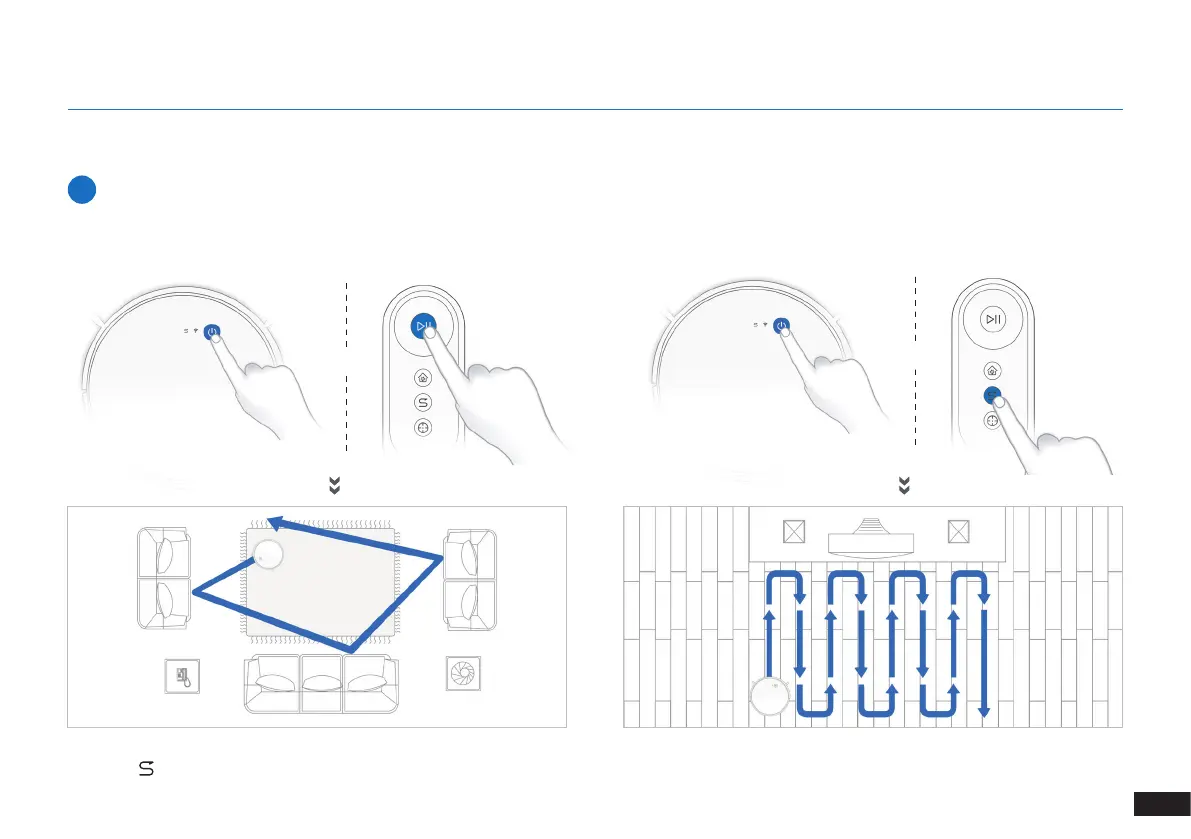
AUTO Cleaning Mode
A Random Cleaning Pattern (optimized for carpets) will be selected by
default.
To switch to a Programmed Cleaning Pattern (optimized for hard oors)
or switch between these two patterns, perform the following action:
OR
x2
Note: Cleaning pattern cannot be switched until DEEBOT is paused or charging. DEEBOT will start a new cleaning cycle once cleaning pattern is
switched.
will light up once Programmed Cleaning Pattern is enabled.



 To Next Page