EasyManua.ls Logo

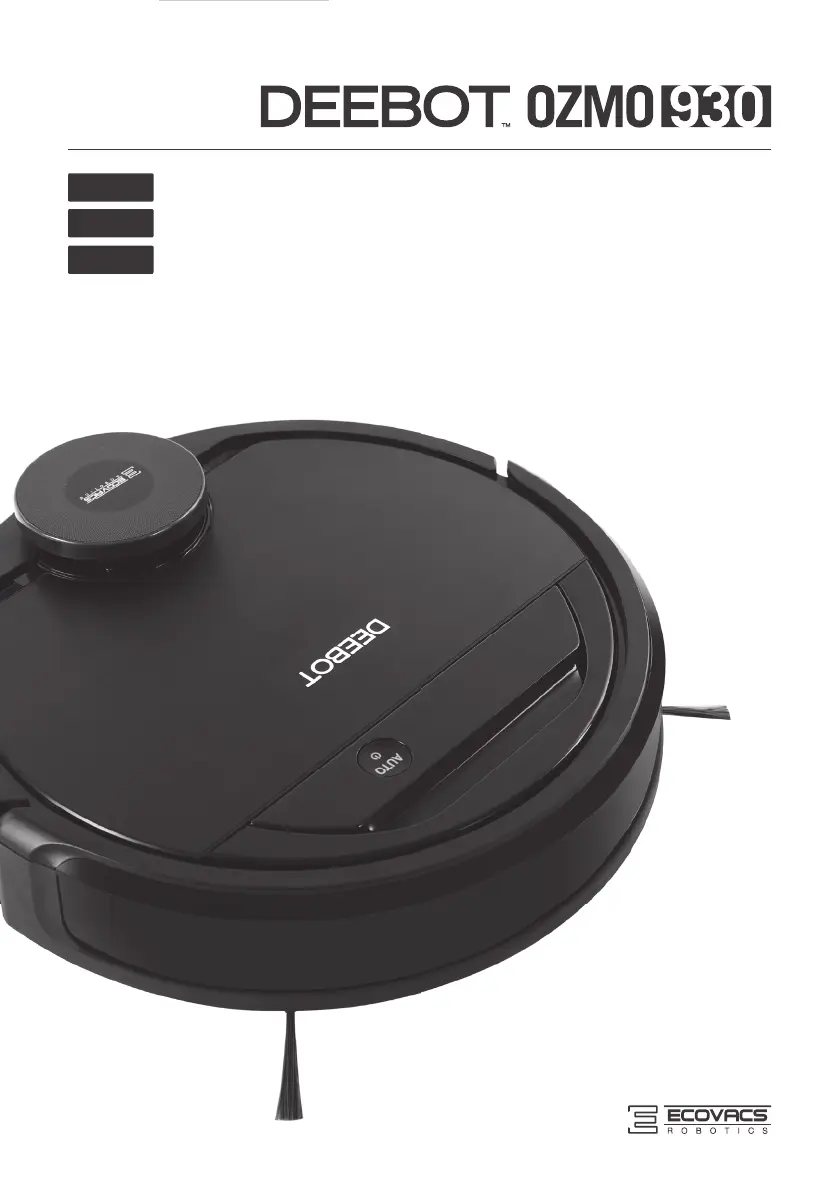
ECOVACS DEEBOT OZMO 930 - User Manual

ECOVACS DEEBOT OZMO 930
88 pages
Print Icon
To Next Page IconTo Next Page
Loading...
Instruction Manual
Mode d'emploi
Manual de Instrucciones
EN
FR-CA
ES-LATAM

Table of Contents

Other manuals for ECOVACS DEEBOT OZMO 930

Questions and Answers

  • B
    Breanna FigueroaJul 27, 2025
    Why ECOVACS DEEBOT OZMO 930 Vacuum Cleaner DEEBOT will not charge?
    • M
      Michael EllisJul 27, 2025
      Your DEEBOT might not be charging due to several reasons. First, ensure that the DEEBOT is powered ON. Check that the Charging Contacts on the robot have made a firm connection with the Docking Station Pins; manually adjust the robot's position if needed. Make sure the Docking Station is plugged in while the DEEBOT is powered ON. If the battery is completely discharged, try re-activating it by placing DEEBOT on the Docking Station by hand, removing it after charging for 3 minutes, repeating this process 3 times, and then charging normally.
  • A
    Angela VasquezAug 4, 2025
    What to do if ECOVACS DEEBOT OZMO 930 DEEBOT will not clean automatically at scheduled time?
    • K
      Kristen RobbinsAug 4, 2025
      If your DEEBOT isn't cleaning automatically at the scheduled time, there are a few potential causes. Ensure that the DEEBOT is powered ON and that its battery is sufficiently charged by keeping it on the Docking Station. Also, make sure that the Intelligent Scheduling or Time Scheduling function hasn't been accidentally cancelled. If the robot’s Suction Intake is blocked or components are tangled with debris, power OFF DEEBOT, clean the Dust Bin, and invert the robot to clean the robot’s Suction Intake, Side Brushes and the Main Brush.
  • R
    Randall FuentesAug 11, 2025
    What to do if the water is not coming out of the Reservoir when ECOVACS DEEBOT OZMO 930 Vacuum Cleaner DEEBOT is mopping?
    • J
      jonathan48Aug 12, 2025
      If water isn't coming out of the Reservoir when your DEEBOT is mopping, check these items: 1. Ensure the Reservoir has water. 2. Inspect the water outlets on the bottom of the DEEBOT for any clogs and clean them.
  • D
    Donald WhiteAug 18, 2025
    How to fix ECOVACS Vacuum Cleaner DEEBOT is not able to connect to home Wi-Fi network?
    • D
      David MurrayAug 18, 2025
      If your DEEBOT can't connect to your home Wi-Fi, double-check that you've entered the correct Wi-Fi username and password. Ensure that the DEEBOT is within range of your home Wi-Fi signal. If the network setup was started before DEEBOT was ready, turn ON the Power Switch and press the RESET Button using a needle for 3 seconds until DEEBOT plays a musical tune and its Wi-Fi Indicator light flashes slowly. Also, confirm that your smartphone's operating system is updated, as the ECOVACS App requires iOS 9.0 or above, or Android 4.0 or above.

Summary

Important Safety Instructions

Operating and Programming

Quick Start

Step-by-step guide to set up and begin using the DEEBOT robot.

Maintenance

Dust Bin and Filters

Steps for emptying the dust bin and cleaning/replacing filters.

Main Brush, Direct Suction Option and Side Brushes

Instructions for cleaning the main brush, direct suction, and side brushes.

Regular Maintenance

Schedule and frequency for routine maintenance tasks and part replacements.

Troubleshooting

DEEBOT will not charge.

Addresses issues related to the robot not charging, with possible causes and solutions.

DEEBOT is not able to connect to home Wi-Fi network.

Guides on how to connect the robot to the home Wi-Fi network and troubleshoot connectivity problems.

ECOVACS DEEBOT OZMO 930 Specifications

General IconGeneral
Noise level65 dB
Wet moppingYes
Navigation typeSmartNavi
Number of brushes3
Integrated sensorsInfrared sensor
Dust capacity (total)0.47 L
Vacuum cleaner programsAuto, Carpet, Spot
Floor surfaces supportedCarpet, Hard floor, Tiles
Threshold climbing (max)16 mm
ShapeRound
Product colorBlack
Dust container typeBagless
Charging time4 h
Battery capacity3200 mAh
Battery technologyLithium
Weight and Dimensions IconWeight and Dimensions
Height102 mm
Weight4600 g
Diameter354 mm

Related product manuals