EN
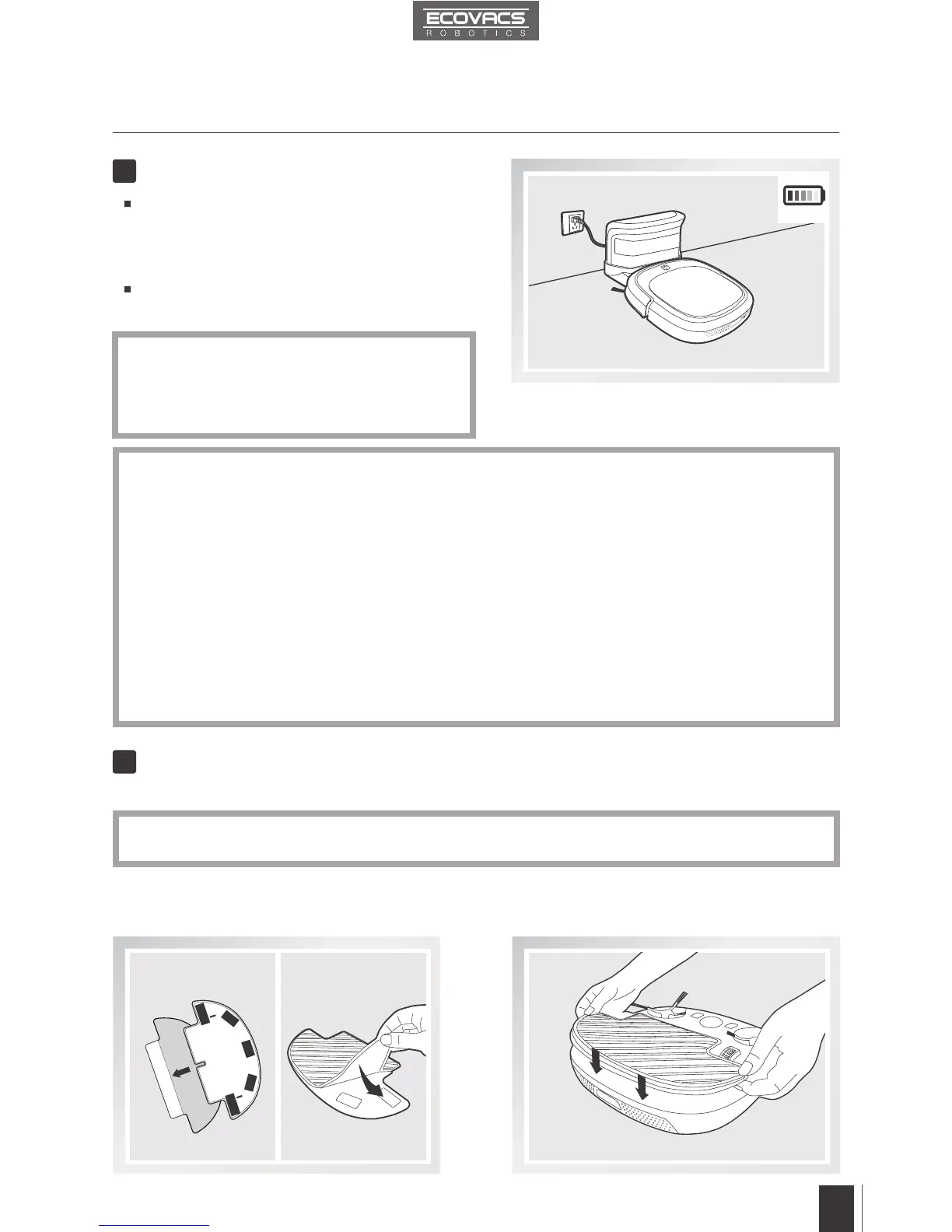
Charge DEEBOT SLIM
4
Attach Cleaning Cloth, if desired
5
Place DEEBOT SLIM on the Charging Dock
making sure the Charging Contacts on
DEEBOT SLIM and the Charging Dock Pins
make a connection.
Charge DEEBOT SLIM for at least 12 hours
before the rst use.
*
AUTO Mode Button blinks when DEEBOT
SLIM is charging. AUTO Mode Button
glows continuously when DEEBOT SLIM
is fully charged.
3. Operating and Programming
Remove DEEBOT SLIM’s battery if the robot will not be used for a long time. In case of battery
leakage, please remove the battery and wipe the battery slot clean while wearing protective gloves.
If battery is fully discharged or not used for a long time, its capacity may decrease and need
to be reactivated.
To reactivate the battery: Place the robot on the Charging Dock by hand, remove after
charging for 3 minutes; repeat 3 times, then charge normally for 3-5 hours.
DEEBOT SLIM uses a long life battery, and does not require frequent replacement. To
replace the battery, contact Customer Service or follow the below instructions:
a. Unscrew the Battery Cover Screws, remove Battery Cover.
b. Remove the battery and disconnect the fasteners.
c. Connect the corresponding positive and negative fasteners on the new battery. Insert
the new battery, reassemble the Battery Cover and screw in the Battery Cover Screws.
*
*
*
*
*
When using the optional mopping feature, fold area rug edges under themselves so DEEBOT SLIM
will avoid the rug.
To use DEEBOT SLIM's optional mopping feature, attach the provided Cleaning Cloth.
Attach the Cleaning Cloth to the Cleaning
Cloth Plate.
Insert the Cleaning Cloth Plate tabs into the
Cleaning Cloth Plate Slots on the bottom of
DEEBOT SLIM until you hear a click.













 To Next Page