EasyManua.ls Logo

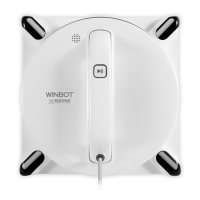
ECOVACS WINBOT 880 - User Manual

ECOVACS WINBOT 880
132 pages
Print Icon
To Next Page IconTo Next Page
Loading...
Instruction Manual
Bedienungsanleitung
Manual de instrucciones
Manuel d'instructions
Manuale d'uso
Руководство по эксплуатации

Questions and Answers

  • F
    Frederick BurtonAug 4, 2025
    What to do if ECOVACS WINBOT 880 WINBOT moves irregularly?
    • J
      John MartinAug 4, 2025
      If your WINBOT is moving irregularly, it might be due to a stuck bumper rail, Edge Detection Sensor signal abnormity or a fan malfunction. Here's what you can do: * Take WINBOT off the window and check the bumper rail; clean it if it's stuck, then restart WINBOT. * Remove and re-attach the Cleaning Pad, ensuring it doesn't cover the Edge Detection Sensors. Clean the sensors. * Clean the fan. If problems persist after these steps, further assistance is needed.
  • D
    dennisbrownAug 12, 2025
    How to fix ECOVACS WINBOT 880 Vacuum Cleaner WINBOT that doesn't move?
    • L
      Laura VincentAug 12, 2025
      If your WINBOT isn't moving, several factors could be at play. First, make sure that the Cleaning Pad is attached. Also, if there's a gap on the glass surface, use the remote's direction buttons to guide WINBOT away from it. Finally, check the driving treads for any dust or debris; if present, clean them before restarting WINBOT.
  • C
    Christopher HallAug 19, 2025
    What to do if ECOVACS Vacuum Cleaner WINBOT stops moving on glass?
    • M
      Michael GonzalezAug 19, 2025
      If WINBOT stops moving after sticking to the glass, it may be too close to the edge or an obstacle. Use the remote to move it at least 10cm/4” away from corners and obstacles, or reposition it manually before restarting.
  • P
    ppollardAug 27, 2025
    How to pair ECOVACS Vacuum Cleaner WINBOT remote control?
    • C
      Craig McconnellAug 28, 2025
      If the remote isn't controlling WINBOT, it probably needs pairing. Within 5 seconds of powering WINBOT on, press and hold the pairing buttons on both WINBOT and the remote simultaneously. The pairing is successful when WINBOT beeps and flashes red and green.

Summary

Important Safety Instructions

General Usage and Environmental Safety

Covers user capabilities, environmental conditions, unattended use, and basic operating rules.

Appliance, Power, and Window Compatibility

Addresses appliance condition, power adapter, voltage, window frame size, and window surface compatibility.

Electrical Safety and Battery Management

Focuses on electrical shock, wet hands, cord care, battery replacement, and disposal.

Product Use Compliance and Remote Control

Emphasizes manual adherence, manufacturer liability, and remote control battery safety.

Package Contents and Product Diagram

Package Contents List

Details all items included in the WINBOT package, including the robot, accessories, and manuals.

Product Diagram Overview

Illustrates and labels the main components and parts of the WINBOT robot and its remote control.

Operating WINBOT

Pre-Cleaning Setup and Notes

Ensures safety pod and tether are connected, and notes on window frame limitations before starting.

Quick Start Guide

Step-by-step instructions for connecting power, attaching the safety pod, and applying cleaning solution.

Cleaning Modes and Pad Replacement

Explains AUTO, Deep Cleaning, and Spot Cleaning modes, and how to replace the cleaning pad.

Finishing Work Procedures

Steps to safely remove the WINBOT, power it off, and unplug it after cleaning.

Maintenance

Cleaning Pad Care

Instructions for washing, drying, and replacing the cleaning pad for optimal performance.

Component Cleaning and Inspection

Guidance on cleaning the fan, side rollers, edge detection sensors, and squeegees.

Driving Treads Inspection

Steps to inspect and clean the driving treads for proper functionality.

Status Indicator Light

Troubleshooting

Remote Control Issues

Diagnosing and resolving problems with the remote control not controlling the WINBOT.

WINBOT Movement Irregularities

Addressing issues like irregular movement, not moving, or moving in circles due to dirt or wear.

WINBOT Stuck or Adhesion Problems

Solutions for WINBOT hanging, stopping after adhesion, or being stuck by obstacles.

Technical Specifications

ECOVACS WINBOT 880 Specifications

General IconGeneral
ShapeSquare
Product colorWhite
Remotely operatedYes
Dust container type-
Noise level- dB
Dust capacity (total)- L
Battery capacity- mAh

Related product manuals