EasyManua.ls Logo

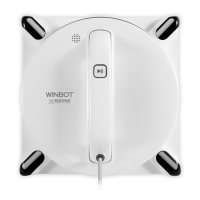
ECOVACS WINBOT 950 - User Manual

ECOVACS WINBOT 950
22 pages
Print Icon
To Next Page IconTo Next Page
Loading...
Instruction Manual
EN
Note: This Instruction Manual applies to units purchased in North America only.

Questions and Answers

  • V
    velasquezkevinAug 2, 2025
    Why is my ECOVACS Vacuum Cleaner remote control not working?
    • J
      Julie WaltonAug 2, 2025
      If the ECOVACS Vacuum Cleaner remote control isn't working, first, ensure the robot isn't paused during cleaning; if so, pause it via the START/PAUSE button on either the robot or remote. If that doesn't work, the remote might not be paired. To pair it, power on the vacuum cleaner, then simultaneously press and hold the START/PAUSE button on the vacuum and the Pairing button on the remote until the START/PAUSE button blinks red, blue, and green. Also, check and replace the batteries in the remote. If the status indicator light flashes red, try resetting the vacuum cleaner using the RESET button on the remote.
  • L
    Laura MercadoAug 14, 2025
    Why does the ECOVACS WINBOT 950 Vacuum Cleaner status indicator light flash blue?
    • M
      Matthew ForbesAug 14, 2025
      If the Status Indicator Light flashes blue after placing the ECOVACS Vacuum Cleaner on the glass, it could be due to several reasons. The cleaning pad may be incorrectly attached, covering the squeegee or edge detection sensors. Remove the cleaning pad and re-attach it, ensuring it's within the Velcro area and doesn't cover those sensors. It could also indicate an Edge Detection Sensor malfunction; try cleaning the Edge Detection Sensors. The fan might also be malfunctioning; clean the fan. Alternatively, the glass may be too dirty; clean a small area first or clean the entire window by hand before using the vacuum for regular cleaning.
  • C
    Chelsea WrightAug 20, 2025
    What to do if ECOVACS Vacuum Cleaner is stuck and cannot be controlled?
    • L
      Laura SmithAug 20, 2025
      If your ECOVACS Vacuum Cleaner is stuck with the indicator light flashing and cannot be moved, controlled, or reset, it may be due to insufficient suction or an Edge Detection Sensor signal abnormality. Try pressing the RESET button on the remote control. If that doesn't work, put it in Manual Override Mode by holding the RESET button until the Status Indicator Light glows red. Use the Direction Control Buttons to move the vacuum away from edges to a safe spot. Then, remove it from the window, power it OFF, then power it ON again, and restart.
  • J
    Johnny KellyAug 27, 2025
    How to fix ECOVACS Vacuum Cleaner moving in irregular pattern?
    • W
      walkerkimberlyAug 27, 2025
      If your ECOVACS Vacuum Cleaner moves in an irregular pattern while cleaning, it may be due to excessive dirt and debris on the window. Try spraying additional cleaning solution on the cleaning pad. Also, clean the driving treads. If that doesn't help, replace the cleaning pad and restart the cleaning cycle. You can also use the remote control to manually guide the cleaning or clean the window by hand first.
  • J
    Jessica CrawfordNov 7, 2025
    What to do if the ECOVACS Vacuum Cleaner status indicator light flashes red?
    • M
      Melissa HendersonNov 7, 2025
      If the status indicator light on your ECOVACS Vacuum Cleaner is flashing red, it could be due to several reasons. First, check for any power interruptions, such as a loose connection to the power adapter or a power failure. Ensure the vacuum is connected to the power adapter and plugged into the wall. Press the Start/Pause button to resume cleaning. If that doesn't work, use the direction control buttons to move the vacuum to a safe location. Another cause might be that the vacuum has moved over a problem area and is losing suction. Try pressing the Reset button and moving it away from the area. Restart the vacuum. Also, the cleaning pad plate may have turned prematurely. Remove the vacuum, power it off, spray additional cleaning solution, and restart. If the cleaning pad plate isn't verti...

Summary

WINBOT 950 Instruction Manual

Important Safety Instructions

Package Contents and Technical Specifications

Technical Specifications

Provides technical data and specifications for the WINBOT 950 robot.

Operating WINBOT

Start WINBOT Operation

Steps to power on, attach to glass, and begin the WINBOT cleaning cycle.

Stop WINBOT and Power Off

Instructions for stopping the WINBOT, powering it down, and removing it.

Maintenance Procedures

Troubleshooting Guide

Remote Control Issues

Troubleshooting steps for when the WINBOT remote control is not working.

Status Indicator Light - Red Flash

Resolving issues when the WINBOT's status indicator light flashes red.

WINBOT Stuck or Unresponsive

Troubleshooting steps for a WINBOT that is stuck or unresponsive to controls.

ECOVACS WINBOT 950 Specifications

General IconGeneral
ModelWINBOT 950
TypeWindow Cleaning Robot
Safety FeaturesAnti-fall Sensors, Safety Rope
Operating Temperature0°C to 40°C
Storage Temperature-20°C to 60°C
Control MethodRemote Control
Cleaning ModesAuto
Battery TypeLithium-ion
Operating Time30 minutes
Charging TimeApprox. 120 minutes
NavigationSmart Navigation
Suitable forMirrors
Noise Level65 dB
AccessoriesRemote Control, Cleaning Pads
Power SupplyAC Power Adapter

Related product manuals