3. Operating WINBOT
3.1 Notes Before Cleaning
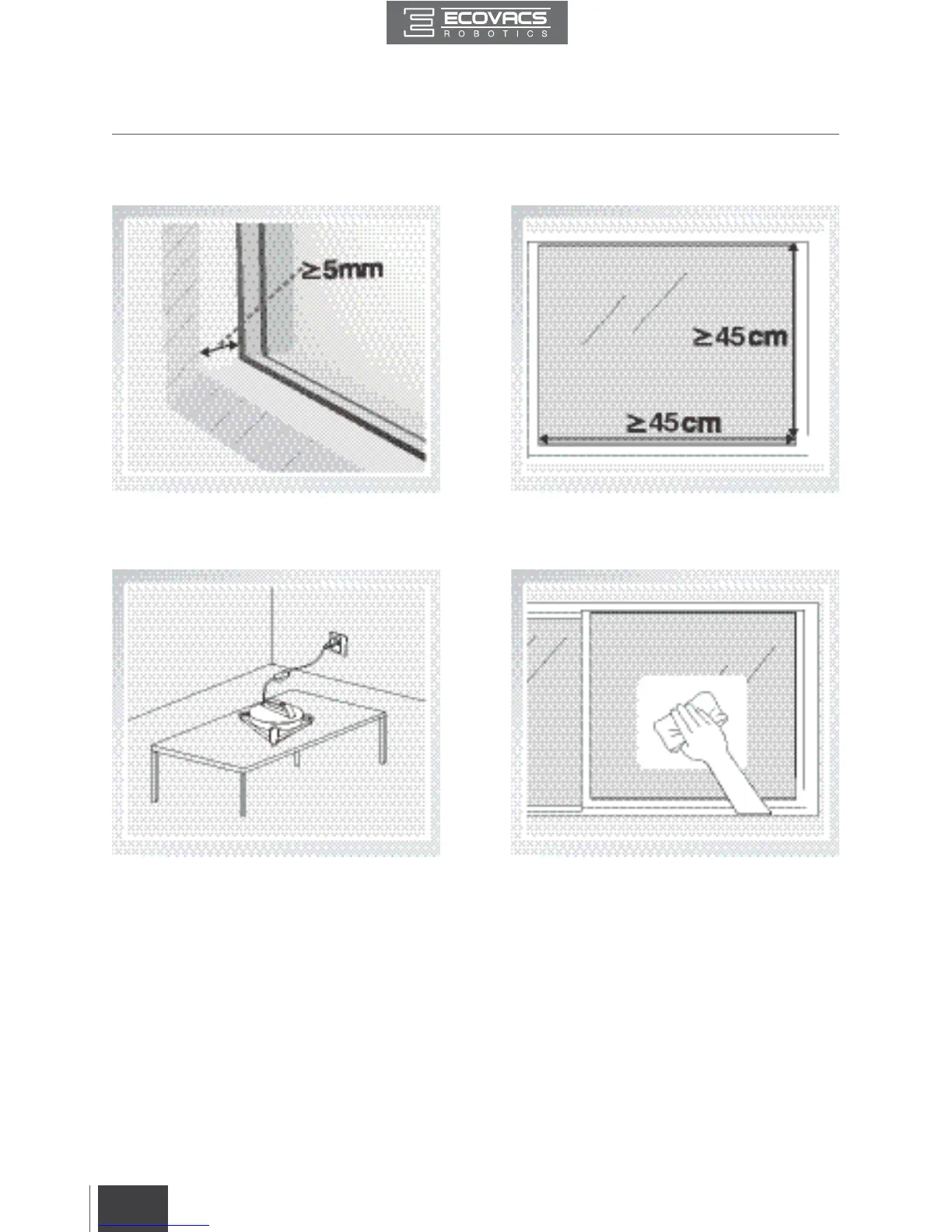
Do not use WINBOT on a framed window
with a frame smaller than 5mm (0.2”).
If WINBOT’s Status Indicator Light flashes
GREEN after powering ON, the Back-Up
Battery requires charging. Keep WINBOT
plugged in to charge the Back-Up Battery until
the Status Indicator Light flashes BLUE, and
WINBOT can now start cleaning. The Back-
Up Battery is fully charged when the Status
Indicator Light stops glowing.
WINBOT can clean framed or frameless glass,
larger than 45cm x 45cm (17.7’’ x 17.7’’).
If the window is covered with dirt, clean a
small area on the glass before use and place
WINBOT there.





 To Next Page