EasyManua.ls Logo

EcoxGear EcoRoam 30 - User Manual

EcoxGear EcoRoam 30
16 pages
Print Icon
To Next Page IconTo Next Page
Loading...
Product Warranty Registration
To register your purchased product, please visit:
www.ecoxgear.com/register
EcoRoam 30
Models: GDI-EXRMS300...320
User Guide
Question and Answer IconNeed help?

Do you have a question about the EcoxGear EcoRoam 30 and is the answer not in the manual?

Summary

Quick Start Guide

Open Side Panel Cap

Instruction to open the side panel cap before proceeding with initial setup.

Activate Main Power

Step to turn on the unit using the main power switch located on the device.

Power On Using Standby Button

Action to press the standby button to power on the EcoRoam 30 for operation.

Search for Bluetooth Connection

Guide to search for the Bluetooth connection on your smart device to pair with the speaker.

Pair and Play Audio

Final step to pair the device and begin playing audio content through the speaker.

Care, Maintenance, and Safety

Device Indicators and Controls

LED Status Indicators Explained

Explanation of LED indicators for battery status, Bluetooth connectivity, and wireless pairing.

Control Buttons Overview

Description of the primary buttons used for operating the device's functions.

Battery Level Indicators

Description of the LED indicators showing the current battery charge level, each bar representing 25%.

Operations and Safety Precautions

Standby Power Operation

How to power the unit on/off using the standby button, noting Master Power Switch requirement.

Bluetooth Connectivity

Information on how the device searches for and connects via Bluetooth to smart devices.

Usage Guidelines and Features

Critical Charging Warning

Never charge the device if water is suspected to have entered it, due to fire or shock risk.

Wireless Stereo Pairing Button

Information on the button used for wireless stereo pairing between two compatible speakers.

Audio Playback and Call Functions

Voice Assistant Activation

How to activate the device's voice assistant (Siri, OK Google) by pressing and holding the button.

Safety, Warnings, and Disposal

Battery Safety and Disposal

Warning about battery explosion risk if replaced incorrectly, and proper disposal/recycling instructions.

Cleaning, Charging, and Repair Safety

Repair and Charging Restrictions

Do not open for repair; do not charge if unit or connections are wet.

Initial Setup and Charging

Charge Your EcoRoam 30

Instructions for charging the EcoRoam 30 fully before first use for optimal performance.

Product Use and Protection Guidelines

Power On and Battery Status

Powering On the EcoRoam 30

Steps to power on the EcoRoam 30 using the standby power button after charging.

Master Power Switch Requirement

Reinforces the critical role of the Master Power Switch being ON for the unit to power up.

Bluetooth Pairing and Audio

Connect to Smart Device and Play Audio

Guide on connecting the EcoRoam 30 to a smart device via Bluetooth to play audio.

Bluetooth Connection Confirmation

Bluetooth Pairing and Connections Management

Product Specifications Overview

Waterproof;Dustproof Rating

Indicates the unit has an IP67 waterproof and dustproof rating, allowing submersion.

Detailed Product Specifications

Wireless Stereo Pairing of Two Speakers

First Time Pairing Two Speakers

Guide for the initial pairing of two EcoRoam 30 speakers for stereo sound output.

Prepare Speakers for Pairing

Power on speakers only, ensuring neither is connected to a phone before pairing.

Initiate Pairing Process

Action to press the Wireless Pairing Button on both speakers to start the pairing sequence.

Stereo Pairing Completion and Re-Pairing

Pair Speaker A to Smartphone

Steps to pair Speaker A to a smartphone by selecting 'ECOXGEAR' from the device list.

Re-Pairing Already Paired Speakers

Instructions for re-pairing two speakers that have already been paired previously.

Unit Dimensions and Mounting

Maintaining Waterproofness

Importance of Waterproof Integrity

Emphasizes the importance of maintaining the unit's waterproof integrity for proper function.

Correct Cap Closure for Watertightness

Guidance on how to properly close the cap to ensure the unit is watertight and floats.

Consequences of Improper Cap Closure

States the unit is not watertight and may not float if the cap is not closed properly.

Speaker Un-Pairing and Pairing Limitations

Master Power Switch and Connections

Master Power Switch Functionality

Explains the separate Master Power Switch and Standby Button for operating the unit.

Mandatory Master Power ON Setting

Critical requirement to set the Master Power Switch to ON for the unit to power up.

Standby Power Dependency

Reiterates that the Standby Power function will not work if the Master Power is set to OFF.

Audio AUX-IN and Input Ports

Caution: Charge Only When Dry

Caution against charging the unit or its connections if they are wet or damp.

Overview

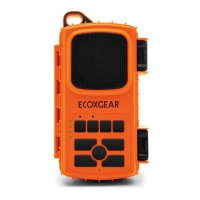
The EcoRoam 30 (Models: GDI-EXRMS300...320) is a portable, waterproof, and dustproof Bluetooth speaker designed for both indoor and outdoor use, including land and water environments. It features a robust design with IP67 waterproofing standards, allowing it to be submerged in up to 3 feet of water for 30 minutes without damage. The speaker is not intended for constant underwater use.

Function Description:

The EcoRoam 30 serves as a portable audio device that connects wirelessly via Bluetooth to smart devices for playing music. It also offers an AUX-IN connection for wired audio input. A key feature is its ability to wirelessly pair with a second EcoRoam 30 unit for stereo sound. The device includes a speakerphone function for answering calls and activating voice assistants like Siri or OK Google. It also has Party Light Modes with 8 different settings (Off, White - High, White - Low, Green, Red, Blue, Music Sync, Color Fade).

Important Technical Specifications:

  • Unit Weight: 15 ounces
  • Output Power: 15W Max Amp, x1 woofer (Ø3")
  • S/N Ratio: 88dB +/- 3dB
  • Power Source: 3.7V, 2600mAh Lithium Ion Battery
  • USB Input: 5V, 1A
  • Frequency Range: 125Hz-18,000Hz
  • Bluetooth: Bluetooth® 4.2
  • Bluetooth Range: Up to 100 ft / 30 m
  • Play Time: Approximately 15+ hours from full charge (audio playback over Bluetooth)
  • Charging Time: Approximately 3 hours from low to full charge
  • Recommended Storage (Battery) Temperature: 59°F / 15°C
  • Operating Temperature: 23°F to 104°F / -5°C to 40°C
  • Waterproof/Dustproof Rating: IP67
  • Mount Attachment Point: ¼" diameter
  • Unit Dimensions: 5.5" (width) x 4.5" (height) x 2.3" (depth)

Usage Features:

  • Quick Start:
    1. Open the cap on the side panel.
    2. Turn on the Main Power Switch.
    3. Press the Standby Button to power on the EcoRoam 30.
    4. Search for Bluetooth connection on your smart device.
    5. Pair & Play.
  • Power On/Off: The device has a Master Power Switch located under the side cap, which must be set to ON for the unit to operate. Once the Master Power is ON, the Standby Power Button on the top panel can be used to turn the unit On/Off. When powering on, the unit will announce, "Speaker on. Ready to connect."
  • Charging: Before first use, fully charge the EcoRoam 30. Connect the USB Micro port to the included USB cable and a 5V, 1A power source (computer USB or AC-to-USB adapter). Charging takes approximately 3 hours. The LED on the top panel indicates charging status (RED for in process, GREEN for full charge). Four LED Battery Level Indicators on top represent 25% charge each.
  • Bluetooth Pairing: When powered on, the LED Bluetooth Status Indicator will flash blue, indicating readiness to pair. Turn on Bluetooth on your smart device, search for "ECOXGEAR" in the list of discovered devices, and select it to connect. The unit will announce, "Your phone is connected" upon successful pairing. To enter pairing mode if the LED is not flashing or to pair with a new device, press and release the Bluetooth button on the top panel. The unit remembers the last paired device and will automatically search for previous connections.
  • Wireless Stereo Pairing (Two Speakers):
    1. Power on two EcoRoam 30 speakers, ensuring neither is connected to a phone.
    2. Press the Wireless Pairing Button on both speakers. Each speaker will announce, "Pairing speakers."
    3. Wait 3-10 seconds for the units to pair. They will announce, "Speakers paired," and the LED Wireless Stereo Pairing Indicator will turn solid blue on both units. Speaker A will announce, "Ready to connect."
    4. Pair Speaker A to your phone by selecting 'ECOXGEAR' from your Bluetooth devices. Speaker A will announce, "Your phone is connected."
    5. To re-pair already paired speakers, simply power on both units and wait 3-5 seconds for them to automatically re-pair.
    • Note: This functionality is ONLY available with two EcoRoam 30 units within 30ft of each other and only when using Bluetooth as the audio source.
    • Un-pairing: To un-pair two paired speakers, PRESS AND HOLD the Bluetooth Button for 5 seconds on either speaker. This will also clear Bluetooth pairing records on that speaker.
  • Speaker Volume: Press the "-" button to decrease volume and the "+" button to increase volume. The EcoRoam 30 will beep when maximum or minimum volume is reached. Some Bluetooth devices may require manual volume adjustment for maximum audio level.
  • Track Selection: Press the "<" button once for the previous song track and the ">" button once for the next song track.
  • Play/Pause/Answer/EcoTalk II:
    • Press the button once to pause or play song tracks.
    • When receiving an incoming call, press once to answer, press again to hang up. PRESS AND HOLD to reject an incoming call. (Requires smartphone paired via Bluetooth).
    • PRESS AND HOLD the button for two seconds to activate your device's voice assistant (Siri, OK Google, etc.). The speakerphone mic on the EcoRoam 30 will transfer your voice commands.
  • Party Light Modes: Press the light button to cycle through 8 modes: Off, White - High, White - Low, Green, Red, Blue, Music Sync, Color Fade.
  • AUX-IN: Connect an audio device using a 3.5mm cable. Volume must be controlled from the audio device.
  • Optional Accessories: Suction Cup Mount (¼” mount), Handlebar Mount Adapter (1¼" mount), AC (5V, 1A) USB Wall Outlet Power Adapter.

Maintenance Features & Precautions:

  • Waterproofness: The unit is waterproof ONLY when the cap on the side panel is properly closed. Ensure the cap fits flat and flush along the edges. If not properly closed, the unit is NOT watertight and may not float.
  • Cleaning: Periodically clean the rubber seal and the unit with a soft moist cloth. Ensure no dirt, hair, or sand are on the rubber seal ring. Do NOT use oily solvents or chemicals for cleaning. Rinse the unit with tap water after use in salt water or swimming pool.
  • Storage: Store the unit with all caps properly sealed to avoid long-term internal moisture damage. Completely dry and clean the unit before charging.
  • Avoid Prolonged Exposure: Do not expose the unit to ultraviolet radiation (UV sunlight) or strong magnetic fields.
  • Charging Precautions: Do NOT charge if the unit or connections are wet or damp. Towel dry the unit and ensure all connections are dry BEFORE plugging in the charging connector. Charging a device with water inside could be hazardous and cause fire or a spark.
  • Damage: Never use the ECOXGEAR if it has been dropped or thrown against a hard surface, as this may compromise its integrity. If water ingress is suspected or the unit has experienced a severe impact, return it to Grace Digital for assessment.
  • Modifications/Repairs: Never open the cap in a water environment. Never attempt to fix or repair the unit yourself. Do not modify or remove any original component parts. Send it back to Grace Digital for any assessments and repairs.
  • Mounting: Do not attempt to mount the unit except with approved ECOXGEAR mounts.
  • Temperature: Do NOT use or store the unit in places with high temperatures.
  • Battery: The EcoRoam 30 has a built-in Lithium battery. The battery must NOT be used in or near an open heat source or excessive heat.
  • Audio Levels: Exercise care and good judgment when using the speaker. Ensure audio levels are appropriate for your environment, comply with local regulations, and allow you to hear and be aware of potential hazards.

Limited Manufacturer's Warranty:

The EcoRoam 30 is covered by a 1-year limited warranty from the original purchase date, covering defects in workmanship and/or materials. The warranty is valid only for the original owner who purchases the unit from an authorized dealer and does not cover products that have been abused, neglected, modified, or used for purposes other than intended. Product registration does not constitute proof of purchase; keep all receipts and purchase records. Warranty terms may be revised without notification.

EcoxGear EcoRoam 30 Specifications

General IconGeneral
BrandEcoxGear
ModelEcoRoam 30
CategorySpeakers
LanguageEnglish

Related product manuals