water, clean it thoroughly after use with
fresh water.
The USB cables and unit with an improperly
fitted cap are NOT waterproof.
To prevent fire or shock, do NOT attempt
to charge this unit if it is wet or you suspect
water has entered the unit. In this situation,
please return the unit to Grace Digital for a free
assessment. If we have found that the unit has
carried water, we will repair or replace the unit
free of charge.
SAFETY ADVISORY & WARNING:
Read and follow all instructions.
Use only as intended.
CAUTION: Do NOT open to repair. A
qualified technician must carry
out repair work.
ATTENTION: Do NOT charge while the unit is
wet. Towel dry the unit AND
make sure all connections
are dry BEFORE plugging in the
charging connector. Failure to do
so may result in electrical
damage to the unit and may
void the warranty.
PROPOSITION 65
WARNING: Cancer and Reproductive Harm
- www.P65Warnings.ca.gov
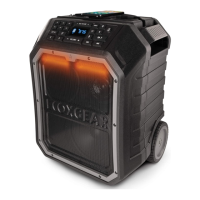
WARNING: EcoRoam 30 has a built-in
Lithium battery. The battery
must NOT be used in or near
an open heat source or
excessive heat.
NOTE: Before using the EcoTalk
function, your smartphone must
be connected to the EcoRoam
30 via Bluetooth. Not all devices
have voice assistant
functionality; refer to your
device for details.
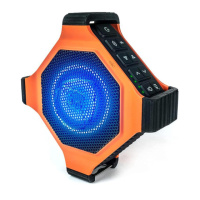
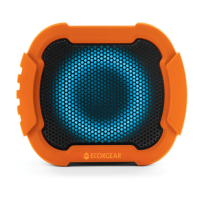
Party Light Modes
Press button to cycle through 8
modes: Off, White - High, White
- Low, Green, Red, Blue, Music
Sync, Color Fade.
Battery Indicator
Connect USB to power source.
LED on the top panel indicates
USB connection charging status.
RED: charge in process
GREEN: full charge complete
NOTE: There also are four LED
Battery Level Indicators located
on the top of the unit. Each LED
represents 25% of a charge. Four
full LEDs indicate a full charge.


 To Next Page
 Loading...