55
NVIDIA RAID Configuration
Chapter 5
Setting Up NVIDIA RAID Configuration
Setting Up a Non-Bootable RAID Array
RAID arrays can be created/deleted using both MediaShield RAID BIOS and the
MediaShield RAID Manager from Windows. This section only covers basic BIOS
setup required for non-bootable array. See the section "Setting Up a Bootable RAID
Array” for instructions on configuring the RAID array in BIOS. See sections on using
the MediaShield RAID Manager for details on configuring non-bootable RAID from
Windows.
Setting Up the BIOS
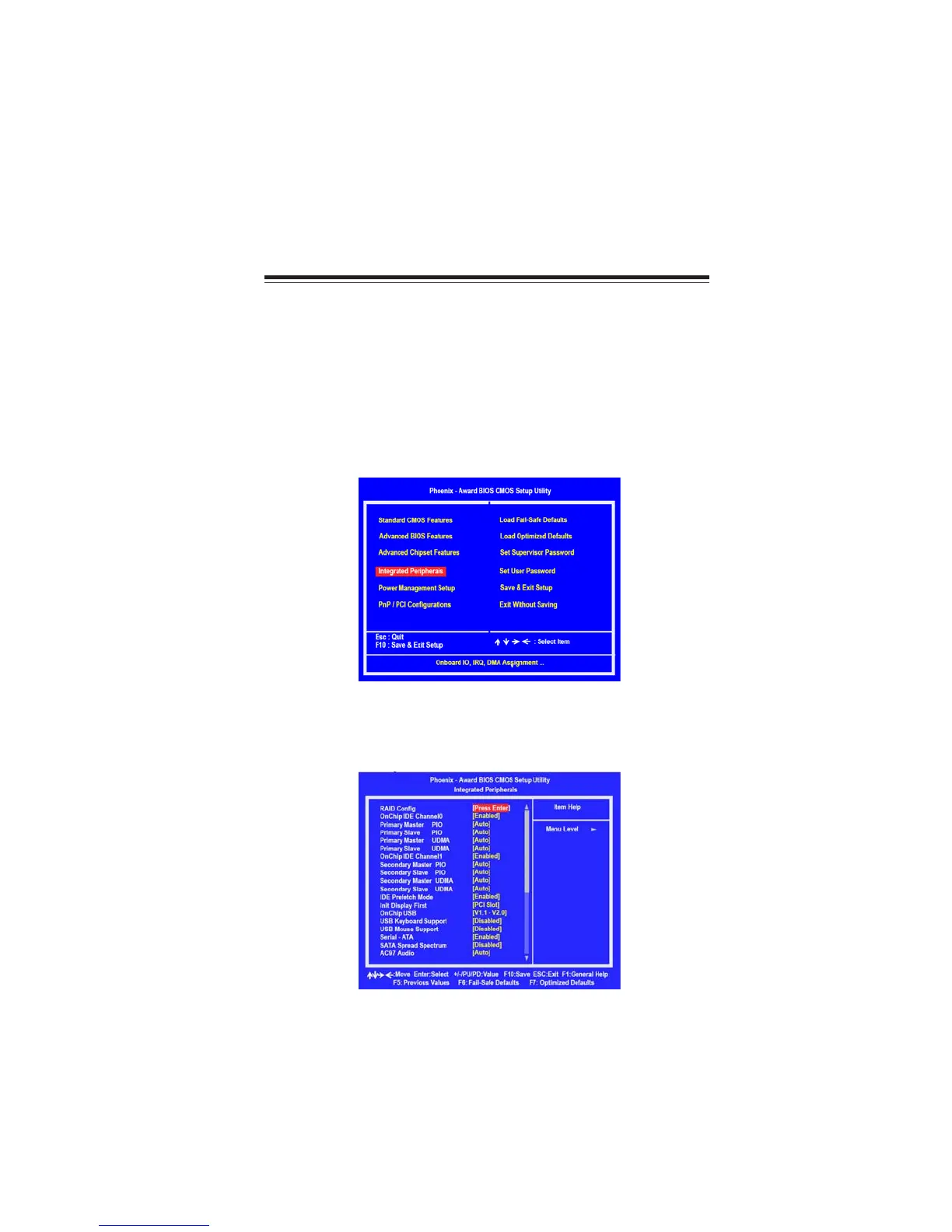
Use the arrow keys to select Integrated Peripherals (see Figure 2.1), then
press Enter.
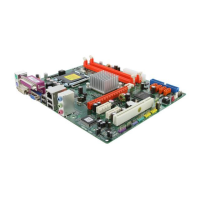
The Integrated Peripherals window appears.
Figure 2.2 Integrated Peripherals Window
Figure 2.1 BIOS CMOS Setup Utility Main Window
Start your computer, then press Delete to enter the BIOS setup.
The BIOS CMOS Setup Utility window appears.
1
2


 To Next Page