58
VIA VT8237 SATA RAID Setup Guide
Using VIA RAID Tool
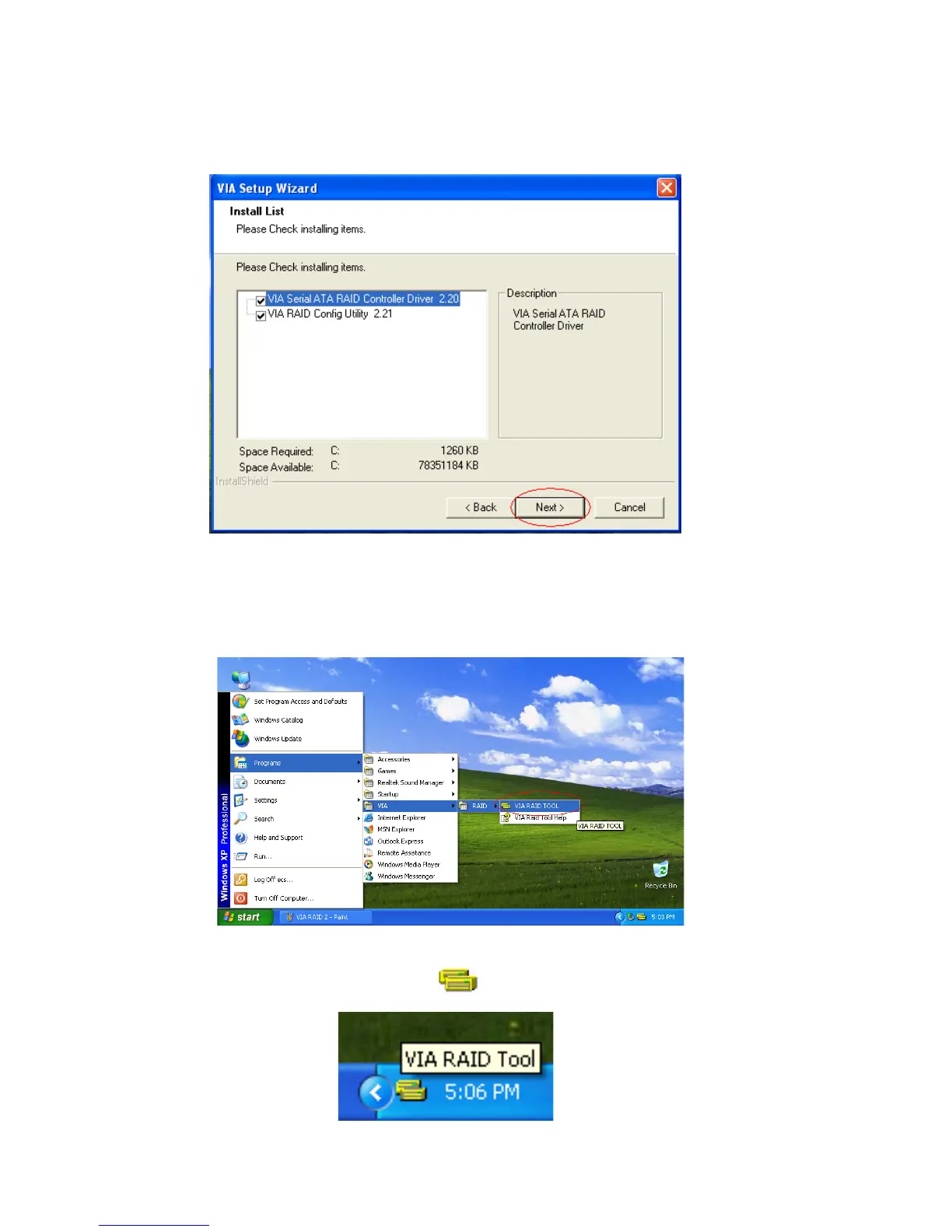
Once the installation is complete, go to Start---> Programs---> VIA---> raid_tool.exe to
enable VIA RAID Tool.
Put a check mark in the check box to install the feature you want. Then click Next button
to proceed the installation.
After the software is finished installation, it will automatically started every time Windows
is initiated. You may double-click on the icon shown in the system tray of the tool
bar to launch the VIA RAID Tool utility.



 To Next Page