ECTACO iTRAVL User Manual
10
Certain words and expressions in the dictionary may be followed
by abbreviations:
anat. – anatomy
bact. – bacteriology
biochem. – biochemistry
biol. – biology
bot. – botany
chem. – chemistry
comm. – commerce
comp. – computers
econ. – economics
el. – electronics
fin. – finance
jur. – law
mech. – mechanics
med. – medicine
opt. – optics
pharm. – pharmacy
physiol. – physiology
psychol. – psychology
stomat. – stomatology
vet. – veterinary
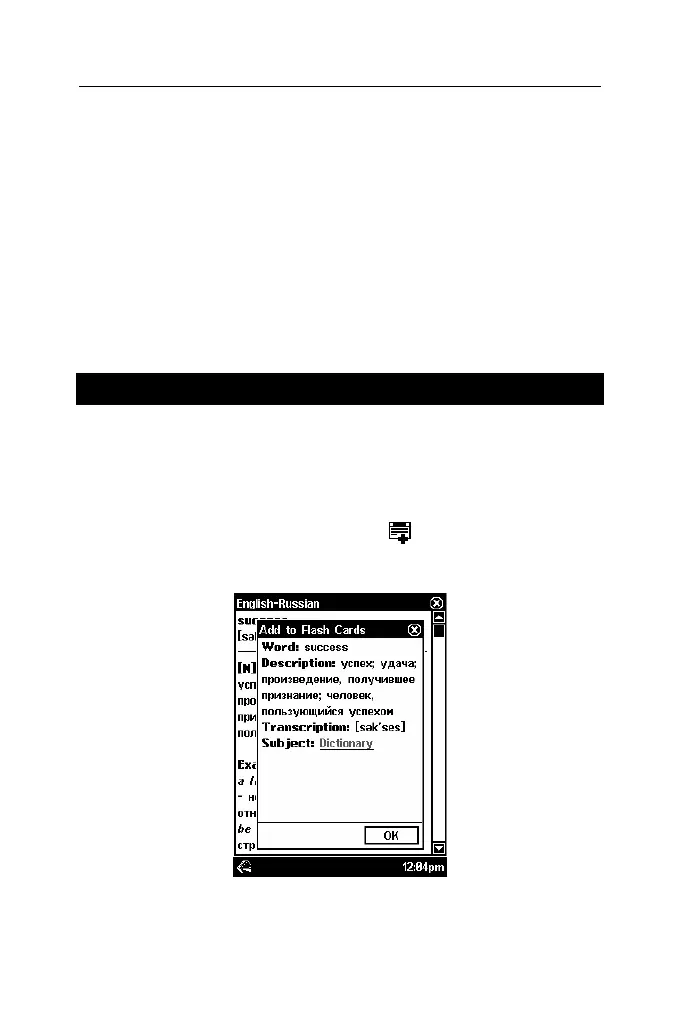
Adding Entries to Flash Cards
This useful feature allows you to create your personal sets of
entries copied from the Dictionary and Phrasebook. The
database so created will be used in the following games: Flash
Cards, Pockets, Spell It, and Translation Test.
• Open the Dictionary or Phrasebook.
• Select the desired entry and then tap
on the toolbar.
• If necessary, change the displayed set name by tapping next to
the word Subject.
• To confirm changes, tap OK.



 To Next Page