4
Control Function
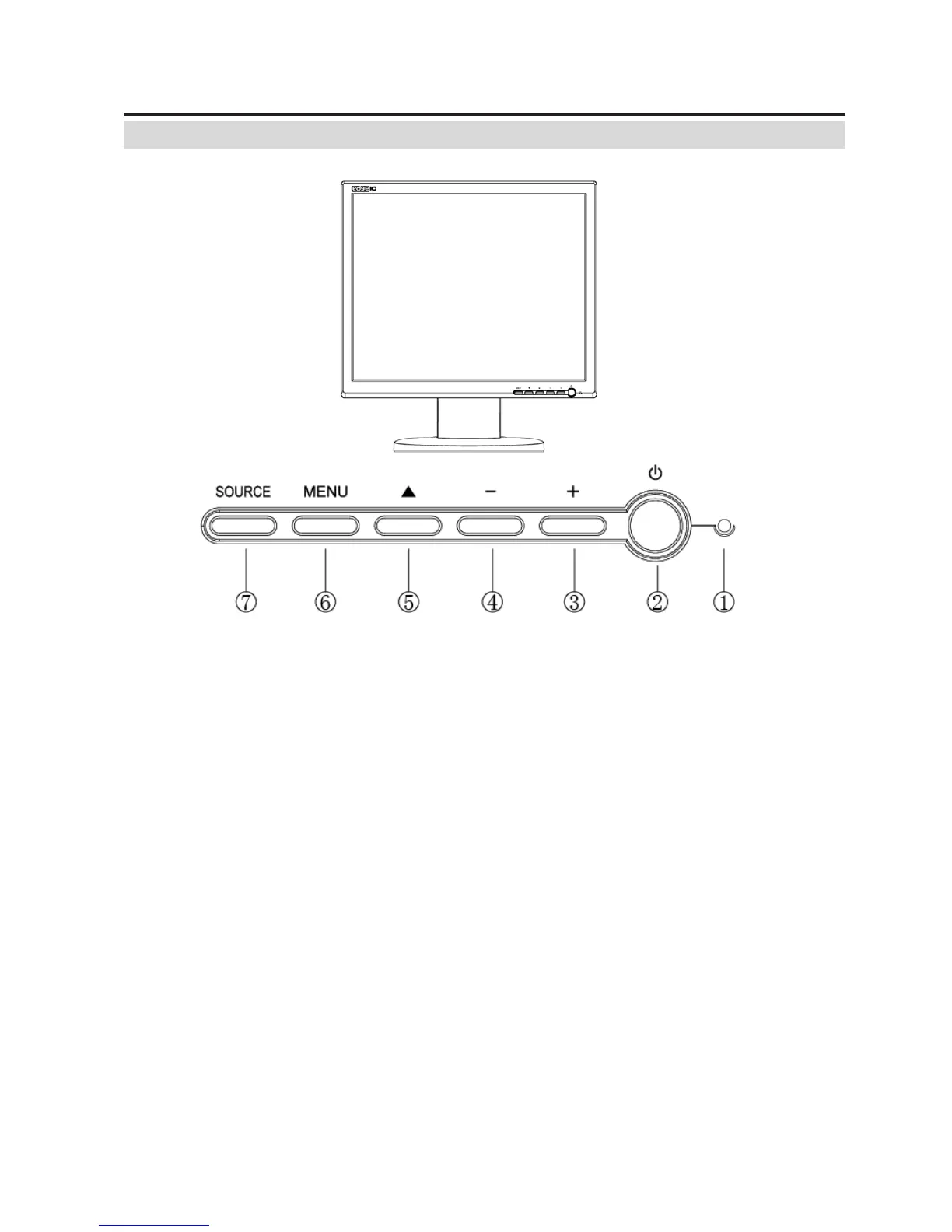
Control Button Front View
①
Power LED: Indicates different status (Green---Normal operation; Red---Power Management;
Dark---Power turn off;)
② Power switch: Turns power on/off
③ “+” Button: Adjust setting bars i.e. Contrast, Brightness, etc. to increase setting values of the
OSD;
④ “-” Button: Adjust setting bars i.e. Contrast, Brightness, etc. to Decrease setting values of the
OSD;
⑤ “▲” Button: Press to bring up the selection on OSD and select sub menu items.
⑥ “MENU” Button: Enter the OSD (on Screen Display); and still can select sub menu items.
⑦ “SOURCE” Button: Selects input mode: PC->VIDEO->SVIDEO->PC; Exit the OSD (On screen
Display), or exit the selected item.



 To Next Page