5
OSD Control
Operating Procedure
1) Press “MENU” to enter OSD menu.
2) Press “SOURCE” to Exit OSD menu on screen Display, or Exit adjustment item.
3) Press “+”and “-” to selects main menu item.(left/right)
4) Press “MENU” to confirm, and enter to the sub menu.
5) Press “MENU” and “▲” to selects the sub menu items. (Up/down)
6) Press “+” and “-” to adjust the setting values, then press up or down to select next item.
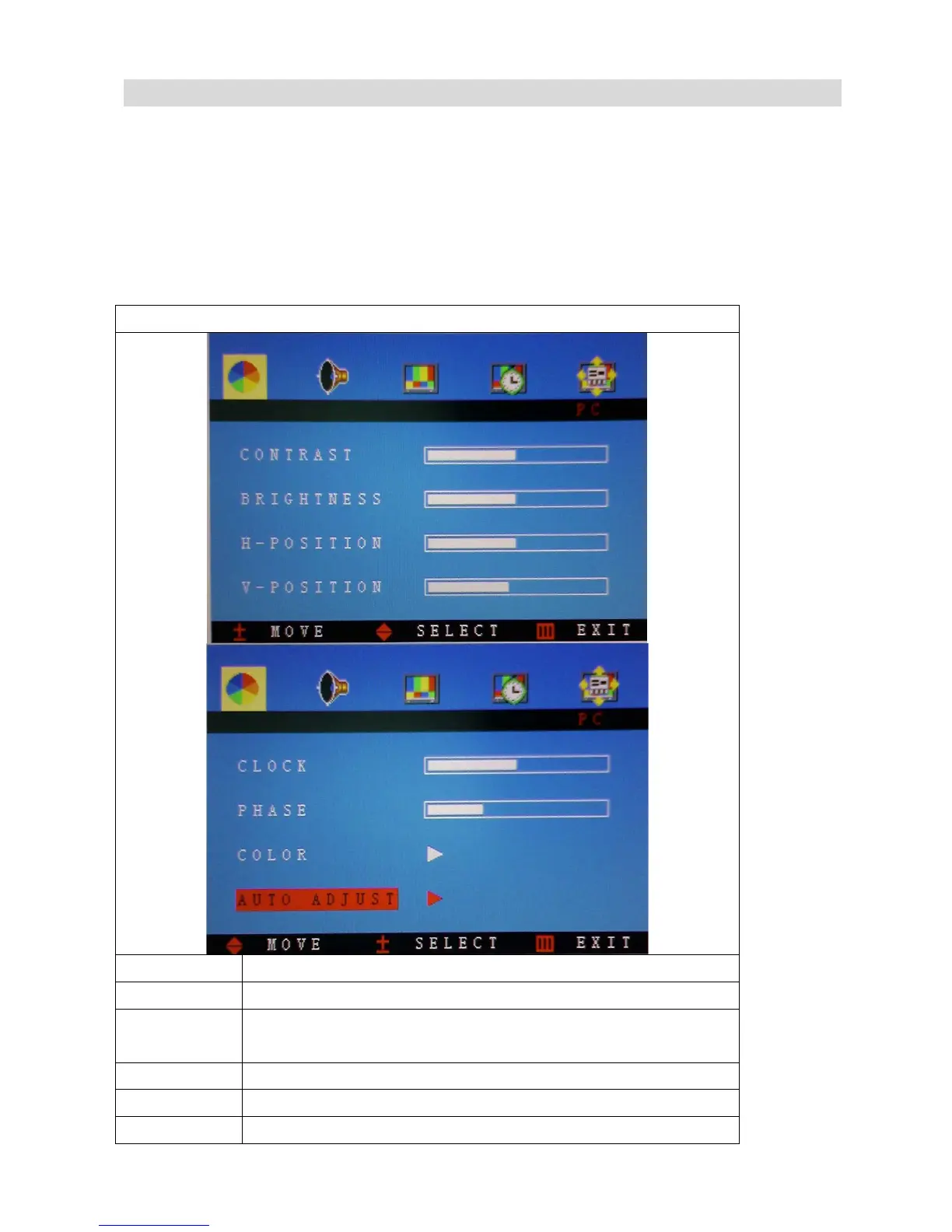
PC MODE
Function Description
Contrast press “+”and“-”to adjust the setting value(0~100) to adjust contrast
Brightness press “+”and“-”to adjust the setting value(0~100) to adjust
brightness
H-Position Press “+” and“-” to move OSD MENU position to right or left
V-Position Press “+” and“-” to move OSD MENU position to up or down
Clock Press “+” and“-” to adjust the distortion character



 To Next Page