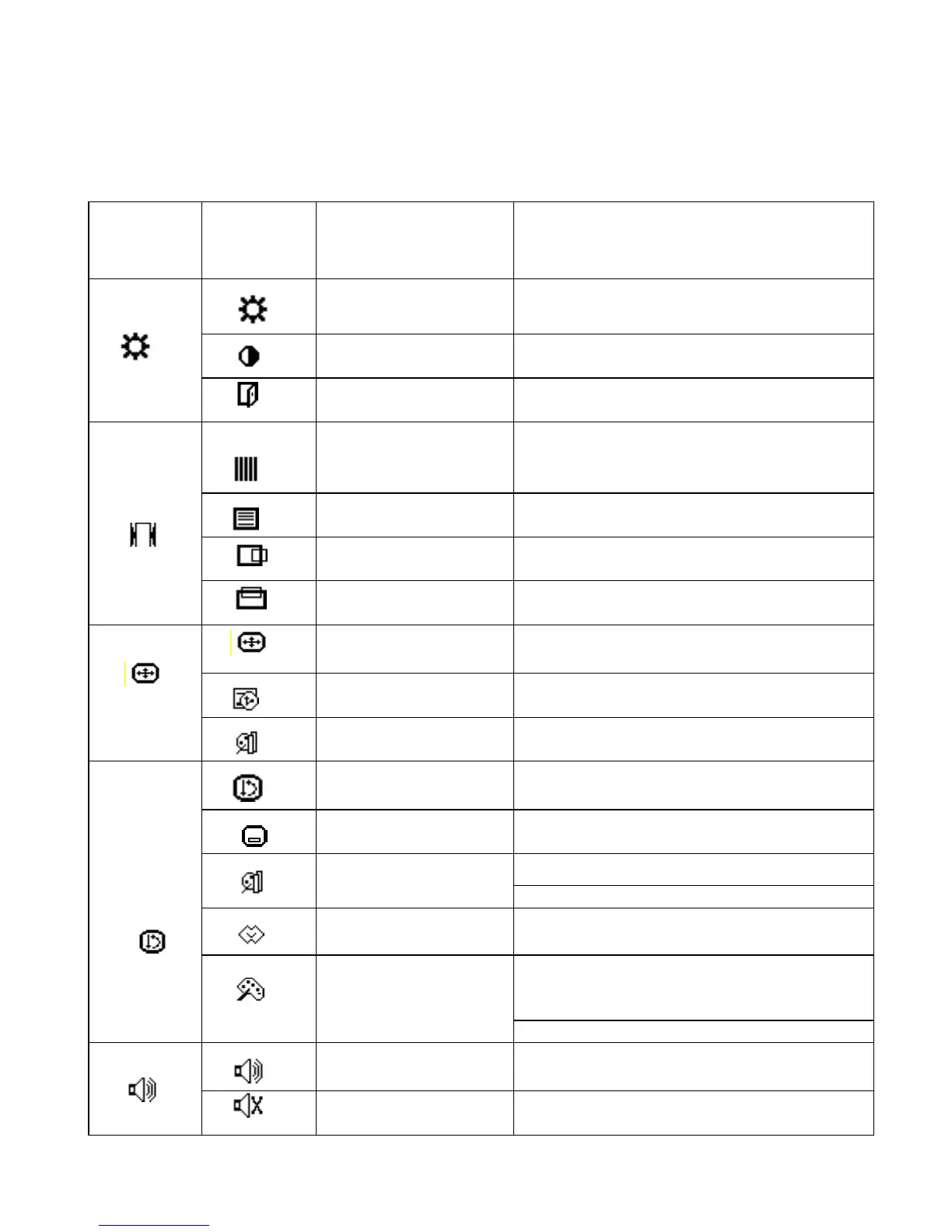
6.0 OSD Icon Overview
Main
Menu
Sub Menu
Function Name Function
BRIGHTNESS
Adjusts the level of brightness and darkness
CONTRAST
Adjusts the RGB color pattern set of the
contrast
EXIT
Tune off OSD window
CLOCK
Adjusts the number of pixels from source
video
CLOCK PHASE
Adjusts the phase relative to video H-sync
signal
H POSITION
Moves the screen horizontally (left/right)
V POSITION
Moves the screen vertically (up/down)
AUTO SETUP To auto adjust press the “+” button
OSD TIME OUT
Auto tune off OSD window timer
A/D
Select input port is analog or digital
ALL RESET Return to factory preset value
OSD POSITION
Changes the OSD position
“-” Represents the TEXT mode
DISPLAY MODE
“+” Represents the GRAPHIC mode
LANGUAGE Press “+” and “-” to choose OSD language
STANDARD: Factory preset color select
(9300K, 7500K, 6500K(default), 5400K,
4200K)
COLOR
CUSTOM: Preferred color is adjusted
VOLUME Adjust the volume of built-in speaker
MUTE
Disable or enable sound



 To Next Page