EasyManua.ls Logo

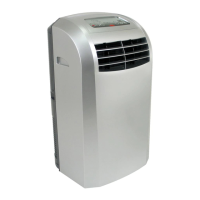
EdgeStar AP410HS - User Manual

EdgeStar AP410HS
24 pages
Print Icon
To Next Page IconTo Next Page
Loading...

Other manuals for EdgeStar AP410HS

Questions and Answers

  • J
    Julie MckenzieAug 17, 2025
    Why is my EdgeStar AP410HS Air Conditioner not cooling effectively?
    • G
      garciascottAug 17, 2025
      Your EdgeStar Air Conditioner might not be cooling effectively due to several reasons. The room might be too large, or there could be direct sunlight entering the room. Make sure to close curtains or blinds. Open windows or doors can also reduce cooling efficiency, so keep them closed. Additional heat sources, like servers, can also impact cooling. Ensure that the filter is clean and that the air intake or exhaust ports are not obstructed. Dirty condenser coils can also cause this problem; vacuum the air inlet located on the side of the unit.
  • D
    davisbrandonAug 20, 2025
    What to do if my EdgeStar AP410HS Air Conditioner won't turn on?
    • L
      Lisa BakerAug 20, 2025
      If your EdgeStar Air Conditioner isn't turning on, first, ensure the plug is properly installed into the power outlet. Check your fuses, referring to the rating label on the back of the unit for the amp draw. If the water reservoir is full, drain it. Also, check the LCDI plug and press the reset button if it has tripped.
  • K
    kmendozaAug 23, 2025
    What to do if my EdgeStar AP410HS starts and then cuts out?
    • B
      Barbara PattersonAug 23, 2025
      If your EdgeStar Air Conditioner starts and then cuts out, check the following: * Ensure the exhaust hose is straight and as short as possible. * Make sure the unit is at least 20" away from walls and other obstacles; move the unit if necessary. * Remove any obstructions covering the unit. * If the "Timer off" function was activated, press the power button to turn the unit back on. * Ensure the room temperature is within the operational range of 61° - 97°F.
  • K
    kellystevenAug 26, 2025
    Why is my EdgeStar Air Conditioner too loud?
    • B
      bobbycolemanAug 26, 2025
      If your EdgeStar Air Conditioner is too loud, it might be positioned on a hard, uneven floor, causing vibrations. Try moving the unit onto a level, carpeted surface.
  • T
    Traci RussellAug 28, 2025
    What to do if my EdgeStar Air Conditioner is leaking?
    • M
      Mitchell SheltonAug 28, 2025
      If your EdgeStar Air Conditioner is leaking, it may be draining into the drain pan. Since the drain pan has no auto shut-off, do not leave the unit unattended while draining into an external drain pan, and manually monitor the water level. Ensure the drain stopple and plug are installed correctly. Also, make sure the unit is on a level surface.
  • E
    Eddie PetersonAug 31, 2025
    What does it mean if the Run LED is blinking and the EdgeStar Air Conditioner is beeping?
    • E
      Eddie LawsonAug 31, 2025
      If the Run LED is blinking and your EdgeStar Air Conditioner is beeping, it indicates that the internal water reservoir is full. You should drain the water reservoir.
  • C
    Courtney ZhangSep 2, 2025
    Why is the heater light blinking and the heater will not turn on in my EdgeStar AP410HS?
    • B
      Brandon HuntSep 2, 2025
      If the heater light is blinking and the heater won't turn on in your EdgeStar Air Conditioner, the unit might still be set in air conditioner mode. Unplug the unit, wait 30 seconds, plug it back in, and then select the heater function.
  • R
    ramirezkarenSep 5, 2025
    What does it mean if the heater light is blinking, but the heater is working in my EdgeStar AP410HS Air Conditioner?
    • E
      Edwin WoodardSep 5, 2025
      If the heater light is blinking, but the heater is working on your EdgeStar Air Conditioner, it means the unit is warming up before starting full heat mode. Allow the unit to run for at least 2 minutes, and the light will stop blinking.
  • W
    William LewisSep 8, 2025
    Why are the control panel lights blinking randomly on my EdgeStar Air Conditioner?
    • J
      Jeremiah StanleySep 8, 2025
      If the control panel lights are blinking randomly on your EdgeStar Air Conditioner, the unit may have a minor electrical fault or be plugged into an outlet that cannot supply the correct electricity. Try moving the unit to another circuit, or unplug it and plug it back in again.
  • K
    Kelly HermanSep 12, 2025
    What to do if the LED display seems to show that the EdgeStar AP410HS is on, but it is not working?
    • J
      Joshua JonesSep 12, 2025
      If the LED display shows that your EdgeStar Air Conditioner is on, but it's not working, the "Timer on" feature might be activated. Turn the unit on with the power button to deactivate the "Timer on" feature.

Summary

Specifications

Safety Precautions

Installation

Installing the Exhaust Hose

Instructions for connecting the exhaust hose to the unit for proper operation.

Window Installation

Steps for installing the unit using the provided window kit for venting.

Control Panel

Remote Control

Manual Drainage

Maintenance

Troubleshooting

Air Conditioner Not Functioning

Solutions for when the unit fails to start or operate at all.

Unit Starts and Cuts Out

Addresses issues where the air conditioner cycles on and then shuts off.

Ineffective Cooling

Explains how to resolve problems with the unit not cooling effectively.

E1 Error Code

Explains the meaning and solution for the 'E1' error displayed on the unit.

E2 Error Code

Explains the meaning and solution for the 'E2' error displayed on the unit.

E5 Error Code

Explains the meaning and solution for the 'E5' error related to overheating protection.

E7 Error Code

Explains the meaning and solution for the 'E7' error indicating a full water reservoir.

EdgeStar AP410HS Specifications

General IconGeneral
TypePortable Air Conditioner
Voltage115 V
Operating Voltage115 V
Operating Frequency60 Hz
RefrigerantR-410A

Related product manuals