EasyManua.ls Logo

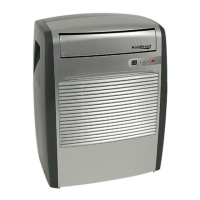
EdgeStar PAC8000S - User Manual

EdgeStar PAC8000S
24 pages
Print Icon
To Next Page IconTo Next Page
Loading...
Portable Air Conditioner
Owner’s Manual
For more information on other great EdgeStar products on the web, go to http://www.edgestar.com
PAC8000S

Questions and Answers

  • R
    Roger HubbardAug 14, 2025
    What to do if my EdgeStar PAC8000S Air Conditioner is not working?
    • A
      Allison BartonAug 14, 2025
      If your EdgeStar Air Conditioner isn't working, here's what you can check: * Ensure it's properly plugged into a grounded outlet. * If the LCDI power cord has tripped, press the Reset button on the cord. * Try moving the unit to another outlet and check your circuit breaker, referring to the rating label on the back of the unit for amperage. * Drain the unit if the water reservoir is full, then restart it. * If no indicator lights turn on, it might be a disconnected control panel, in this case contact customer service.
  • D
    Dr. Kaylee PowellAug 17, 2025
    Why is my EdgeStar Air Conditioner not cooling?
    • M
      Mr. Robert EverettAug 17, 2025
      If your EdgeStar Air Conditioner isn't cooling, consider these possibilities: * Ensure the unit is set to cooling mode and that the set temperature is lowered. * The compressor may take up to 3 minutes to turn on, possibly longer if it's too warm. * The ambient temperature might be too high; try to lower the room temperature below 90°F. * Check if the filter is dusty or blocked and clean it if necessary. * Make sure there are no obstructions in the exhaust hose and port.
  • C
    Casey HartAug 20, 2025
    What to do if EdgeStar Air Conditioner blows cold air but doesn't lower room temperature?
    • S
      Susan RodriguezAug 20, 2025
      If your EdgeStar Air Conditioner blows cold air but doesn't lower the room temperature, consider the following: * Ensure the unit is properly vented. * Minimize the area to be cooled, perhaps by adding a drop ceiling, or consider using multiple or larger units. * Close any open doors and windows. * Remove or shut off additional heat sources. * Ensure the room is adequately insulated. * Verify the room temperature isn't above 90°F. * Minimize direct sunlight by closing curtains or blinds. * Clean or replace the filter if it's dirty. * Carefully vacuum the condenser coils. * Ensure that air intake or exhaust ports are not obstructed.
  • P
    Patrick WilliamsAug 23, 2025
    How to fix a loud EdgeStar PAC8000S?
    • K
      Kristina CalderonAug 25, 2025
      If your EdgeStar Air Conditioner is making a loud noise, check these potential issues: * Ensure the unit is on a level surface. * Inspect the fan for any foreign objects and remove them. * If the floor below the unit is uneven, move the unit to a level surface.
  • E
    Eric HayesAug 27, 2025
    What to do if EdgeStar Air Conditioner remote control does not work?
    • J
      Johnny DillonAug 27, 2025
      If your EdgeStar Air Conditioner remote control isn't working and the indicator light is off, try these steps: * Install new batteries. * Replace the batteries if they are bad. * Make sure the batteries are installed correctly. If these steps don't work, the remote control may be defective, and you should contact customer service.
  • B
    Bradley SmithAug 30, 2025
    Why is my EdgeStar Air Conditioner leaking?
    • T
      Tina BrownAug 30, 2025
      If your EdgeStar Air Conditioner is leaking, check these items: * Ensure the drain plug is attached. * If the base pan is cracked, contact customer service.
  • P
    Paul SmithSep 2, 2025
    Why EdgeStar PAC8000S makes metallic knocking sound?
    • C
      christopher91Sep 2, 2025
      If your EdgeStar Air Conditioner is making a continuous metallic knocking or pinging sound: * If the unit may have been shipped on its side, shut it off, let it sit on a level surface for at least 24 hours, and then restart it. * If the sound persists, it could be a damaged compressor, in that case contact customer service.
  • K
    Karen CunninghamSep 6, 2025
    Why EdgeStar PAC8000S Air Conditioner trips power cord or circuit breaker?
    • S
      Samuel HenrySep 6, 2025
      If your EdgeStar Air Conditioner runs briefly and then trips the power cord or circuit breaker, it might be due to the outlet not supplying enough current. If the unit works in a different room or circuit, contact an electrician.
  • T
    Todd FreemanSep 9, 2025
    Why do the control panel lights blink randomly on my EdgeStar Air Conditioner?
    • S
      Sean Smith MDSep 9, 2025
      If the control panel lights on your EdgeStar Air Conditioner blink randomly, the unit may have a faulty control panel. Contact customer service.

Summary

Important Safety Information

Electrical Safety Precautions

Safety guidelines specific to the electrical aspects of the unit's operation.

General Safety Guidelines

Broad safety instructions for using the portable air conditioner.

LCDI Plug Safety Check

Procedure to test the Leakage-Current Detection and Interruption plug.

Introduction to Your Portable Air Conditioner

For Your Records

Section for recording essential product details like model and serial number.

Before Contacting Customer Service

Steps to take before reaching out to customer support for assistance.

Parts Identification

Front View Components

Identification of parts visible on the front of the portable air conditioner.

Back View Components

Identification of parts visible on the back of the portable air conditioner.

Installing the Carbon Filter

Carbon Filter Installation Steps

Step-by-step instructions for properly installing the carbon filter.

Window Kit Installation Instructions

Preparations and Parts List for Window Kit

Pre-installation requirements and a list of all window kit components.

Installing the Grated Adapter

Grated Adapter Installation Steps

Detailed instructions for inserting and securing the grated adapter.

Installing the Window Plates

Window Plate Installation Steps

Instructions for fitting and securing the window kit plates.

Duct and Hose Installation

Attaching Duct Connectors to Hose

Guidance on connecting the duct connectors to the exhaust hose.

Unit Positioning for Ventilation

Instructions on how to position the unit relative to the window kit.

Final Duct Connections

Connecting Duct Connector to Unit

Steps to attach the duct connector to the main unit.

Connecting Duct Connector to Grated Adapter

Steps to attach the duct connector to the window kit adapter.

Exhaust Hose Information

Exhaust Hose Guidelines

Important notes and warnings regarding the exhaust hose's use and limitations.

Draining the Unit

Direct Drainage Method

Instructions for draining condensate water via a drain port and hose.

Control Panel Overview

Control Panel Components

Identifies key components like LCD display, mode indicators, buttons, and sensors.

Using the Control Panel

Control Panel Functions and Operation

Explains how to use the control panel features, indicators, and auto-restart.

Remote Control Operation

Remote Control Buttons and Functions

Overview of remote control buttons and their corresponding functions.

Installing Remote Batteries

Step-by-step guide for correctly inserting batteries into the remote.

Operating the Remote Control

Power Operation via Remote

Using the remote to turn the unit on/off and understanding auto-restart.

Cooling Mode Operation

Instructions for setting and operating the unit in cooling mode.

Dehumidifying Mode Operation

Instructions for setting and operating the unit in dehumidifying mode.

Remote Control Operations Continued

Fan Only Mode Operation

Instructions for setting and operating the unit in fan-only mode.

Speed and Timer Settings

How to adjust fan speed and set the timer using the remote.

Temperature Units Setting

How to switch between Fahrenheit and Celsius temperature displays.

Energy Saving Guide

Energy Efficiency Tips

Recommendations for optimizing performance and reducing energy consumption.

Maintenance Procedures

Cleaning the Unit

Instructions for cleaning the exterior and internal components of the unit.

Cleaning the Pre-filter

Step-by-step guide for cleaning the unit's pre-filter.

Preparation for Storage

Steps to prepare the unit for long-term storage.

Troubleshooting Common Issues

Issue Resolution Guide

Guide to diagnose and solve common problems with the air conditioner.

Troubleshooting Continued

Advanced Issue Resolution

Further troubleshooting steps for cooling performance and room temperature issues.

Product Specifications

Technical Specifications

Details on model, power, dimensions, coolant, and other technical data.

EdgeStar Limited Warranty

Warranty Coverage Details

Explains what parts and labor are covered by the limited warranty.

Warranty Exclusions

Lists conditions, damages, and situations not covered by the warranty.

Obtaining Warranty Service

Procedures for contacting support and initiating warranty claims.

EdgeStar PAC8000S Specifications

General IconGeneral
Description of productPortable Air Conditioner
ModelPAC8000S
ColorSilver
CoolantR22
Voltage/FrequencyAC 115V~60Hz
Input Power800W
Current6.7A
Dehumidifying capacity71 Pints/Day
Timer24 Hour
Weight and Dimensions IconWeight and Dimensions
Dimensions WxHxD19 1/4” 24 3/4” x13 1/4”
Weight53 lbs

Related product manuals