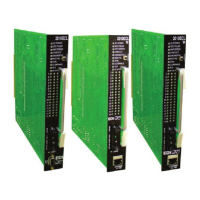
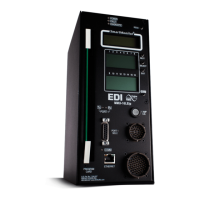
210E / 210ECL / 2010 / 2010ECL / 2018ECL SERIES SIGNAL MONITOR
OPERATIONS MANUAL
Eberle Design Inc. Page 18
c) Cabinet Temperature: the latched temperature at the time of the fault.
d) AC Line Voltage: the AC Line voltage at the time of the fault.
e) Control Input Status: the latched state and RMS voltages of the Red
Enable input, EE input, Special Function #1 and #2 inputs, and
the WDT monitor.
AC Line (AC) Event Log (40)
a) Event Type: describes the type of AC Line event that occurred.
Power-up - - AC on, monitor performed a cold start
Brown-out - AC Line < drop-out level
Restore - AC restored from AC brown-out or AC
interruption, no cold start
b) AC Line Voltage: the AC Line voltage at the time of the event.
Manual Reset (MR) Event Log (25)
a) The monitor was reset from a fault by the front panel Reset button or
External Reset input.
Configuration (CF) Event Log (10)
a) Program Card Matrix: the permissive programming for each channel.
b) Yellow Disable Jumpers: the Yellow Disable programming for each
channel.
c) SSM Switches: the SSM Switch programming for each channel.
d) Option Switches: RF 2010, RP Disable, GY Enable, SF1 Polarity, FYA,
Minimum Flash Enable, Configuration Fault Enable, Red Cable
Fault enable, AC Brownout timing.
e) Watchdog Programming: Watchdog Enable, Watchdog timing, and
Watchdog Latch.
f) Configuration Check Value: the value of the 16 bit Check Value for the
reported configuration.
3.2.3 EDI ECCOM MONITOR EVENT LOG EXAMPLES
An example of each type of record is shown below:
1) Previous Fault (PF) Event Log
>> Previous Fail Event Log
>> Monitor ID #73
>> EDI Model 2010ECL, Firmware Type 01, Firmware V5.0, Comm V3.6
>> RMS-Engine Firmware Type 01, RMS-Engine Firmware V2.3
>> ECcom Version 3.6.2
>> Downloaded at 10:23:35 AM Friday, September 22, 2006
>> Number of events = 25
PREVIOUS FAIL EVENT #1 at:
12:12:59 PM Monday, October 2, 2006
Fault = Red Fail Fault
Channel Status:
Ch: 1 2 3 4 5 6 7 8 9 10 11 12 13 14 15 16
* *
R . . R R . R R R R R R R R R R
. . . . . . . . . . . . . . . .
. . . . . G . . . . . . . . . .
Channel RMS Voltages:
R: 120 1 0 122 122 1 122 121 121 122 122 122 122 122 121 122
Y: 0 0 0 0 0 0 0 0 0 0 0 0 0 0 0 0
G: 0 0 0 0 0 121 0 0 0 0 0 0 0 0 0 0
AC Line = 122 Vrms @ 60Hz
Temperature = 80 F
Red Enable = Active (122 Vrms)
MC Coil (EE) = Off (0 Vrms)
Special Function #1 = Off (1 Vrms)
Special Function #2 = Off (0 Vrms)
WDT Monitor = Active
2) AC Line (AC) Event Log
>> AC Line Event Log
>> Monitor ID #73
>> EDI Model 2010ECL, Firmware Type 01, Firmware V5.0, Comm V3.6



 To Next Page