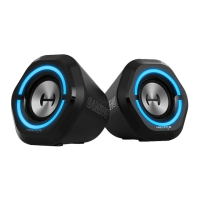
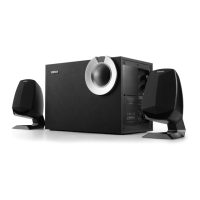
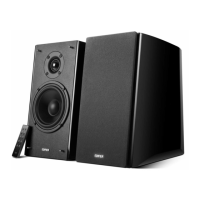
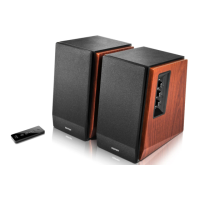
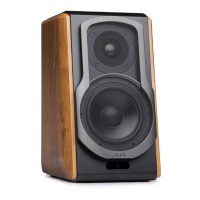
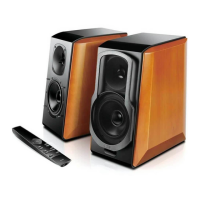
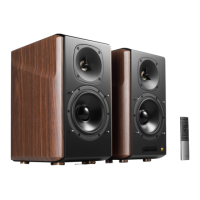
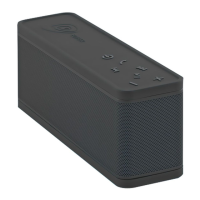
The EDIFIER G2000 Gaming Speakers are designed to provide an immersive audio experience for gamers and multimedia enthusiasts. These speakers offer a range of features that enhance usability, sound quality, and aesthetic appeal, making them a versatile addition to any desktop setup.
Function Description
The EDIFIER G2000 speakers serve as an external audio output device, primarily for computers, gaming consoles, and other audio sources. They are capable of producing stereo sound, with individual left and right channels, and include a bass output for enhanced low-frequency response. The speakers support multiple input modes, allowing users to connect various devices seamlessly. These modes include Bluetooth for wireless connectivity, AUX for wired analog connections, and USB sound card input for digital audio transmission from computers.
A key feature of the G2000 is its sound effect modes, which are optimized for different types of audio content. Users can switch between "Music," "Game," and "Movie" modes, each designed to tailor the audio profile for the best listening experience in that specific context. For instance, the "Game" mode might emphasize spatial audio cues, while "Movie" mode could enhance dialogue clarity and cinematic bass.
Beyond audio output, the speakers also incorporate LED light effects, adding a visual dimension to the user experience. These lights can be customized or cycled through different effects, contributing to the gaming ambiance or simply providing an aesthetic touch. The control scheme is intuitive, featuring physical buttons and a slide control for easy adjustments.
Usage Features
The EDIFIER G2000 speakers are designed for straightforward operation and versatile connectivity.
- Input Mode Switching: A dedicated button allows users to cycle through the available input modes: Bluetooth, AUX, and USB sound card. This makes it easy to switch between different audio sources without re-plugging cables.
- Volume Control: The speakers feature a slide control for adjusting the volume. Sliding upward increases the volume, while sliding downward decreases it, offering a tactile and responsive way to manage audio levels.
- Bluetooth Connectivity: For wireless audio streaming, the speakers can be easily paired with Bluetooth-enabled devices. To initiate pairing, users press the input mode switch until the blue indicator light flashes. Once "EDIFIER G2000" is selected on the mobile device, the blue light becomes steady, indicating a successful connection. The Bluetooth connection can also be disconnected by double-pressing the input mode switch.
- Sound Effect Modes: A separate button is dedicated to switching between the "Music," "Game," and "Movie" sound effect modes. This allows users to quickly optimize the audio for their current activity, whether it's listening to music, playing a game, or watching a film.
- LED Light Effects: The same button used for sound effect modes also controls the LED light effects when pressed and held. This enables users to customize the visual ambiance of their setup, choosing from various lighting patterns or turning them off if preferred.
- Power Management: The speakers can be powered on or put into standby mode by pressing and holding the input mode switch. This integrated control simplifies power management.
- Wired Connections: The speakers offer both AUX input (3.5mm jack) for traditional analog audio sources and a USB sound card input for digital audio from computers, ensuring compatibility with a wide range of devices. A dedicated bass output port is also available, suggesting the possibility of connecting an external subwoofer for even deeper bass, although the manual does not explicitly detail this functionality.
- Indicator Lights: The speakers feature an indicator light that changes color to reflect the current input mode: blue for Bluetooth, green for AUX, and red for USB sound card input. This visual feedback helps users quickly identify the active source.
- Placement: The design of the speakers, with separate left and right units and a central control unit, allows for flexible placement on a desktop to achieve optimal stereo imaging.
Maintenance Features
Maintaining the EDIFIER G2000 speakers involves simple, common-sense practices to ensure their longevity and optimal performance.
- Cleaning: Before cleaning, it is crucial to always turn off the product and disconnect the power plug. The speakers should be cleaned with a dry cloth. Users are advised against using strong acids, alkalis, gasoline, alcohol, or other chemical solvents on the product surface. Only neutral solvent or clear water should be used if necessary, applied to a cloth, not directly to the speakers.
- Environmental Conditions: The speakers are designed for use in a specific temperature range (0-35 ℃). Avoiding extreme temperatures helps prevent damage. They should not be exposed to rain or moisture, nor should they be immersed in any liquid. Placing liquid-filled objects like vases on the product is also discouraged.
- Ventilation: To prevent overheating and ensure proper operation, it is important not to block any ventilation openings. A minimum clearance of 5cm around the product is recommended for good ventilation. No objects should be inserted into ventilation openings or slots.
- Heat Sources: The speakers should not be installed or used near any heat sources such as radiators, heaters, stoves, or other heat-generating devices, as this can lead to damage.
- Power Safety: Users should ensure the operating voltage matches their local power supply. For safety, the product should be unplugged during lightning storms or when unused for extended periods. The MAINS plug serves as the disconnect device and should remain readily operable.
- Handling: Care should be taken not to force plugs into jacks. Before connection, users should check for blockages and ensure the plug matches the jack and is oriented correctly.
- Repair: The housing of the speakers should not be opened or removed by the user, as this can expose them to dangerous voltages and other hazards. Any damage, such as a damaged wire or plug, exposure to liquid, or malfunction, requires repair by an authorized service professional immediately.
- Disposal: The product should be disposed of responsibly, in accordance with EU regulations, to prevent harm to the environment. It should not be treated as household waste but recycled through designated collection systems.
- Wireless Product Considerations: For the wireless functionality, users are advised to turn off the product where wireless devices are disallowed, such as in medical facilities, on airplanes, or near sensitive automated systems. It should also not be used within a 20cm range of pacemakers to avoid interference.

 Need help?
 General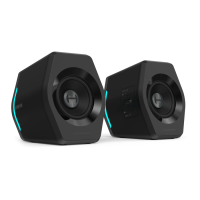

 To Next Page