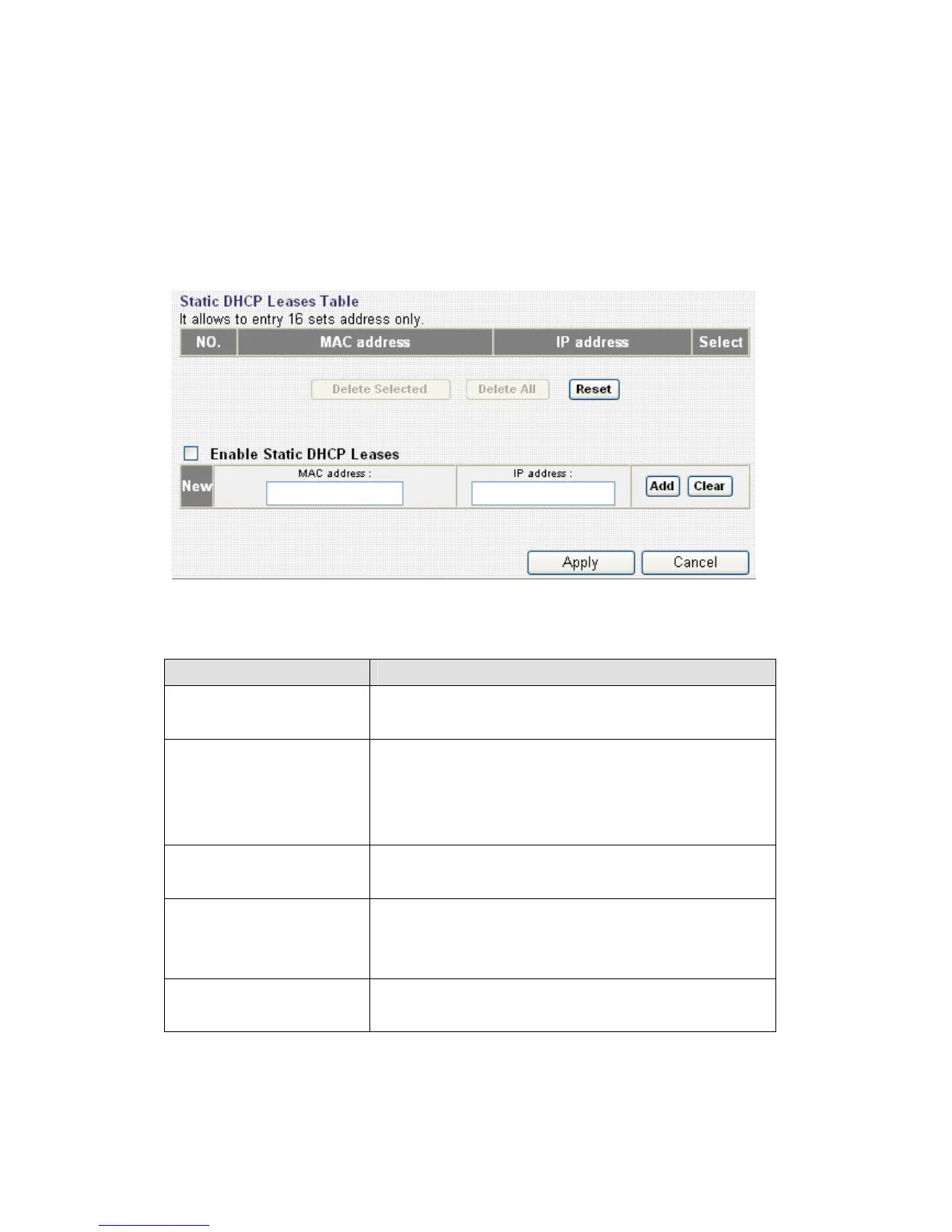
3-3-4 Static DHCP Leases
If you wish to assign a fixed IP address to certain computers / devices by
DHCP, you can use this function to establish a MAC-to-IP address table
here, so you can assign a specific IP address to a specific computer /
network device by its MAC address.
Here are descriptions of every setup items:
Item Name Description
Enable Static
DHCP Leases
Check this box to enable this function,
otherwise uncheck it to disable this function.
MAC Address Input the MAC address of the computer or
network device (total 12 characters, with
character from 0 to 9, and from a to f, like
‘001122aabbcc’).
IP address Input the IP address you want to assign to
this computer or network device.
Add After you inputted MAC address and IP
address pair, click this button to add the pair
to static DHCP leases table.
Clear Click this button to remove texts in MAC
address and IP address field.



 To Next Page