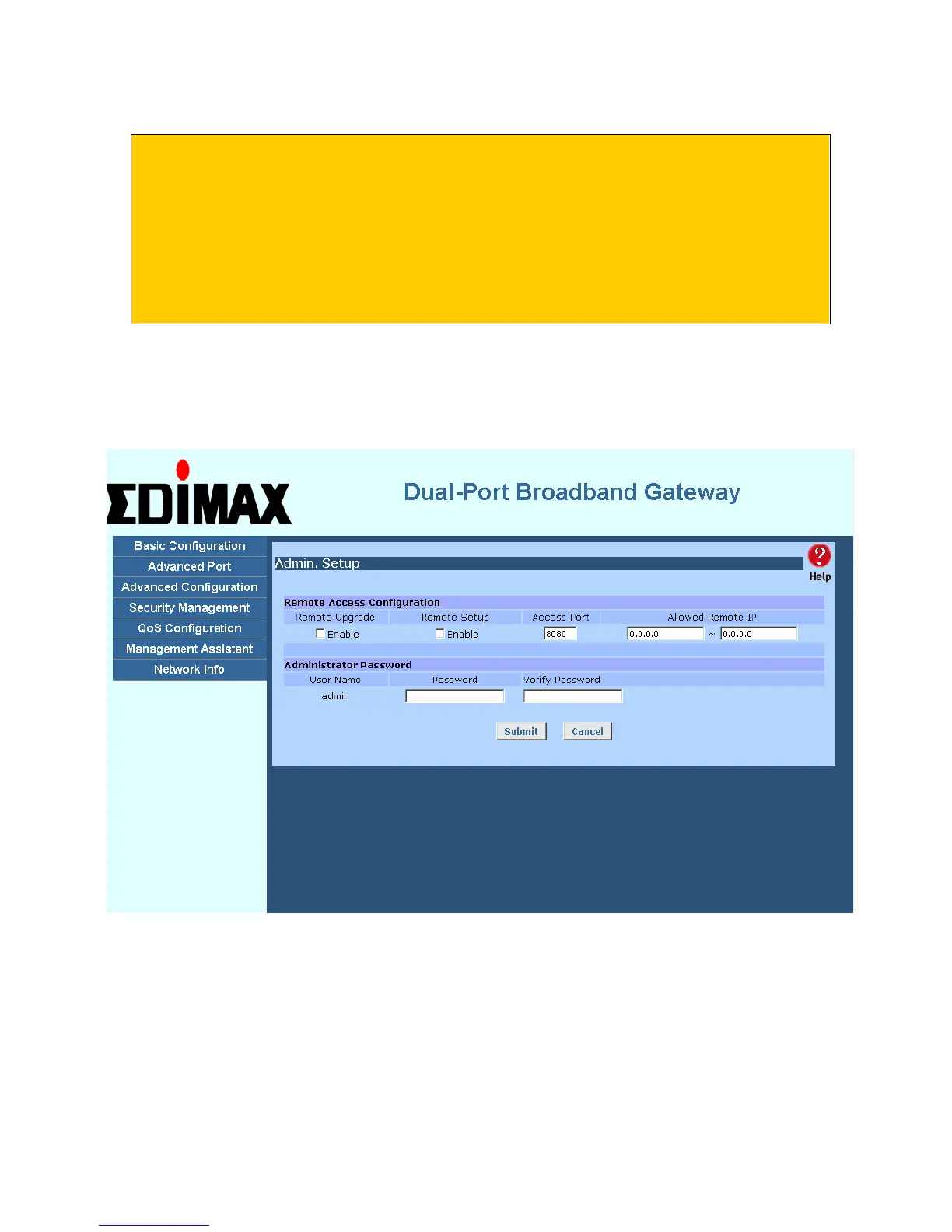
• You can and should set a password, using the following Admin Password screen.
No Response ?
• Is your PC using a Fixed IP address ?
If so, you must configure your PC to use an IP address within the range 192.168.1.2 to
192.168.1.254, with a Network Mask of 255.255.255.0. See Appendix B – Windows
TCP/IP Setup for details.
• Check that The Load Balancer is properly installed, LAN connection is OK, and it is
powered ON.
8. After the login, you will then see the Admin Password screen, as shown below.
Assign a password by entering it in the "Password" and "Verify Fields.
Figure 2-2: Home Screen (Admin Password)
Page 9















 To Next Page