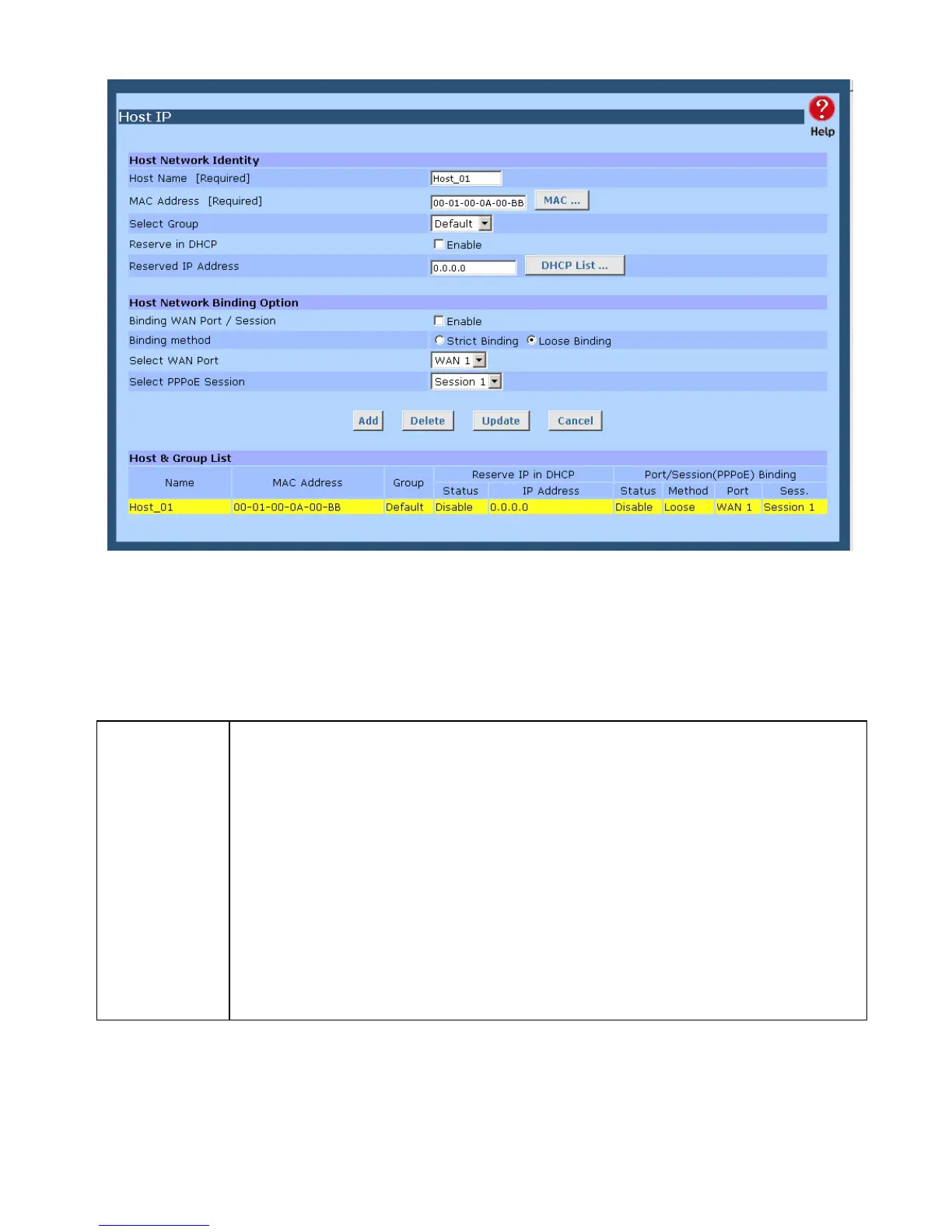
Figure 4-1: Host IP Setup
Settings – Host IP Setup
Host Network
Identity
This section identifies each Host (PC)
• Host name – Enter a suitable name. Generally, you should use the
"Hostname" (computer name) defined on the Host itself.
• MAC Address – Also called Physical Address or Network Adapter Address.
Enter the MAC address of this host.
• Select Group – Select the group you wish to put this host into.
• Reserve in DHCP – Select Enable to reserve a particular (LAN) IP address
for a particular PC on your LAN. This allows the PC to use DHCP (Windows
calls this "obtain an IP address automatically") while having an IP address
which never changes.
• Reserved IP – Enter the IP address you wish to reserve, if the setting above
is Enable. Otherwise, ignore this field.
Page 29















 To Next Page