Email Alert
Configuration
The purpose of email alert is in the event a WAN port is disconnected or
mal-functions, it will send an email message to inform the recipient.
• Email (SMTP) Server Address – The e-mail server address. (ex:
mail.yourdomain.com)
• User Name –The user name of an e-mail sender address for
authentication. (ex: abc)
• Password –The password of an e-mail sender address for
authentication. (ex:12345)
• Sender Address – The email address of the sender.
• Recipient Address –The email address of the receiver. (ex:
.admin@yourdomain.com)
Email Alert
Configuration list
List Email Alert messge that you have configured previously.
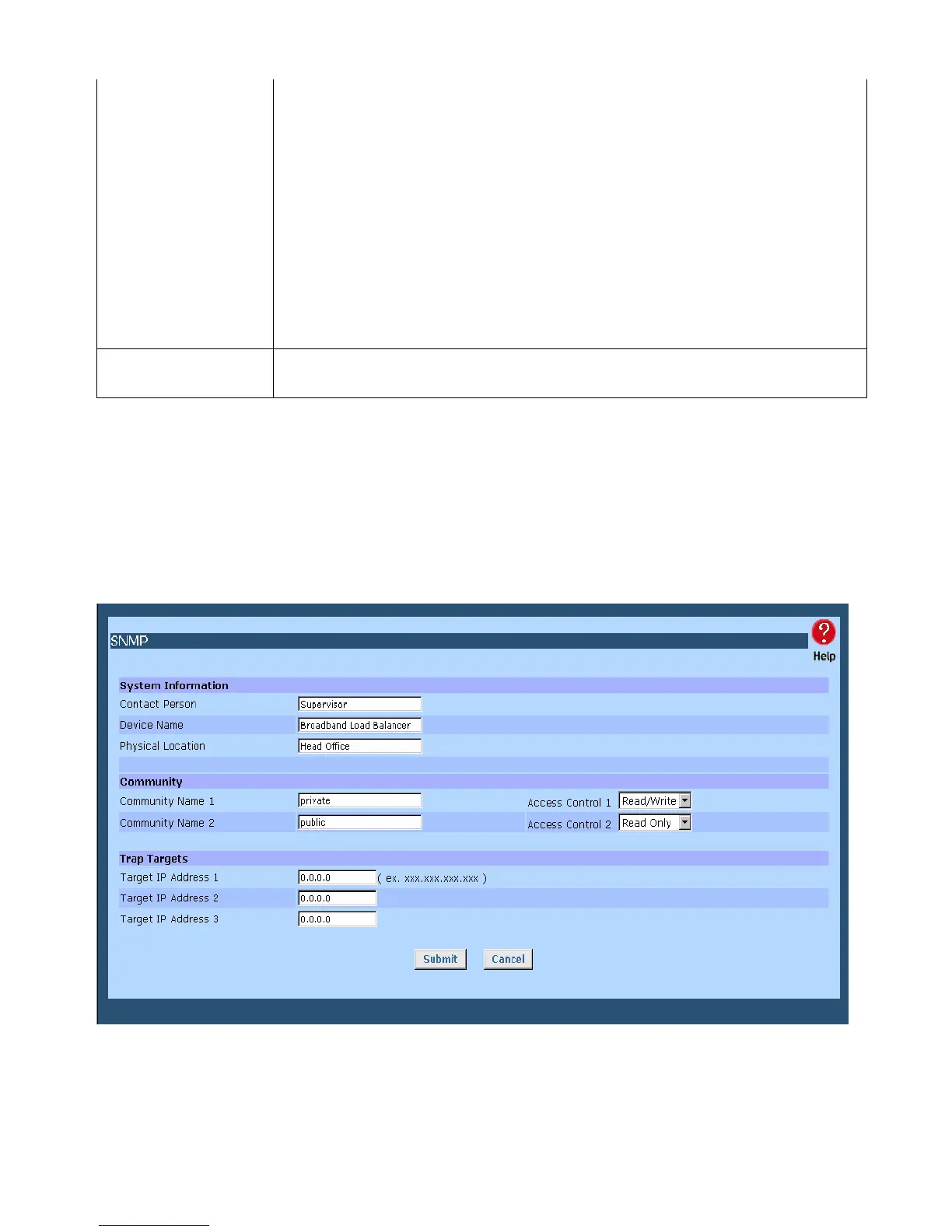
SNMP
This section is only useful if you have SNMP (Simple Network Management Protocol) software on
your PC. If you have SNMP software, you can use a standard MIB II file with The Load Balancer.
Figure 7-4: SNMP
Page 62















 To Next Page