3.2.3 Detecting services
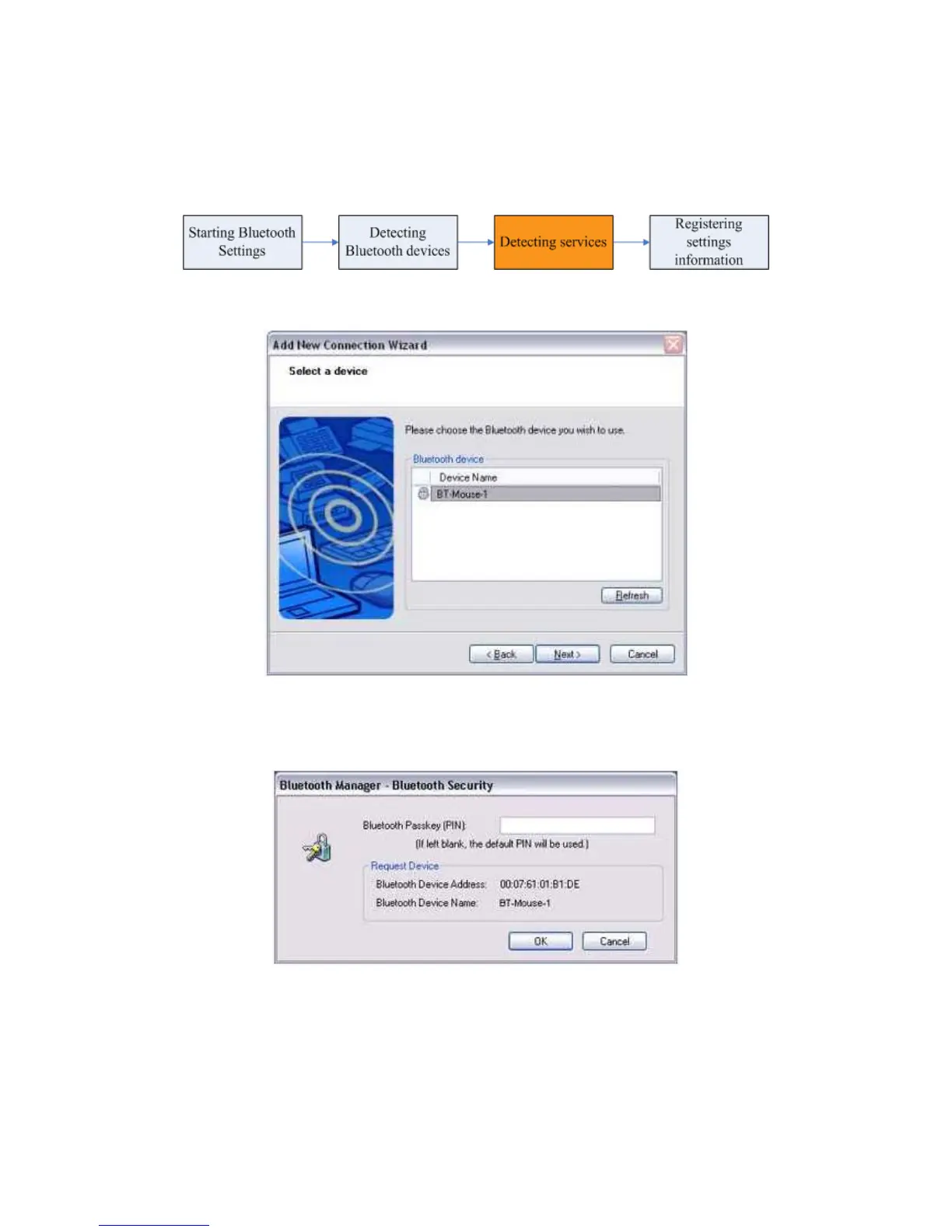
1. Select the device name from [Device List] and click on the [Next] button.
Note
● When a service has been detected, a window prompting you to enter the Bluetooth
passkey (PIN code) may appear. Please enter the passkey and click on the [OK] button.
● If you have not entered your Bluetooth passkey after a certain amount of time has passed,
the connection process will be cancelled for security reasons. Please perform the
passkey entry process again.
The services supported by the device will be displayed
.



 To Next Page