13
II-2. Magnetic Installation
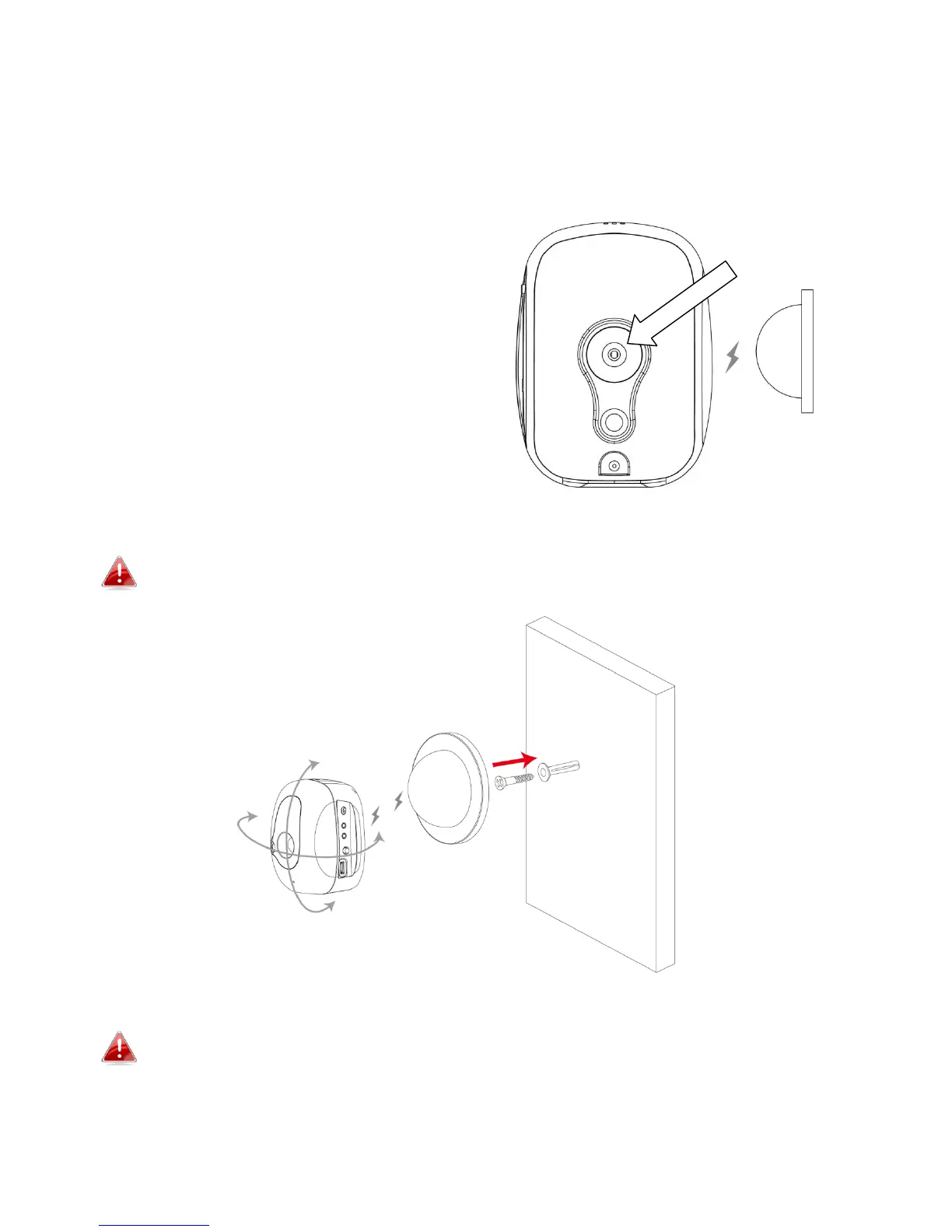
The camera unit mounts conveniently and securely to the magnetic mount,
which can be affixed wherever you need.
Use the included screws to fix the
magnetic mount to a wall in your
chosen location, and push the
camera unit firmly onto the
magnetic mount. The rear of the
camera unit features a strong
magnet which will connect firmly to
the magnetic mount while
maintaining flexibility to adjust the
viewing angle of the camera as
needed.
Make sure the camera unit’s magnet makes a good contact with the
magnetic mount.
The camera unit’s rear mounting hole below the magnet also allows you
to mount the camera to a third party stand if you prefer.



 To Next Page