EasyManua.ls Logo

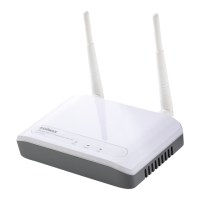
Edimax EW-7416APn v2 - User Manual

Edimax EW-7416APn v2
89 pages
Print Icon
To Next Page IconTo Next Page
Loading...
1
EW-7416APn v2 & EW-7415PDn
User Manual
12-2012 / v1.1

Other manuals for Edimax EW-7416APn v2

Questions and Answers

  • M
    Michelle CaldwellAug 6, 2025
    What to do if I can't log onto web management interface of my Edimax Network Router because the password is wrong?
    • M
      morrisrachelAug 6, 2025
      First, ensure you're connecting to the correct IP address of the range extender/access point. Passwords are case-sensitive, so check that the 'Caps Lock' is off. If you've genuinely forgotten the password, perform a hard reset.
  • R
    Robert CollinsAug 10, 2025
    What to do if my Edimax Network Router range extender/access point is not responding when I try to access it via a web browser?
    • F
      Francisco RubioAug 10, 2025
      Check the power cord and network cable connections to ensure they are correctly and firmly inserted. If all LEDs are off, verify the A/C power adapter is correctly powered. Ensure you're using the same IP address section as the range extender/access point. If you're using MAC or IP address filters, try connecting with another computer or perform a hard reset. Set your computer to obtain an IP address automatically (DHCP). If this occurred after a firmware upgrade, or if none of these steps work, contact your dealer.
  • L
    Laura HamptonAug 15, 2025
    Why is my Edimax Network Router file download very slow or breaking frequently?
    • H
      hsanchezAug 16, 2025
      Try resetting the range extender/access point. Check what other computers are doing on your network, as large file transfers can slow down the internet for others. Also, try changing the channel number.
  • J
    James FoleyAug 21, 2025
    Why can't I get connected to my Edimax Network Router wireless range extender/access point?
    • V
      Virginia SanchezAug 21, 2025
      If encryption is enabled, double-check your WEP or WPA passphrase settings on your wireless client. Try moving closer to the wireless range extender/access point. Unplug the power plug of the range extender/access point, wait 10 seconds, and plug it back in. If all LEDs are off, check the A/C power adapter to ensure it's correctly powered.
  • C
    Christine HarveyAug 26, 2025
    Why can't I locate my Edimax Network Router range extender/access point with my wireless client?
    • L
      Lindsay GomezAug 26, 2025
      Check if 'Broadcast ESSID' is set to off. Verify the antenna is properly installed and secured. Ensure you are not too far from the range extender/access point; try moving closer. If ESSID broadcast is disabled, remember to input the ESSID manually on your wireless client.
  • E
    Edward ThompsonAug 31, 2025
    Why does my Edimax Network Router range extender/access point become hot?
    • S
      smooreAug 31, 2025
      It's not a malfunction if you can keep your hand on the range extender/access point's case. However, if you smell something burning or see smoke coming from the range extender/access point or A/C power adapter, immediately disconnect them from the power source (safely!) and contact your dealer.

Edimax EW-7416APn v2 Specifications

General IconGeneral
2.4 GHzYes
Modulation-
Frequency band2.4 - 2.4835 GHz
Number of users- user(s)
Channels quantity- channels
Networking standardsIEEE 802.11n, IEEE 802.3, IEEE 802.3u
Ethernet LAN data rates10, 100 Mbit/s
Maximum data transfer rate300 Mbit/s
Flash memory4 MB
Internal memory16 MB
Processor modelRalink RT3052
Compatible operating systemsWindows 95/98/ME/2000/XP/Vista
InternalNo
CertificationCE, FCC
Product colorWhite
Ethernet LAN (RJ-45) ports1
Security algorithms128-bit WEP, 64-bit WEP, 802.1x RADIUS, TKIP, WPA, WPA2, WPS
Antennas quantity2
Antenna gain level (max)3 dBi
Input current1 A
AC input voltage5 V
Operating temperature (T-T)10 - 40 °C
Operating relative humidity (H-H)10 - 90 %
Weight and Dimensions IconWeight and Dimensions
Width127 mm
Height30 mm

Related product manuals