27
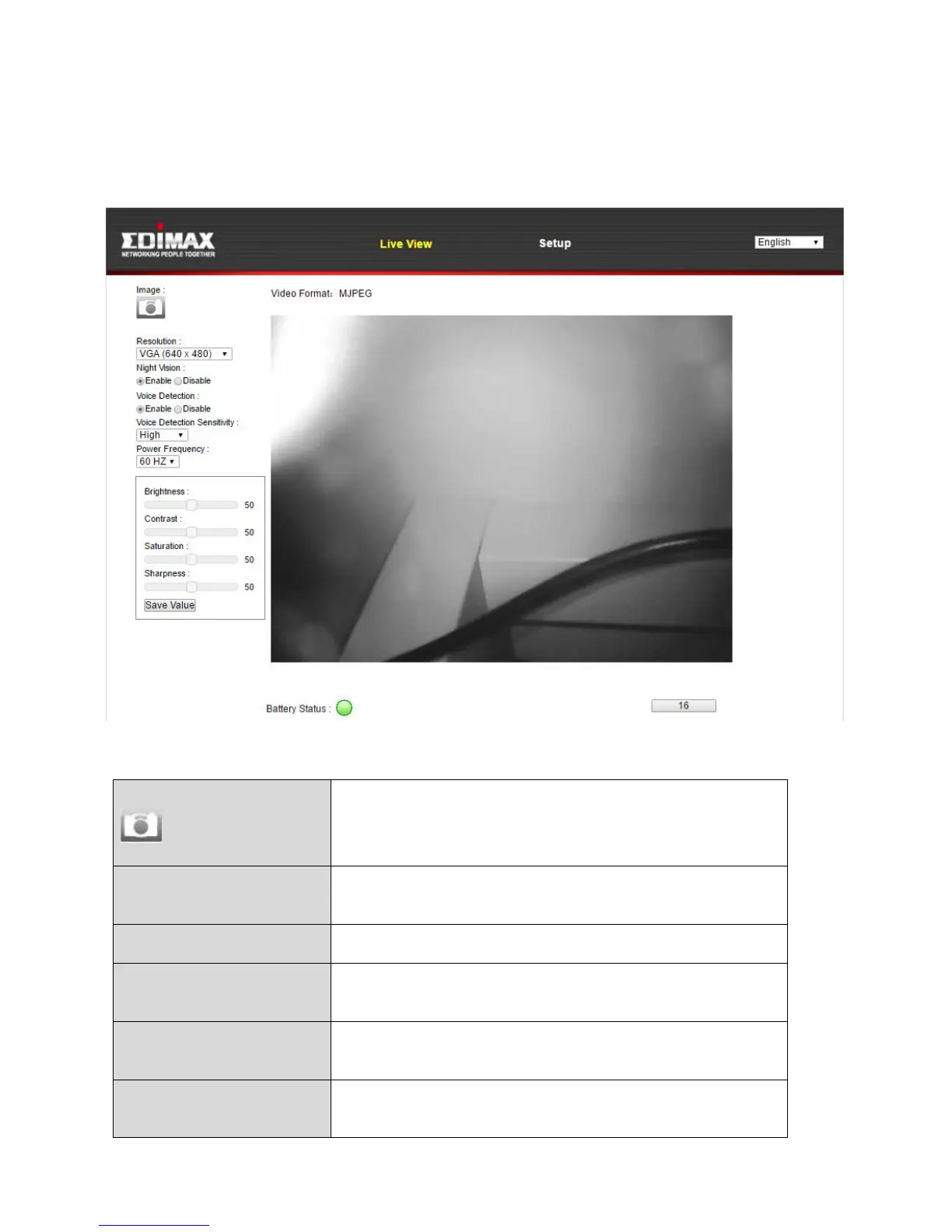
4. For computer users, the “Live View” screen will be displayed, as shown
below. On the live view screen you can see a live stream from your camera
and use the icons on the left side to pan, tilt and take snapshots or
recordings.
Save a snapshot (image) of the network
camera’s current view. You will be prompted
to select a location to save the image.
Set the video resolution according to your
preference.
Enable or disable night vision.
Enable or disable the camera’s voice
detection function.
Voice Detection
Sensitivity
Set the sensitivity level for the camera’s voice
detection function.
Set 50MHz or 60MHz power frequency
according to your display’s capabilities.



 To Next Page