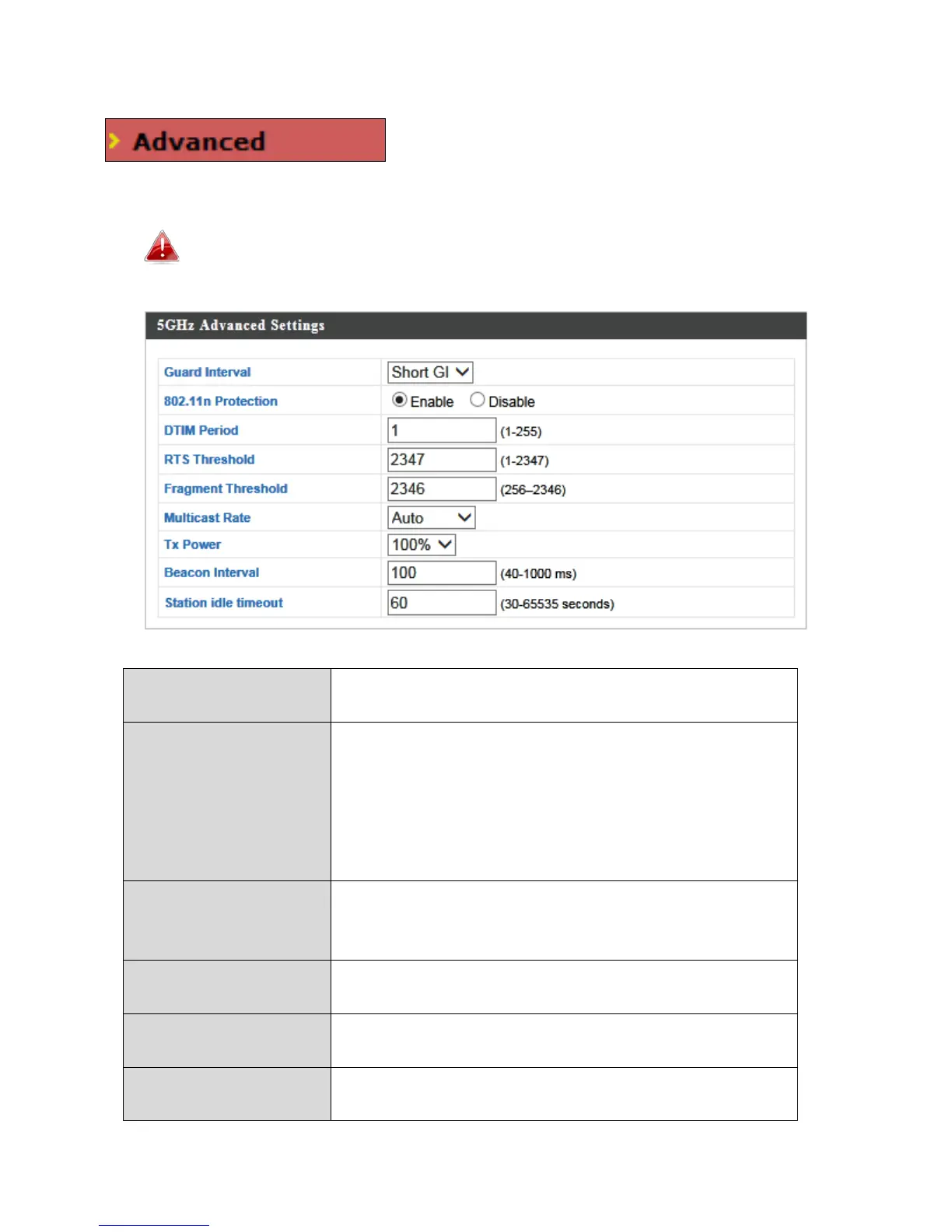
IV-3-2-2. Advanced
These settings are for experienced users only.
Please do not change any of the values on this
page unless you are already familiar with these functions.
Changing these settings can adversely affect the performance of
your access point.
Set the guard interval. A shorter interval can
improve performance.
Enable/disable 802.11n protection, which
increases reliability but reduces bandwidth
(clients will send Request to Send (RTS) to
access point, and access point will broadcast
Clear to Send (CTS), before a packet is sent
Set the DTIM (delivery traffic indication
message) period value of the wireless radio.
Set the RTS threshold of the wireless radio. The
default value is 2347.
Set the fragment threshold of the wireless
radio. The default value is 2346.
Set the transfer rate for multicast packets or
use the “Auto” setting.



 To Next Page