I-6. Magnetic Wall Mount
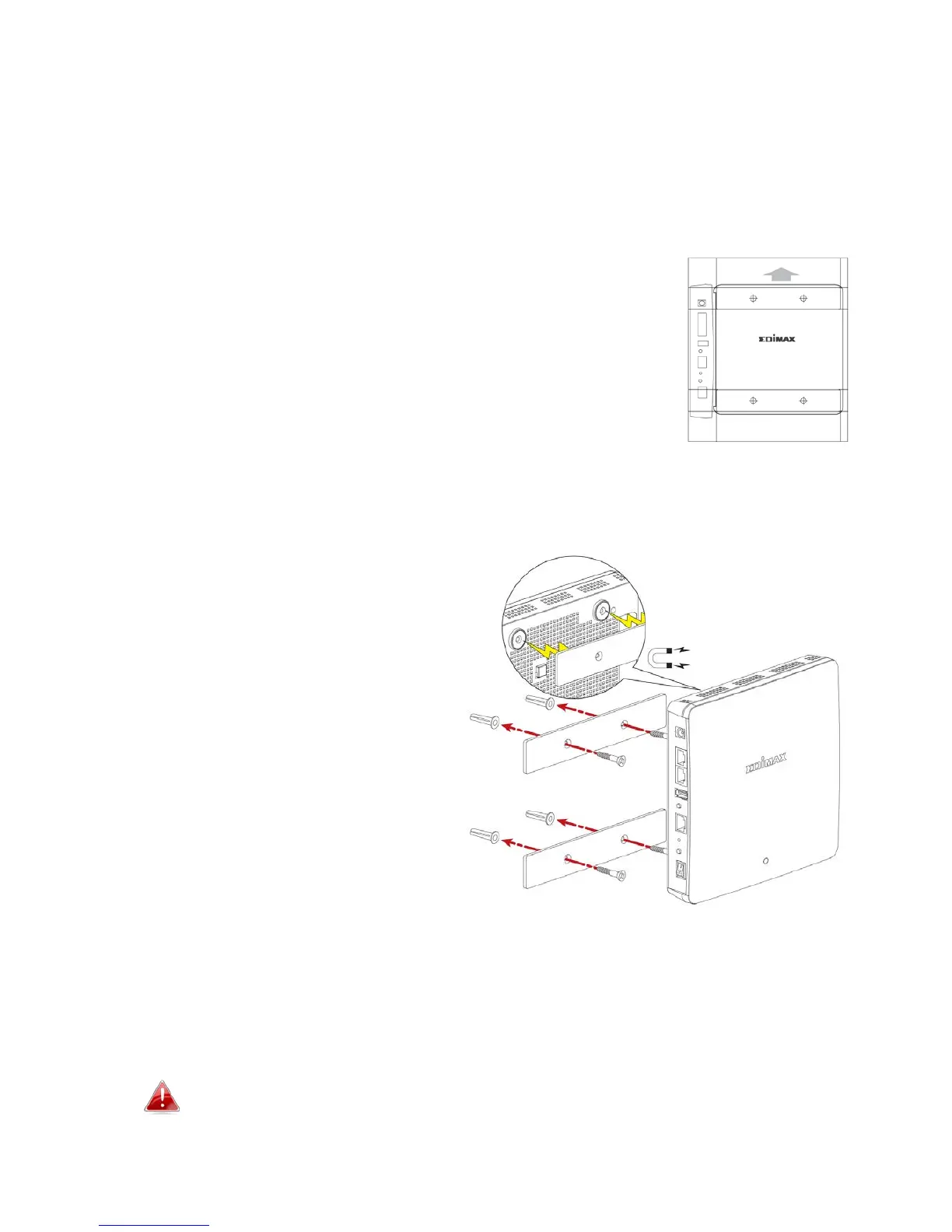
The access point includes a magnetic wall mount which requires some
assembly.
1. Use the included magnetic wall mount screw template to identify and
mark correct screw positions on your selected wall.
2. Attach the two magnetic wall mount strips to your wall using the included
screws, as shown below.
3. Press the back of your access point firmly against the two wall mounted
magnetic strips, with the access point’s Edimax logo in the correct, upright
orientation as displayed above.
Ensure your access point is securely attached to the magnetic
strips.
3



 To Next Page