3
I-2. System Requirements
- Existing cable/DSL modem & router
- Computer with web browser for access point configuration
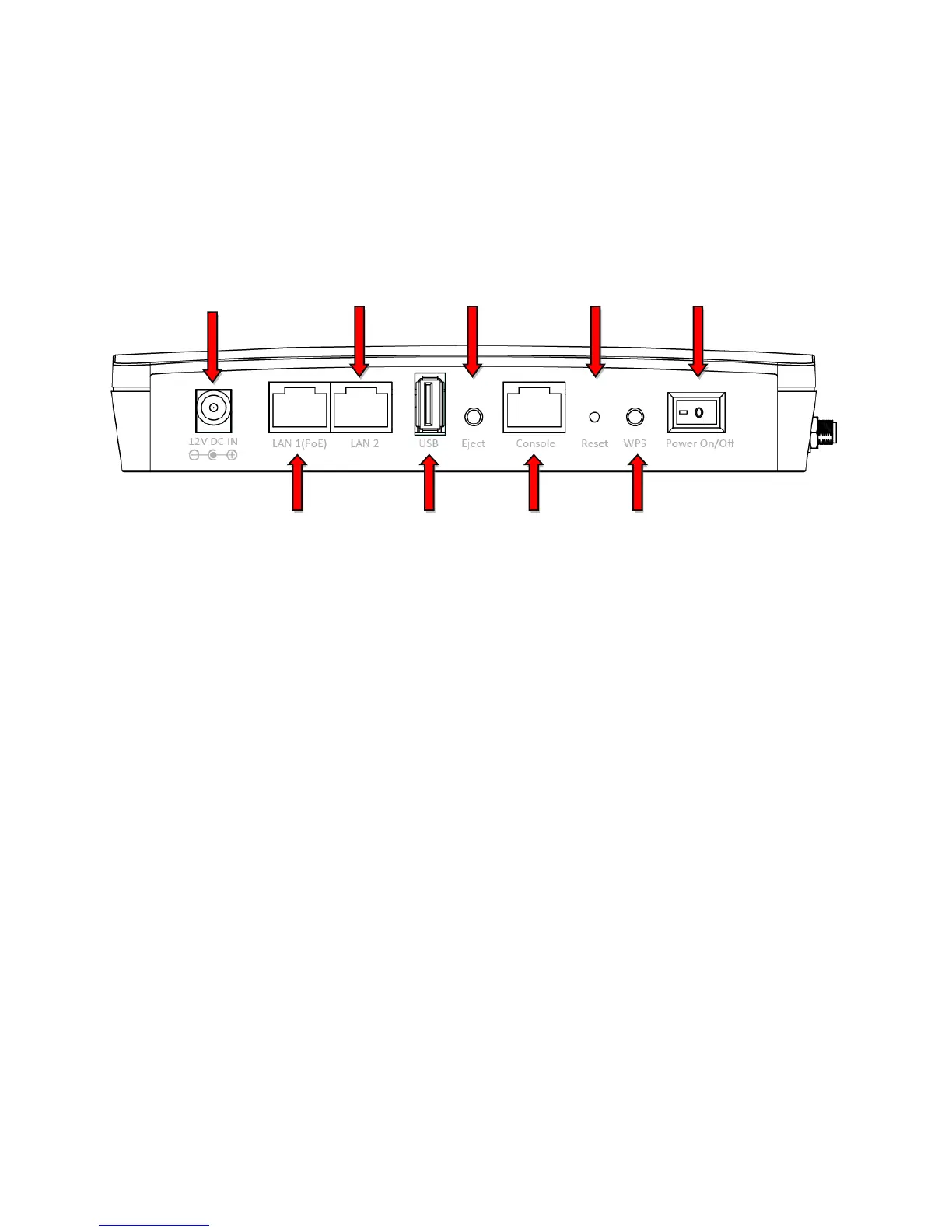
I-3. Hardware Overview
A. 12V DC port to connect the power adapter
B. LAN port with Power over Ethernet (PoE) IN
C. LAN port with Power over Ethernet (PoE) OUT
D. USB Port for system log and save/restore settings
E. Eject an attached USB device
F. Connect a management console
G. Reset the access point to factory default settings
H. Wi-Fi Protected Setup (WPS) button
I. Switch the access point on/off



 To Next Page