7
For use a Managed AP in an AP array, the access point will automatically
switch mode when an AP Controller is configured as described in III. Edimax
Pro NMS.
To use the AP as an AP Controller (master) in an AP array, refer to III. Edimax
Pro NMS.
II-2. AP Mode: Basic Settings
The instructions below will help you to configure the following basic settings
of the access point:
- LAN IP Address
- 2.4GHz & 5GHz SSID & Security
- Administrator Name & Password
- Time & Date
It is recommended you configure these settings before using the
access point.
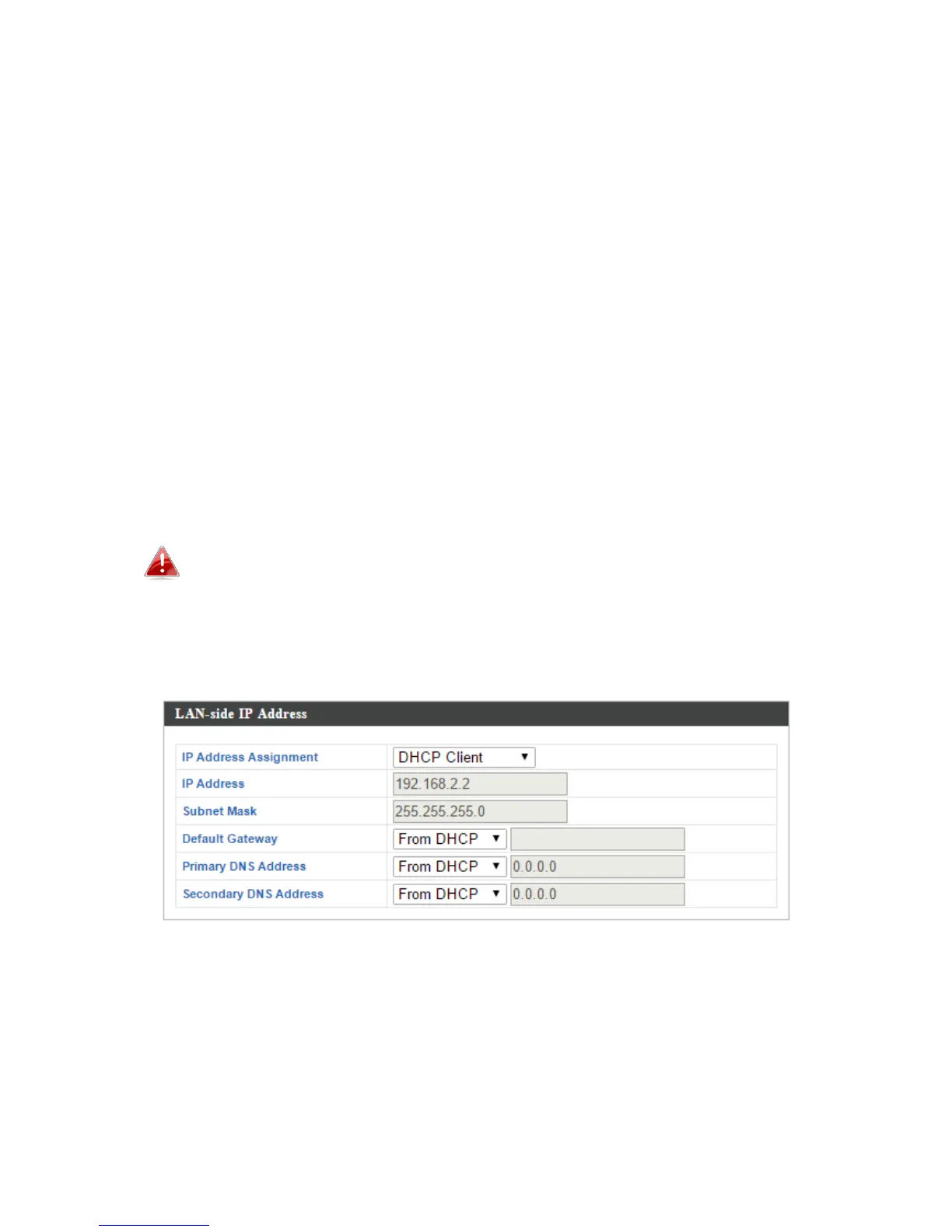
1. To change the access point’s LAN IP address, go to “Network Settings” >
“LAN-side IP Address” and you will see the screen below.
2. Enter the IP address settings you wish to use for your access point. You
can use a dynamic (DHCP) or static IP address, depending on your network
environment. Click “Apply” to save the changes and wait a few moments
for the access point to reload.



 To Next Page