12
►CONFIGURATION IMPORT (CFG)
To import the conguration le jedi_cong.txt, to each MODULATOR (MOD1, MOD2,
MOD3, MOD4) separately, you must save the conguration le one by one in the root
directory* of a USB drive, insert the drive to the respective USB1, USB2, USB3 or USB4
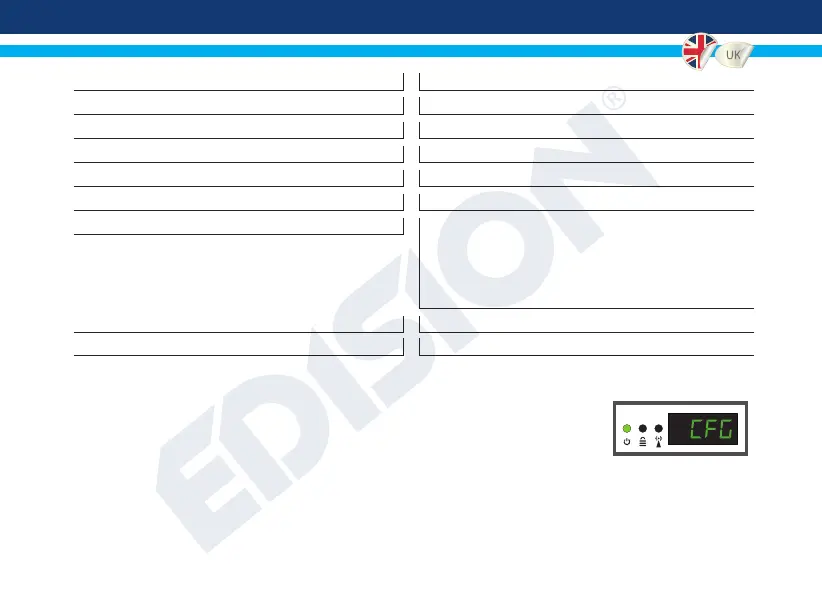
slot and connect the PSU power to your HDMI Modulator. When you see this message CFG, press the MENU/OK
button to conrm the import process. When the process is completed, the unit will reboot with the new conguration!
*IMPORTANT: Use only FAT32 partitions. In any other case, the conguration le will not be read and the
device will reboot normally!
<PCR
_
GAP>0<\PCR
_
GAP> PCR Gap: Audio/Video sync max +-5
<audio
_
format>0<\audio
_
format> Audio format: 0 MPEG2 L2, 1 AAC MPEG2
<videopid>1002<\videopid> Video PID: 1 to 8000
<audiopid>1001<\audiopid> Audio PID: 1 to 8000
<pmtpid>1003<\pmtpid> PMT PID: 1 to 8000
<serviceID>1000<\serviceID> Service ID: 1 to 9999
<video
_
bitrate>12500<\video
_
bitrate> Video Bitrate:
6MHZ = from 0 to 8000
(per Modulator, total 2 x 8000)
7MHZ = from 0 to 9000
(per Modulator, total 2 x 9000)
8MHZ = from 0 to 10000
(per Modulator, total 2 x 10000)
<Netname>EDISION<\Netname> Network Name, Max 12 characters
<TV
_
Standard>0<\TV
_
Standard> TV Standard: 0 DVB-T, 1 ISDB-T


 To Next Page